Accounting that keeps itself up to date, with bank reconciliation your accountant will trust.
The books run a month behind, and the accountant finds out what happened at quarter end. Every transaction from your banks and cards is imported automatically and matched to the invoices and bills it paid, a supplier's invoice dropped in as a PDF or a photo becomes the draft bill, and your accountant works in the same books, with the chart of accounts they already use.
- Bank transactions imported automatically and matched
- Supplier invoices and receipts read into draft bills
- Profit and loss, balance sheet and who owes you what, any day
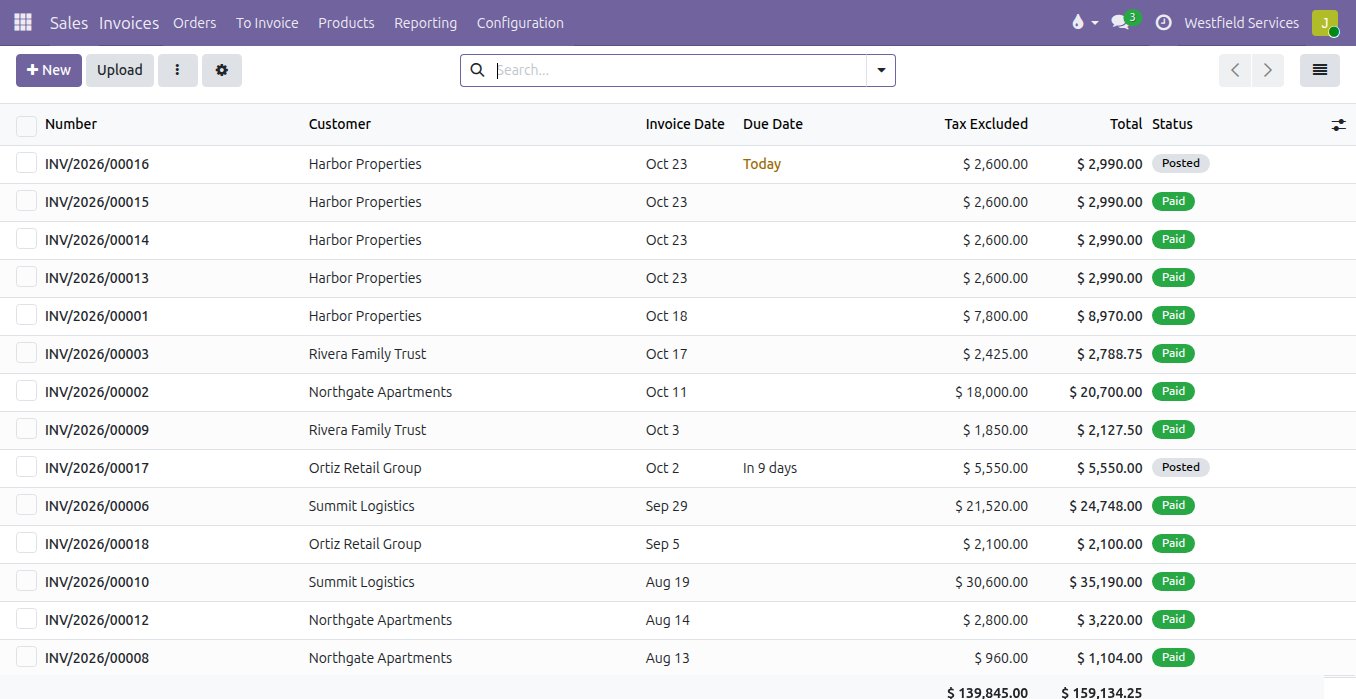
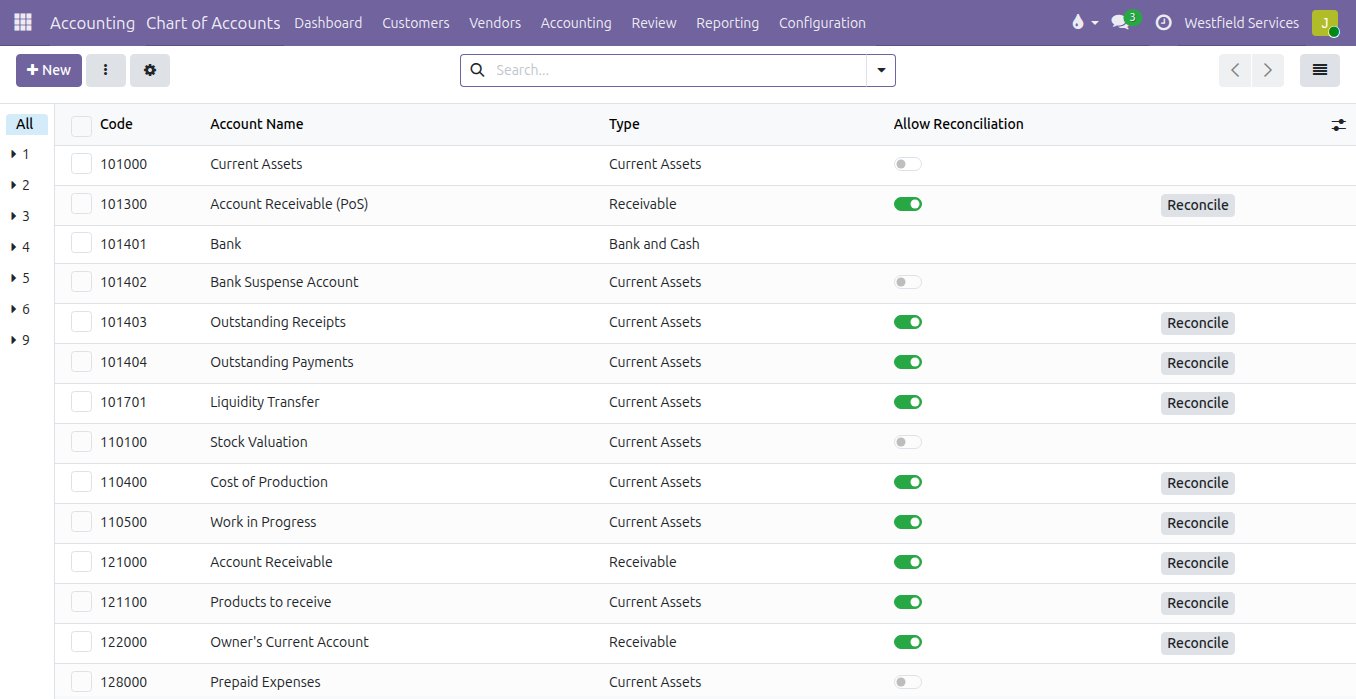
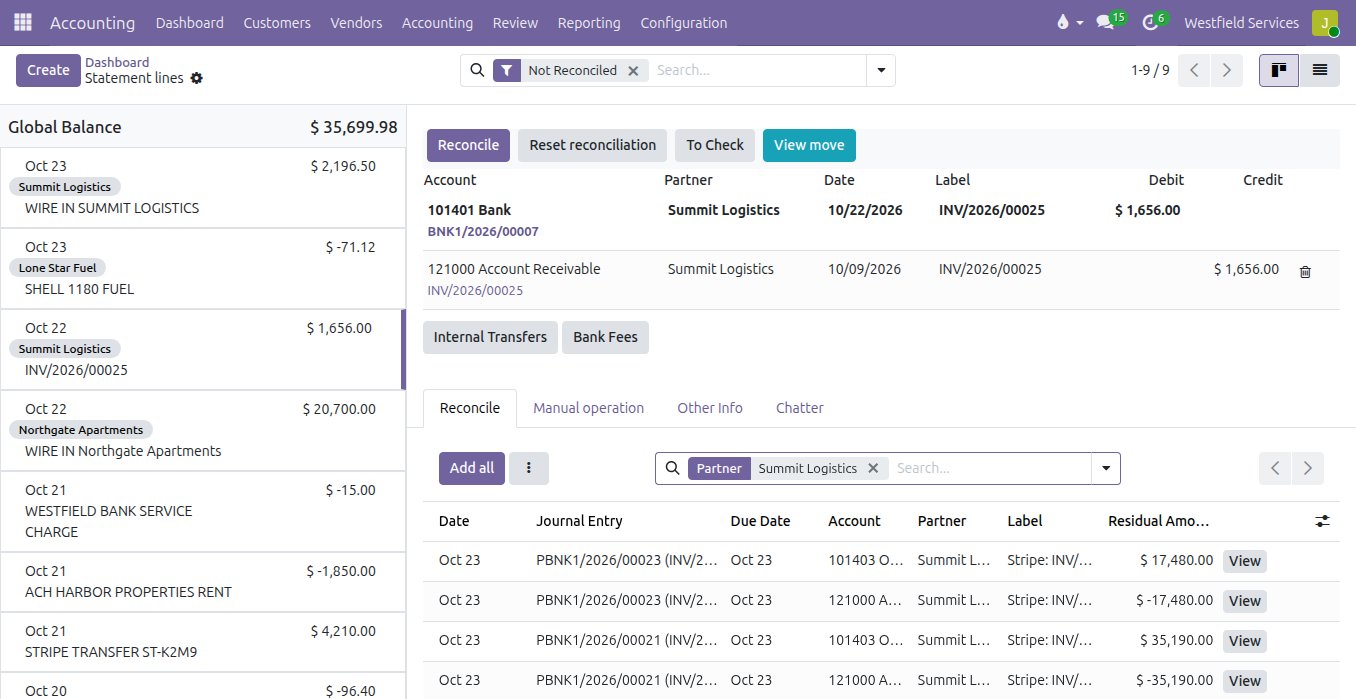
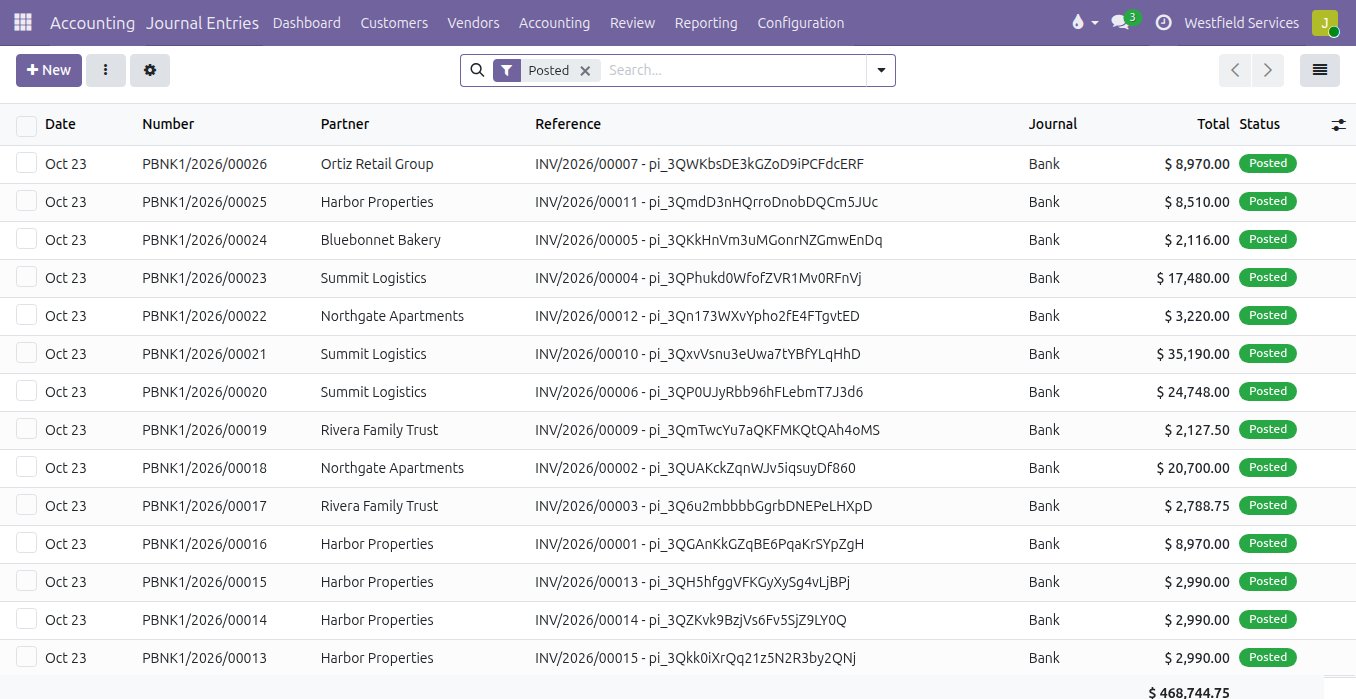
Bank lines arrive already matched to the invoices they paid, and the ones that are not take one click.
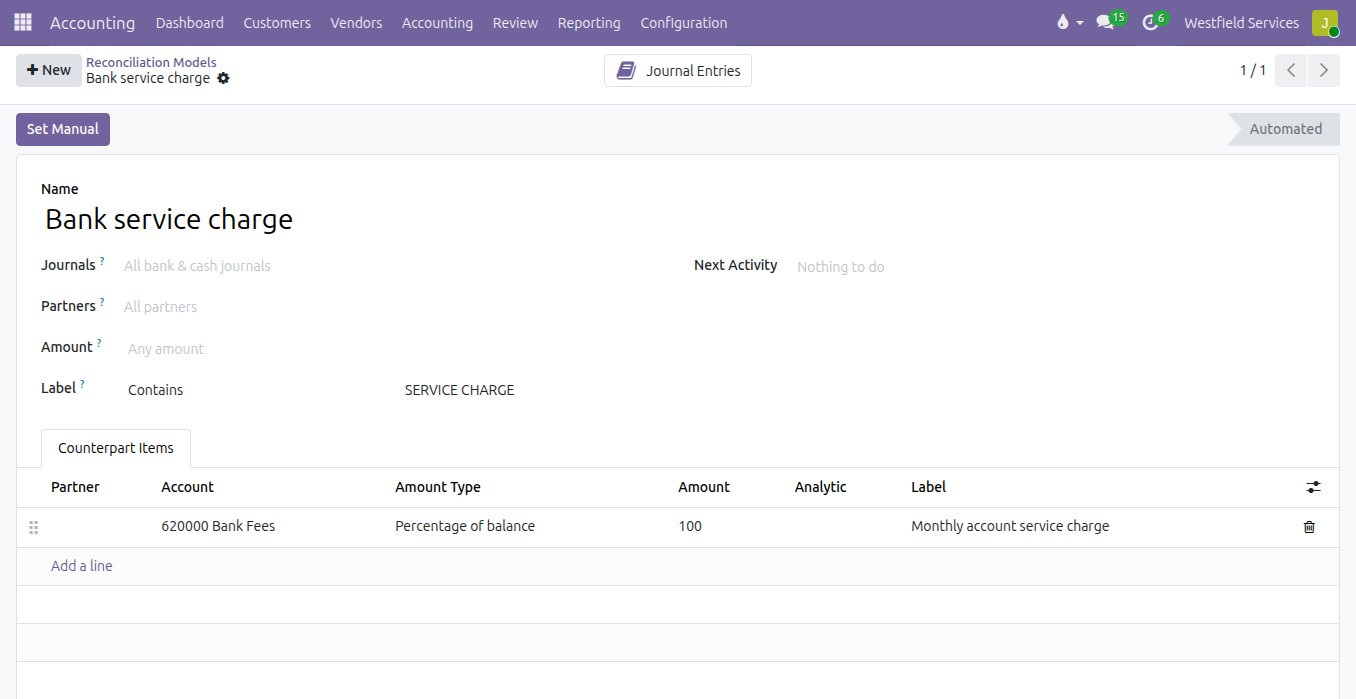
Reconciling means a statement, a highlighter and an afternoon at the end of the month, and the suspense balance never quite reaches zero. Here the transactions are imported automatically and matched by reference, customer and amount; a payment that covers two invoices is settled against both in one step; and the recurring lines, the bank's fees, the card processor's payouts, the transfer between accounts, follow rules you confirm once. What is left is a short list to check, and the books agree with the bank on any day you open them.
- Matched by reference, customer and amount, proposed for you to confirm
- Rules for fees, payouts and transfers, confirmed once
- One payment settled against several invoices
- Whatever still needs a decision, on one list
Drop in a supplier's invoice and the bill comes back filled in, with the document attached.
Supplier invoices pile up in an inbox and get typed into the books on a Friday, line by line. Dropped onto the bills list, the invoice is read for you: the vendor, the date, the lines and the tax. The draft bill opens with the document beside it, a person checks and confirms, and the bank line that paid it is matched automatically. A receipt photographed on a phone becomes an expense the same way, tagged to the job it belongs to.
- Vendor matched to a contact, or created
- Lines, quantities, prices and tax read from the document
- Anything that could not be read is flagged for a person
- The document stays attached to the bill
See who owes you what today, and let the reminders go out before an invoice is forgotten.
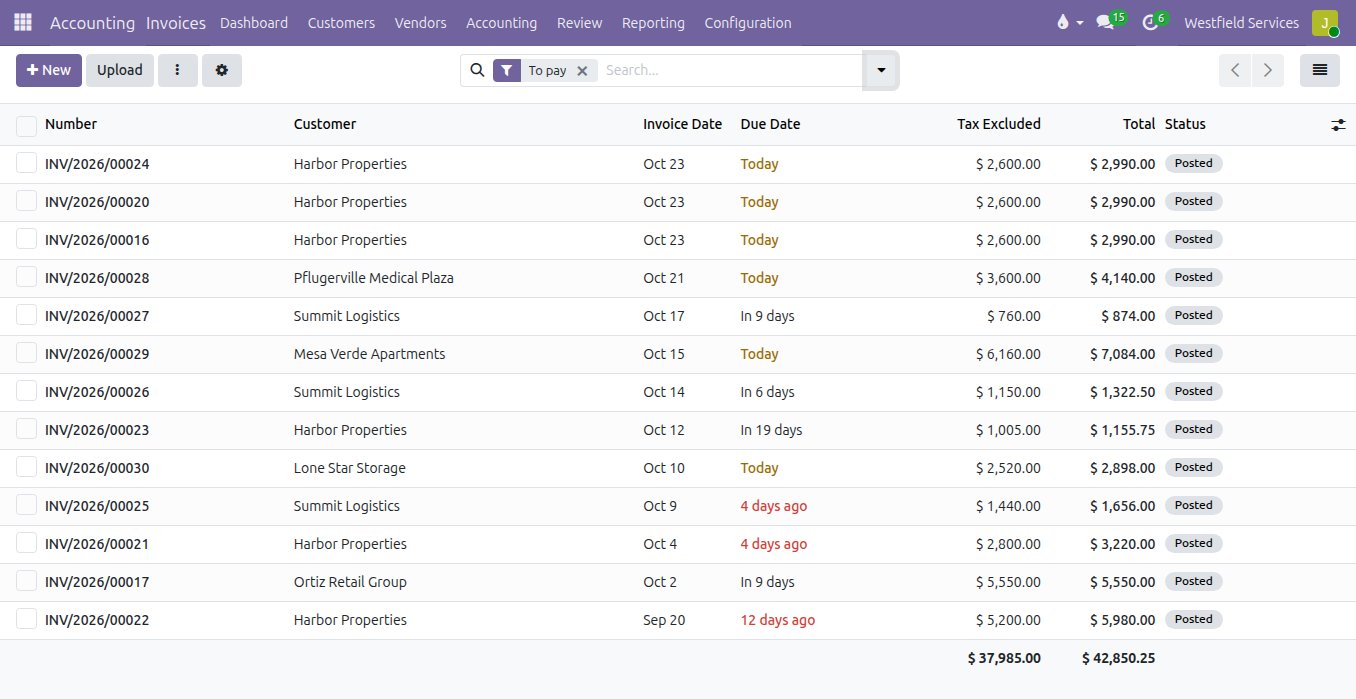
Chasing late payers is a ritual with an aged list and a phone, and the invoice for the maintenance plan goes out whenever someone remembers. With the open invoices on one list by customer, the days overdue in red, reminders go out by email on the schedule and in the words you set, a pay link on every invoice brings the card payment back already matched, and the plans, retainers and subscriptions issue their invoices automatically on their day.
- Open invoices by customer, with the days overdue
- Reminders on a schedule, in your words, with the invoice attached
- A pay link on the invoice, matched when the payment lands
- Recurring invoices for plans and retainers, issued automatically
Simple on the first day, and already holding what a bigger company needs when you get there.
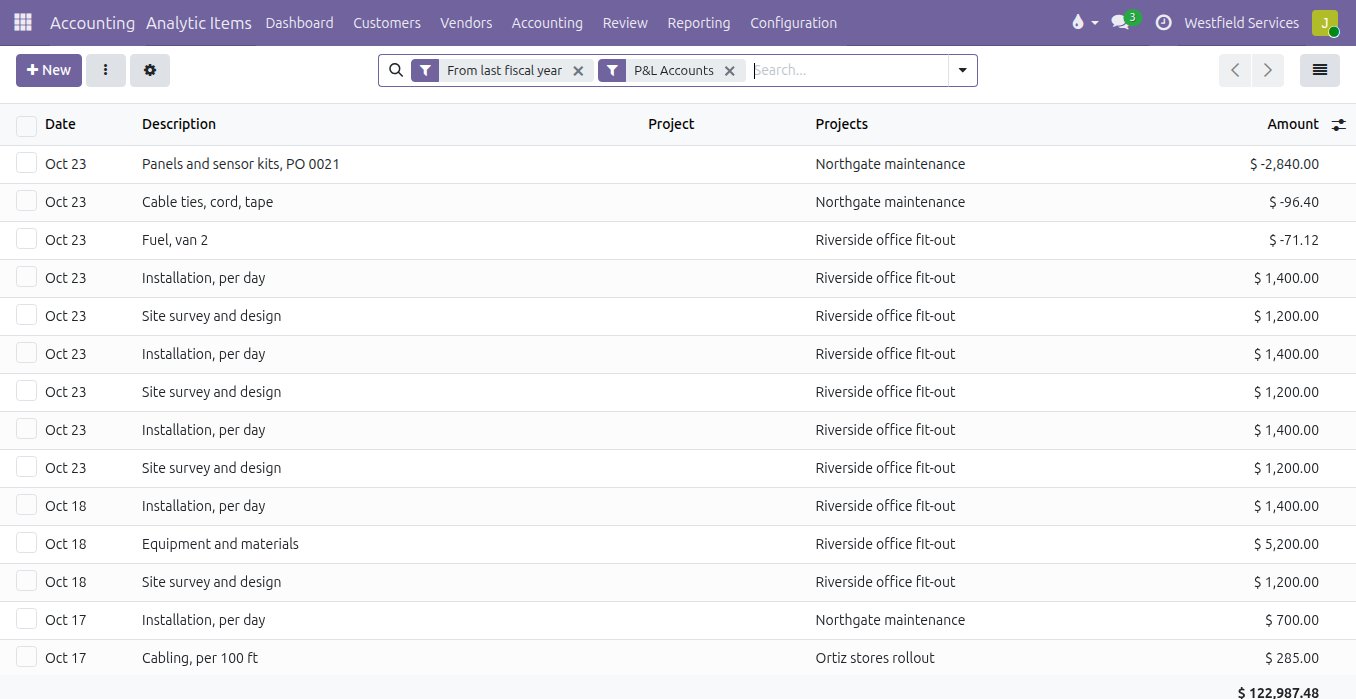
The bookkeeping app that was fine at ten people runs out of room at forty: a second currency, a budget per department, equipment to depreciate, sales tax in three jurisdictions, and a job-cost question nobody can answer. This is double-entry accounting with your chart of accounts, so every cost and every sale is tagged to the job, the department or the location it belongs to, budgets sit against what was actually spent, assets depreciate on their schedule, foreign currencies are revalued, the tax report is built from the invoices, and your accountant logs into the same books with the reports and exports they ask for.
- Analytic accounts: margin by job, department or location as a report
- Budgets against actuals, assets and deferrals, multi-currency
- Sales tax by jurisdiction, with the report built from the invoices
- Your accountant in the same books, with their own login
Already have your books set up? The bank feed and the document reading install on top of what you run.
Adomi Bank Sync is the bank feed and the document reading as an add-on for companies that already run Odoo on their own hosting: thousands of US banks and credit unions, transactions imported automatically and again whenever the bank reports activity, and supplier invoices and receipts read into draft bills. The matching rules and the reconciliation you see above work the same way on the lines it brings in.
- Thousands of US banks and credit unions
- Posted transactions only, nothing imported twice
- Up to 90 days of history the day you connect
What it is for
The books, without the Friday afternoon of typing.
The bank feed
Checking, savings, cards and loans imported automatically and read-only, so the books match the bank without anyone downloading a statement.
Invoices and receipts read for you
A PDF from a supplier or a photo of a receipt becomes a draft bill with the lines filled in and the document attached.
Reconciliation
Bank lines matched to invoices, bills and payments, with rules for the recurring ones and a short list of what still needs a decision.
Customer invoices and payments
Invoices go out from the order with a link to pay, the payment is matched when it lands, and a reminder goes out when it does not.
Taxes and reports
Sales tax by jurisdiction, profit and loss, balance sheet and aged receivables and payables, on any day rather than at month end.
Your chart of accounts
Set up to match the one your accountant already uses, with the taxes and fiscal positions of your state rather than a template from somewhere else.
Analytic accounting
Every cost and every sale tagged to the job, the department or the location it belongs to, so margin by job is a report rather than a reconstruction.
Your accountant in the same books
Their own login, the reports they ask for and the exports they want, with no files sent back and forth.
Related
Sales
Quotes, orders, deliveries and invoices from one record, so nothing is typed twice.
See salesBusiness intelligence
Dashboards on one set of numbers everyone agrees on.
See business intelligenceIntegrations
The software you already use, connected so information is entered once.
See integrationsImplementation
Invoicing and accounting set up around how you work, connected to the bank.
On the services pageSchedule a demo.
Tell us a little about your business and what you would like to see. We walk you through how this would work for a company like yours, at a time that suits you. The first conversation is free.