Turn signed proposals into projects, capture every billable hour and invoice each client the way they agreed to pay.
A firm that sells its time loses money in the gaps: the proposal is a document nobody links to the work, hours are written up from memory at the end of the week, the retainer ran out a fortnight ago and month end means checking timesheets against engagement letters. We set up proposals that turn into the project when the client signs, a timer on every task, billing that follows the engagement whether it is a fixed fee, milestones, hours or a monthly retainer, and a clear view of who is billable and which clients pay for the effort they take.
- Signed proposals become the project, with tasks and budget
- Hours recorded on the task as they happen
- Milestones, hours and retainers invoiced from the work

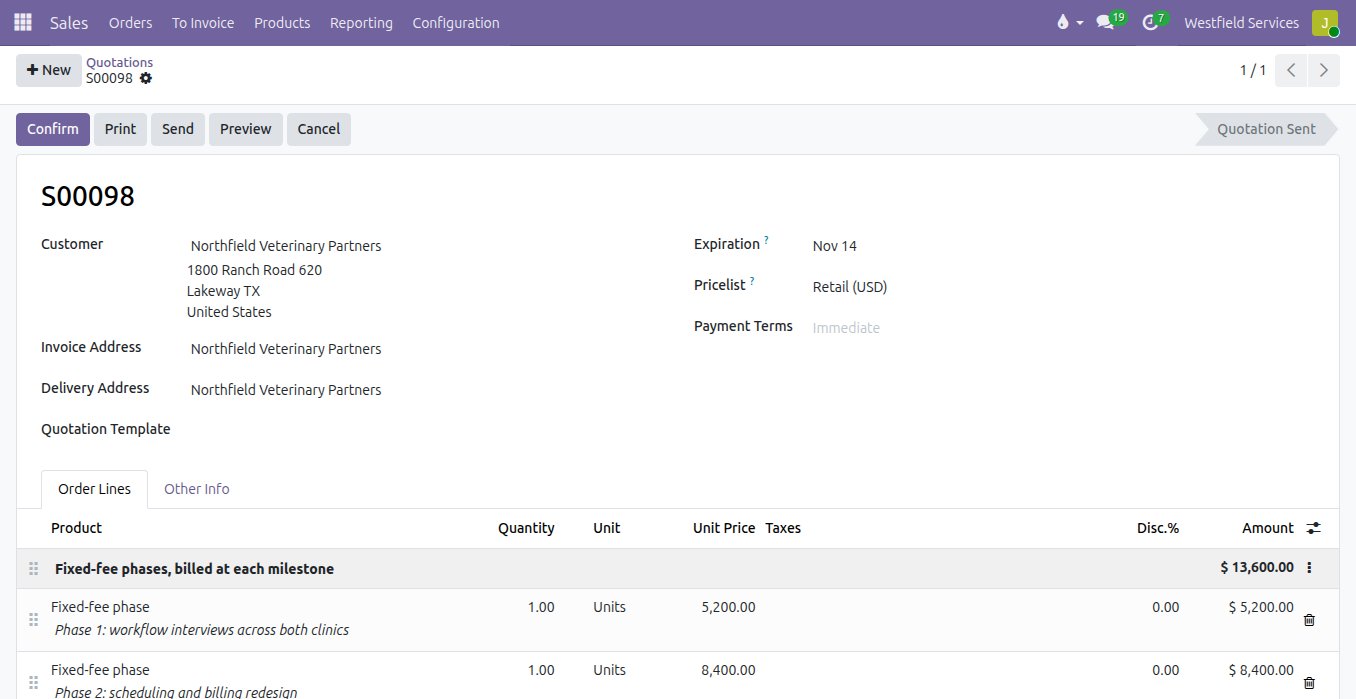
Win the work with a proposal the client signs online, and start the engagement with the scope, phases and budget already in place.
Proposals are written in a word processor, priced in a spreadsheet and signed as a scanned PDF, and once the client says yes someone builds the project by hand from whatever they remember of the scope. Here the proposal is a quotation with your cover pages, the fixed-fee phases, the estimated hours and the retainer as separate lines. The client reads and signs it in their portal, and confirming it creates the project with a task per phase, a milestone for each fixed fee and the hours budget attached.
- Fixed fees, estimated hours and retainers on one proposal
- Your cover pages and terms on the PDF the client receives
- Signed online, with the date and the signature on the record
- The project, tasks and milestones created from the signed proposal
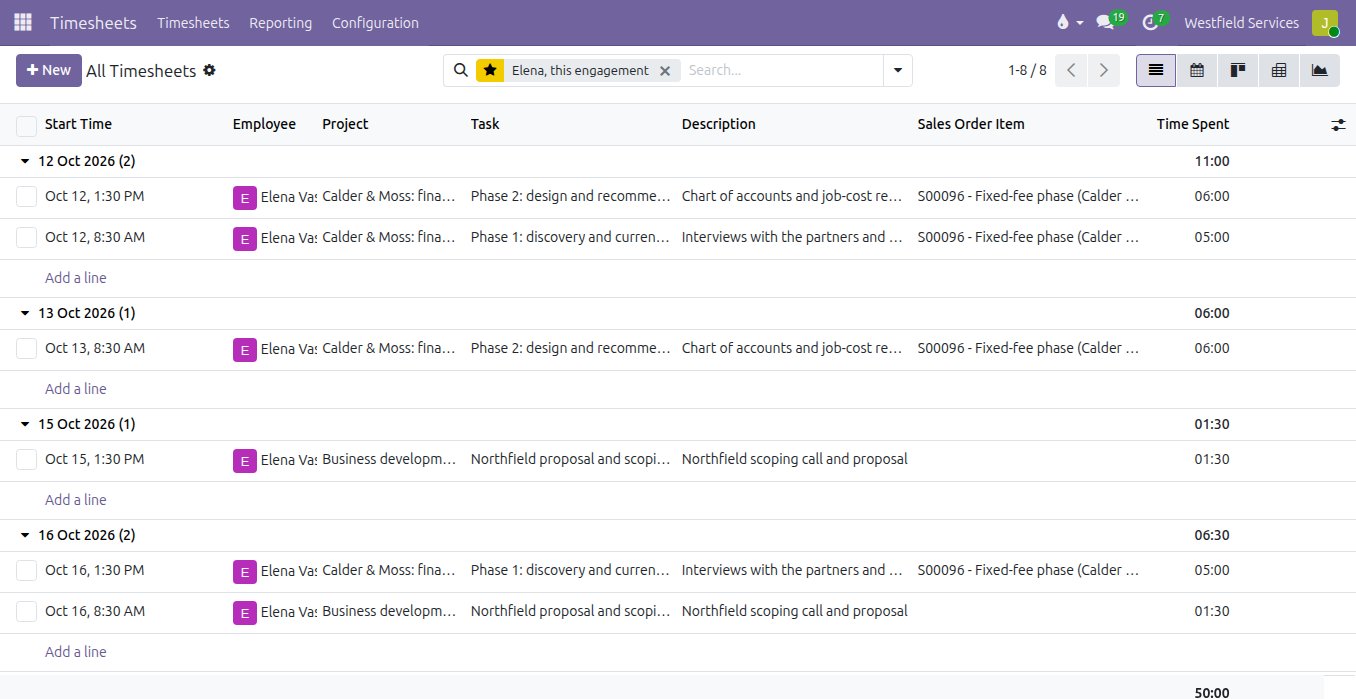
Every billable hour is recorded against the client and the task while the work is fresh, so nothing is reconstructed from a calendar at the end of the week.
When time is written up days later it shrinks: the short call, the extra review and the email that took an hour are the first things forgotten, and they are exactly the hours a firm needs to bill. With a start and stop timer on the task, from the desk or a phone, each entry lands on the right client, phase and engagement line with a description the client can read on the invoice. Managers review the week in one list, and the hours flow straight to billing.
- A timer on the task, on the desktop or a phone
- Each entry tied to the client, the phase and the line it bills against
- Descriptions the client can read on the invoice
- Hours against the estimate visible as the work goes
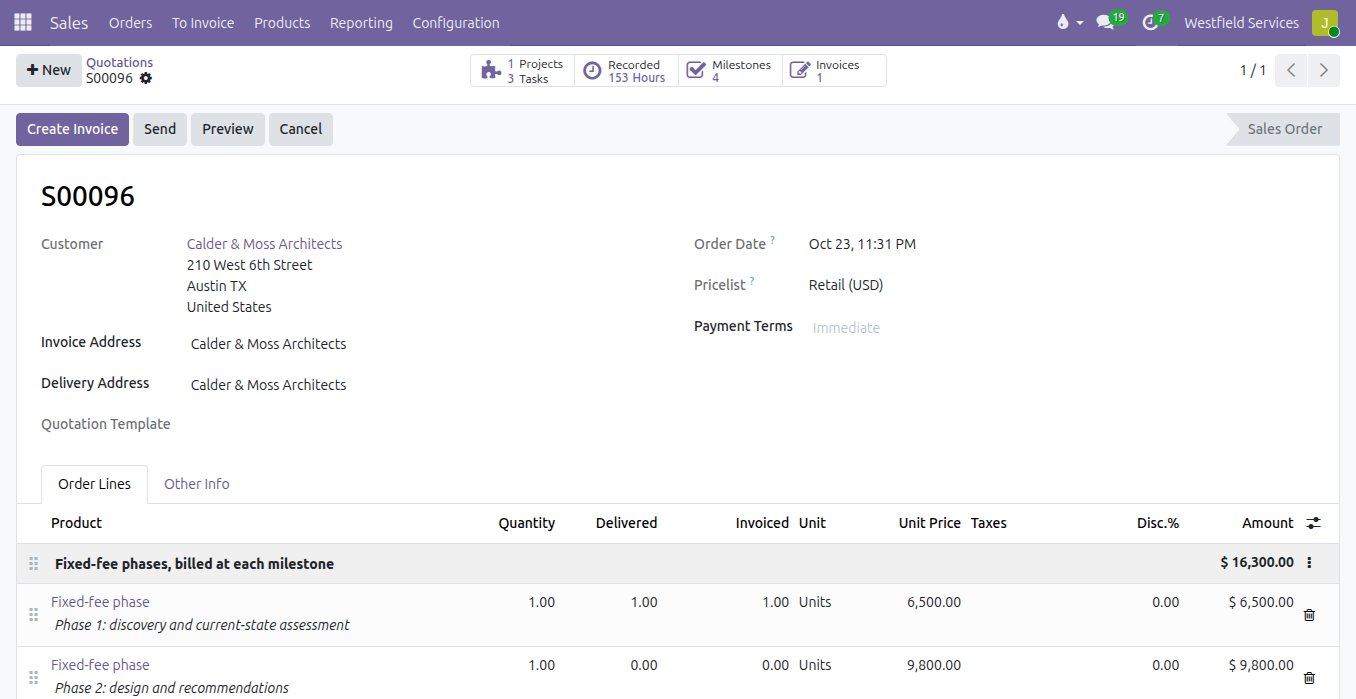
Bill each engagement the way you sold it, from fixed-fee milestones to hourly work and monthly retainers, and know what is ready to invoice at any moment.
Most firms sell more than one way: a fixed fee for the assessment, hours for the implementation, a retainer for the advice that follows. Invoicing that mix by hand means rereading engagement letters, adding up timesheets and hoping the retainer balance is right. On the engagement, a fixed-fee phase becomes billable when its milestone is marked reached, hourly lines bill the recorded timesheets, and a retainer shows the hours used against the hours bought, so you can talk to the client before it runs out. Deposits and staged payments follow an invoice plan, and recurring retainers invoice themselves each month.
- Fixed-fee phases invoiced when the milestone is reached
- Hourly work invoiced from the timesheets
- Retainer hours used and remaining on the engagement
- Monthly retainers and staged payments invoiced on schedule
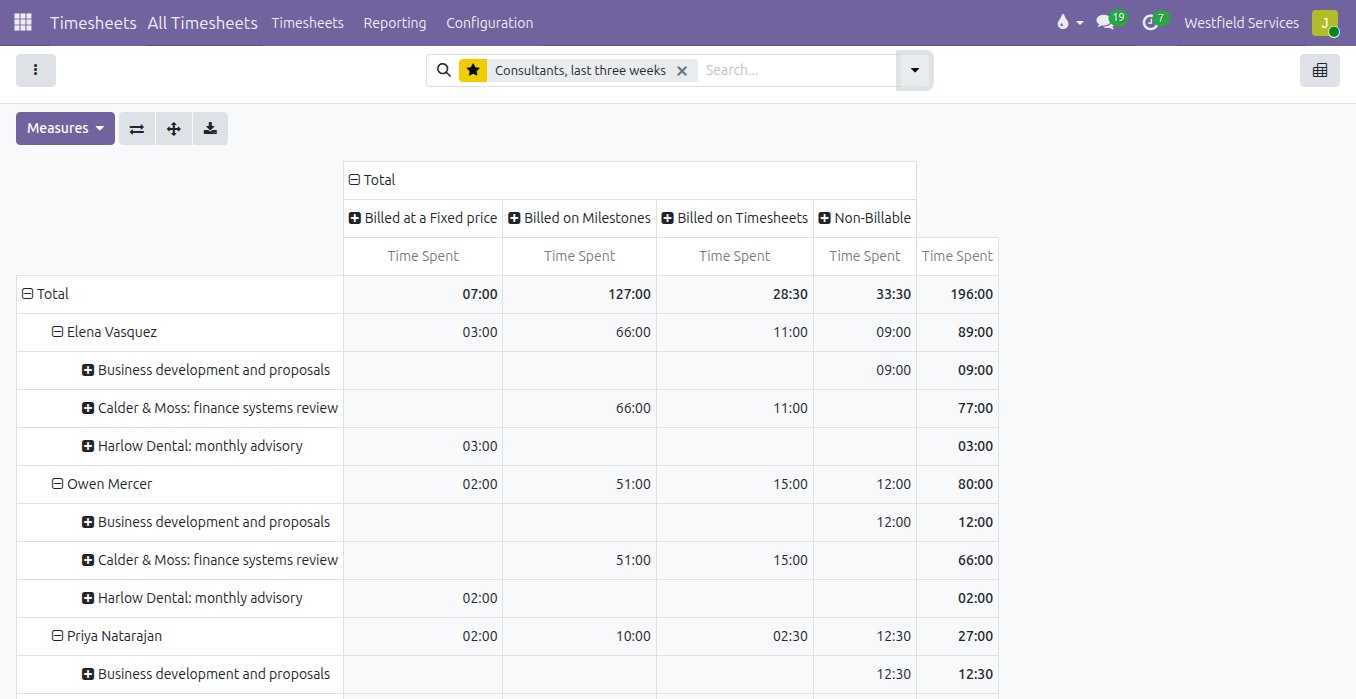
See who is billable, which engagements run over and which clients are worth the effort while there is still time to act on it.
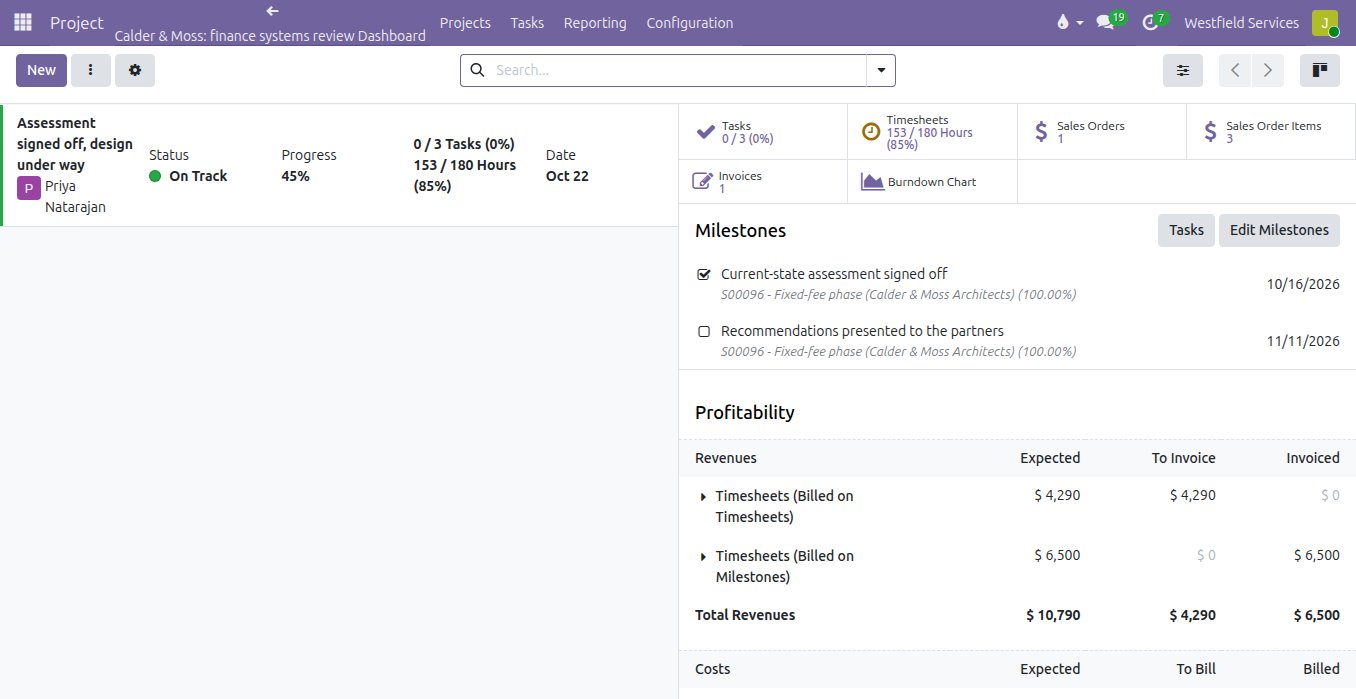
A partner asking how busy the team is gets a different answer from everyone, and whether a fixed-fee job made money is only known long after it closed. Because every hour carries its billing type, utilisation by person is a report rather than a survey: billable on hours, on milestones and on retainers, against the time that went into proposals and admin. Each engagement has a dashboard with its milestones, hours against the estimate, what is invoiced, what is ready to invoice and the cost of the people on it, so an overrun becomes a conversation with the client rather than a write-off.
- Billable and non-billable hours by person and by client
- Hours against the estimate on every engagement
- Invoiced, to invoice and cost on one dashboard
- Partner reports on a schedule, from the same numbers
What we would set up for a professional services firm
The apps and add-ons behind the proposals, the hours and the invoices, and what each one does for the firm.
Sales
Proposals with your cover pages, fixed fees, estimated hours and retainers, signed online by the client.
Odoo appProject
A project per engagement with tasks per phase, milestones and a dashboard of hours, invoicing and cost.
Odoo appTimesheets
Hours on the client and the task, billed from the engagement line they belong to.
Timesheet time control
Start and stop buttons on the task, so time is recorded while the work happens.
Sales invoice plan
Deposits and staged payments agreed in the proposal, invoiced on the dates you set.
Recurring contracts
Monthly retainers invoiced automatically, and visible to the client in their portal.
Accounting
Invoices, payments and the books in one place, with an analytic view by client and engagement.
Adomi add-onAdomi Bank Sync
Client payments imported from the bank and matched to their invoices automatically.
Open-source toolMetabase
Utilisation, realisation and revenue per partner on dashboards the partners open themselves.
Related
Time and materials
A timer on the task, parts booked as used, and the invoice for both in one click.
See time and materialsProject management
Every job on schedule and on budget, on a board the whole team works from.
See projectsCustomer portals
Customers sign quotes, pay invoices and check on jobs themselves.
See customer portalsBusiness intelligence
Dashboards on one set of numbers everyone agrees on.
See business intelligenceOther industries we set up
Software as a Service
Billing, books, logins, support and email behind your product, set up and connected.
See how we helpConstruction
Estimates, job costing, subcontractors, progress billing.
See how we helpManufacturing
Real lead times, known costs before you build, dates you can keep.
See how we helpWholesale and distribution
Purchasing, warehouses, deliveries, invoicing.
See how we helpSchedule a demo.
Tell us a little about your business and what you would like to see. We walk you through how this would work for a company like yours, at a time that suits you. The first conversation is free.