Accurate stock in every location, reordering that runs itself, and lots you can trace.
The shelf says one thing, the spreadsheet another, and the truth comes out while a customer is waiting. When every receipt, move and delivery updates the count as it happens, the number on the screen is the number on the shelf, reordering runs from the levels you set, and a lot can be traced from the supplier to the customer who received it. It starts with your products and locations loaded from the files you already have.
- One live count across every warehouse, truck and shelf
- Reordering from the minimums you set, before the bin is empty
- Every lot traced from receipt to delivery
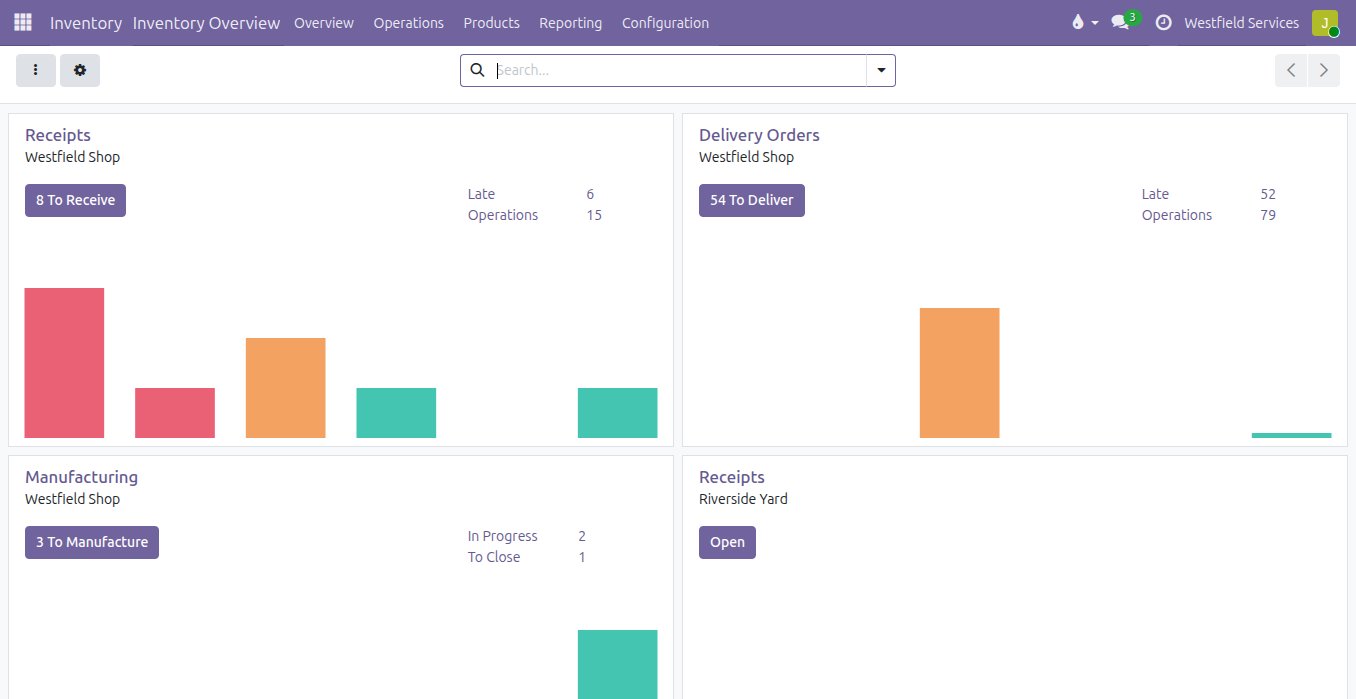
Stock is on hand the moment it is scanned off the truck, and whatever has run low is already on a purchase order.
Deliveries get counted on a packing slip and typed in later, so for a day or two the system is behind the shelf and nobody is quite sure what can be promised. When each line is scanned as it comes off the truck, the stock is on hand in the location it was put before the driver has left. On hand, reserved and incoming sit on one screen, so a promise to a customer is a real one. Each product carries a minimum and a maximum, or a forecast from the open orders, and whatever has dropped under its level is proposed as a purchase order or a manufacturing order, with the supplier's lead time already counted, ready to confirm.
- A receipt per delivery, scanned line by line
- On hand, reserved and incoming on one screen
- Minimum and maximum levels, or a forecast from the orders
- A proposed purchase order for whatever is short, lead time included
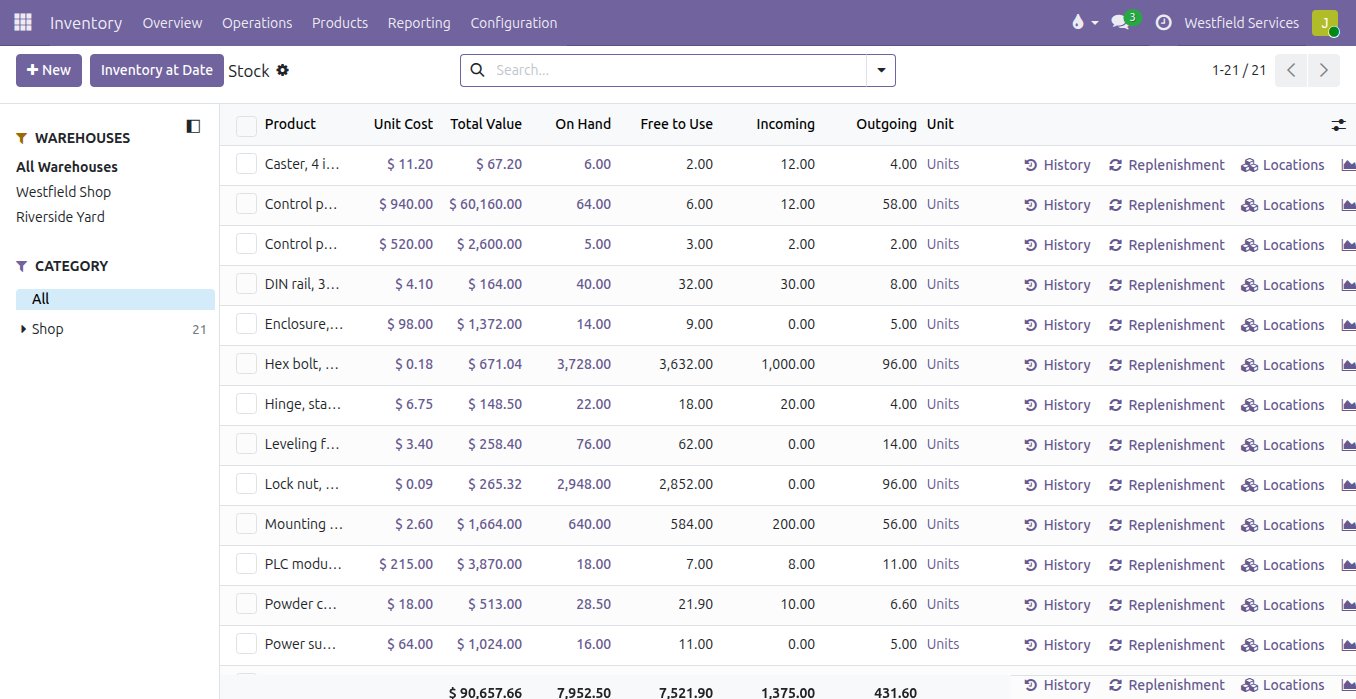
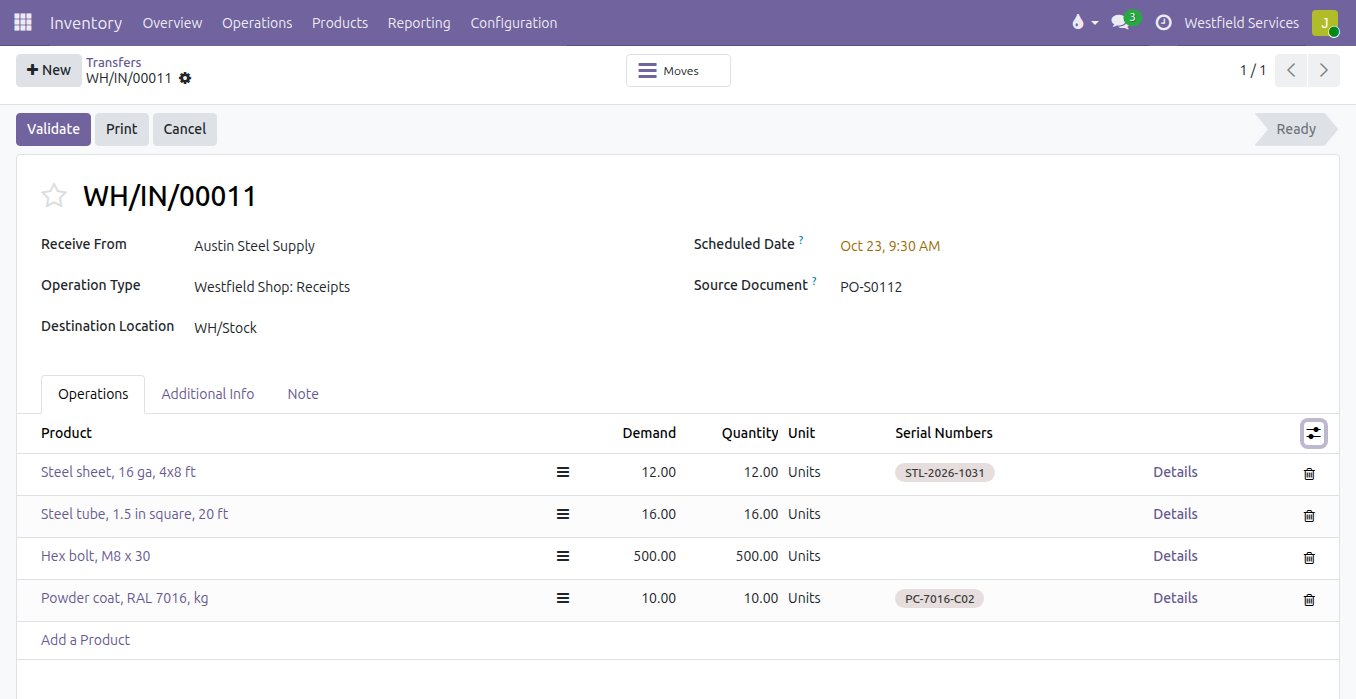
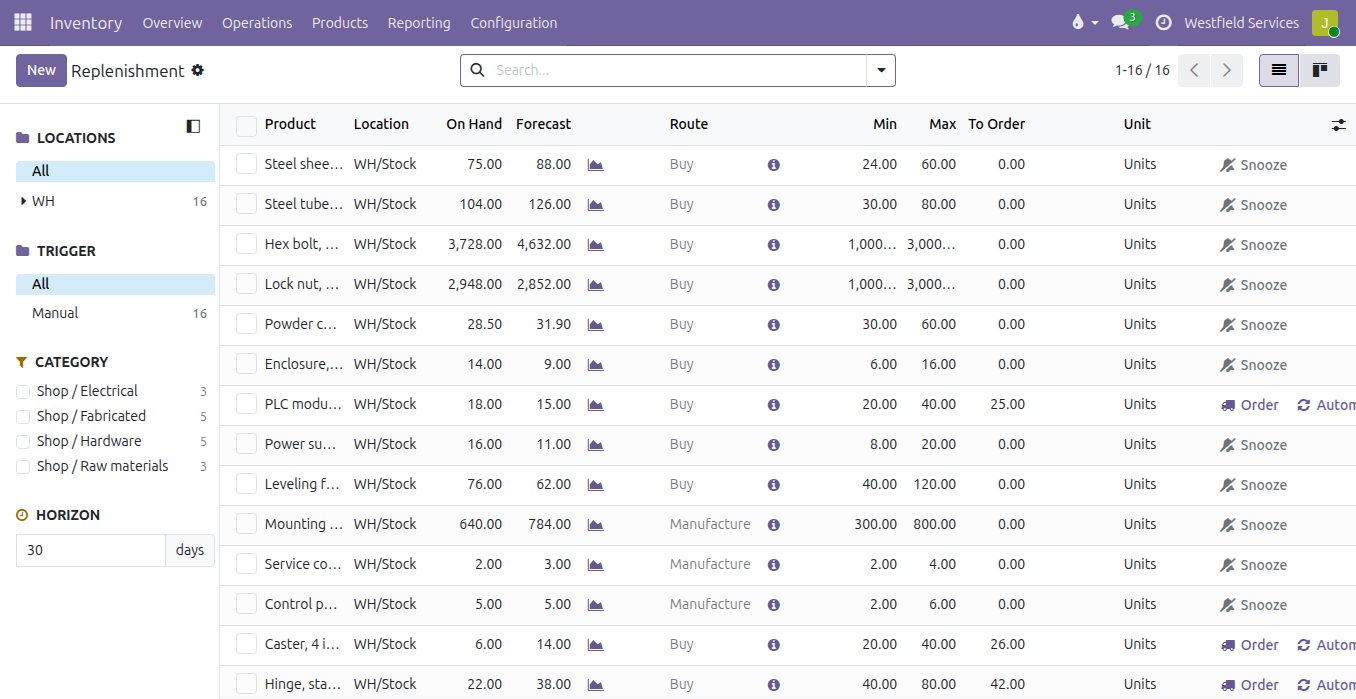
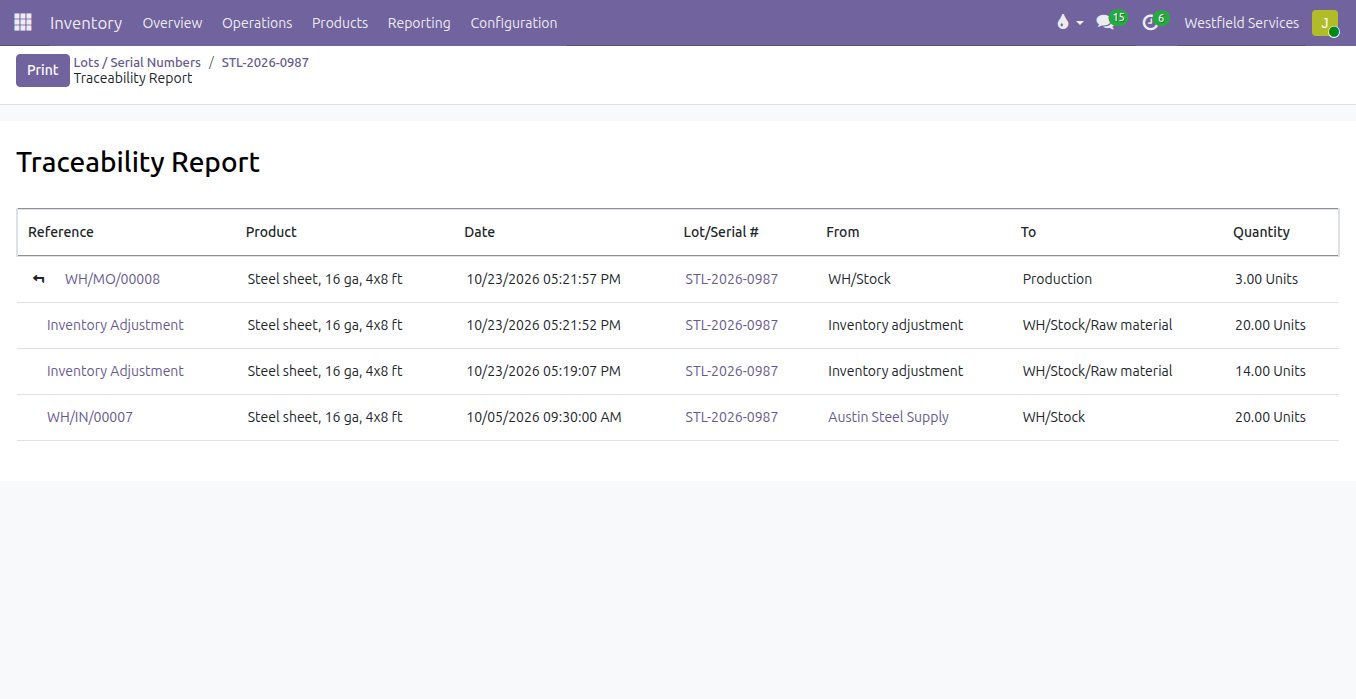
A recall or a warranty question is answered from the lot number in one search, from the supplier's delivery to the customer who received it.
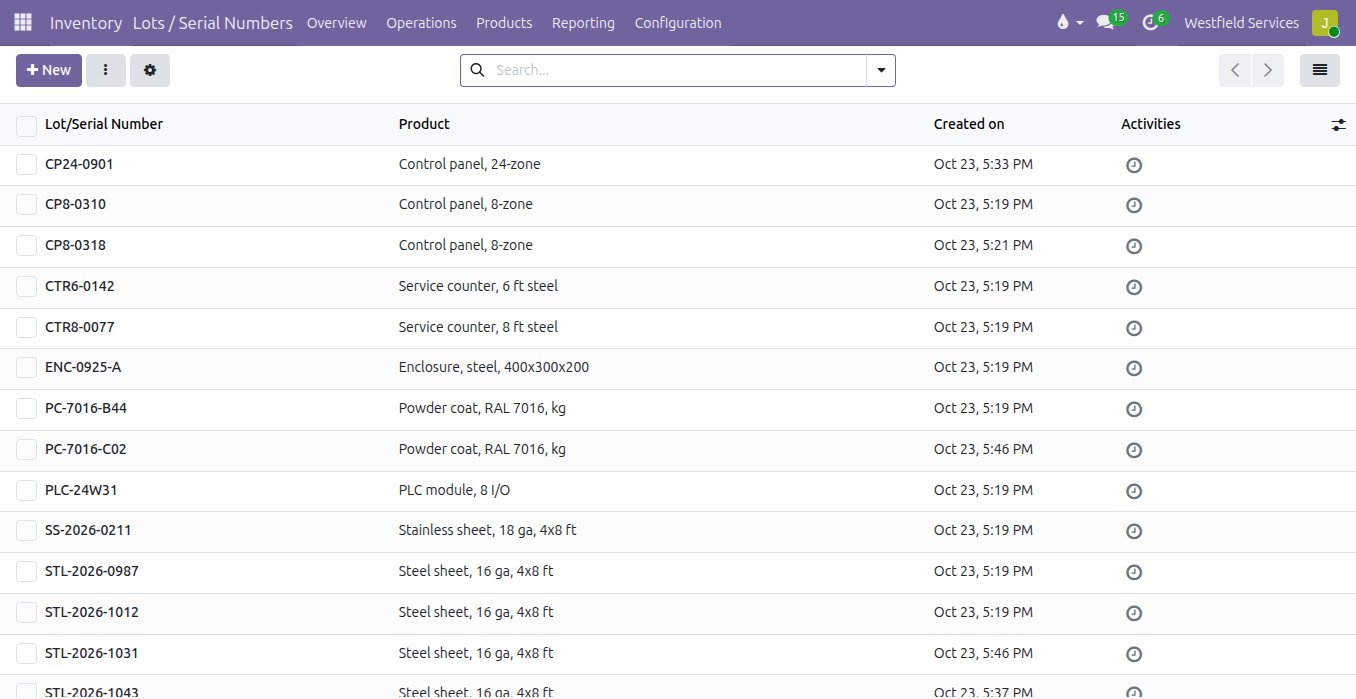
The lot is on a paper label and in a spreadsheet column, and tracing one means a day in the filing cabinet. When the lot or serial number is scanned onto the receipt, it follows the material through the shop into the finished product and out on the delivery, so one report shows where a lot came from, what it went into and who has it now. An inspection sits on the lot it was done on, and a lot that fails can be held before anything leaves.
- Lot and serial numbers scanned onto the receipt
- Followed through production into the finished product and the delivery
- One report from the supplier to the customer, and back
- Expiry dates and holds on the lots that need them
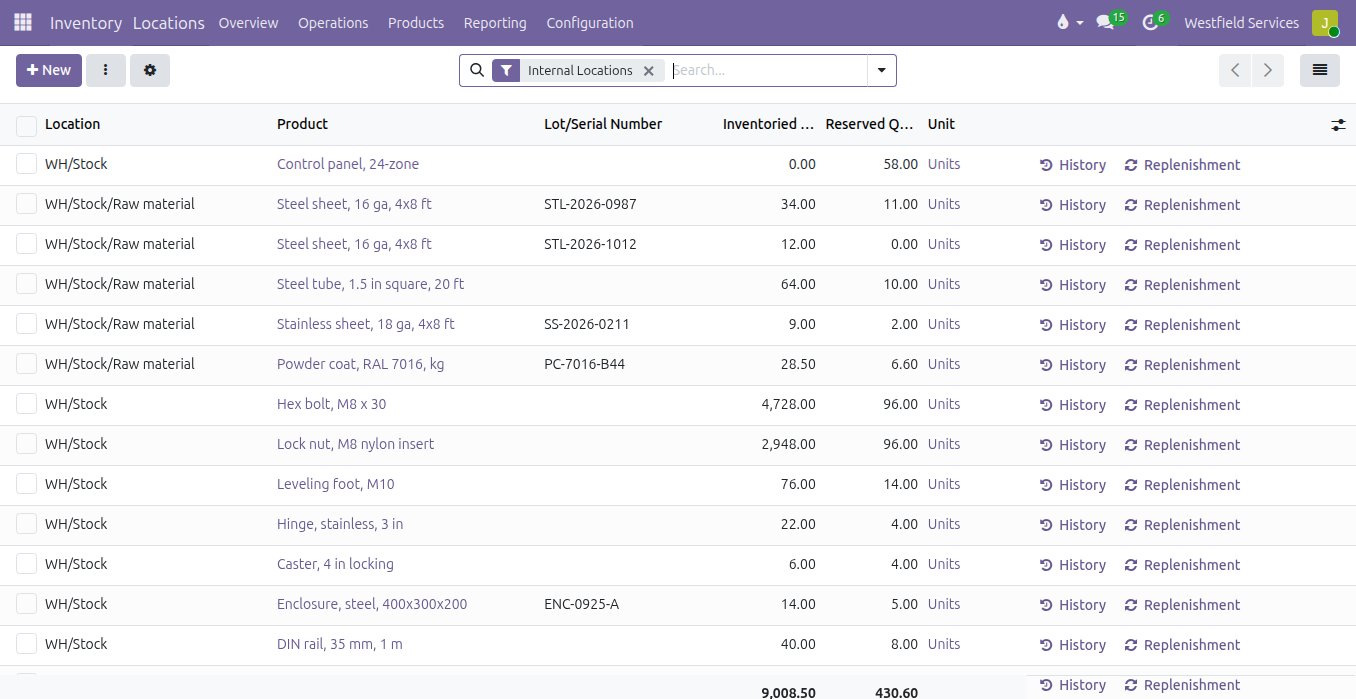
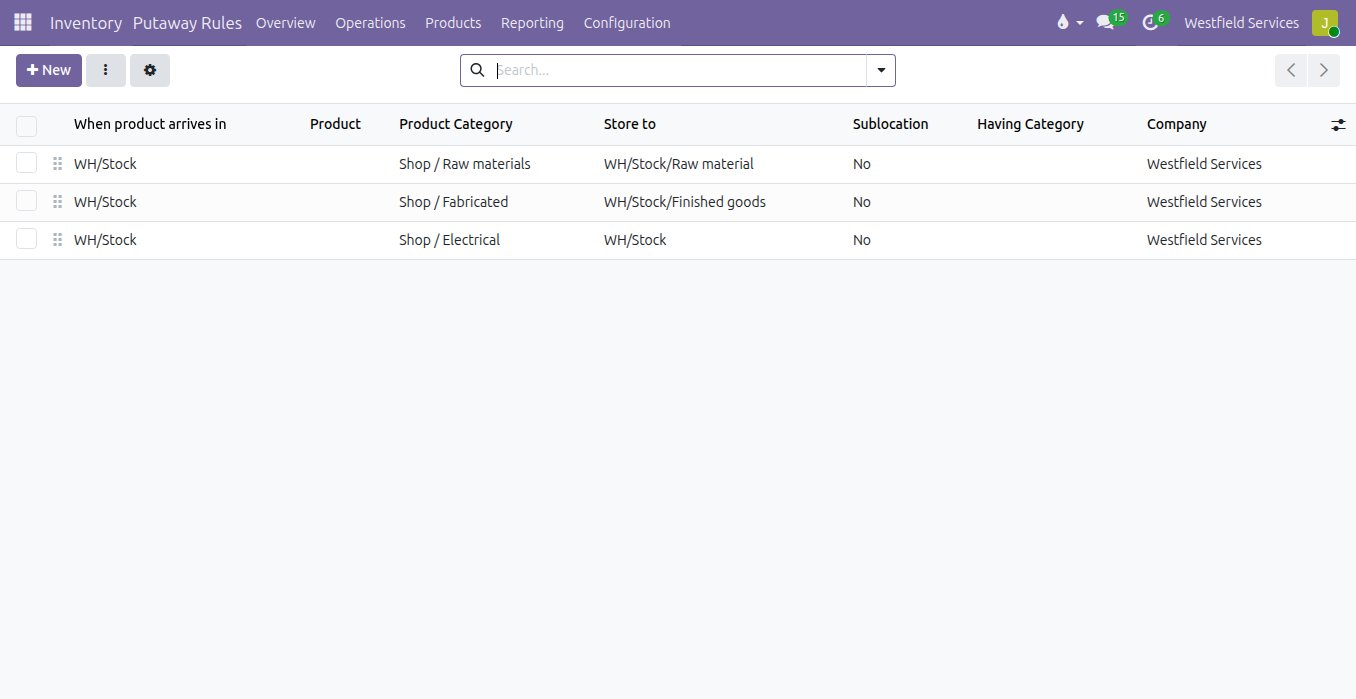
Every item has a place, the receipt sends it there, and the count by bay is the one you see when you walk past.
Two warehouses, a yard and the stock on the trucks, and the only person who knows which shelf something is on is off today. Here warehouses, zones, bins and the trucks are each a location with its own count, put-away rules send raw material to the raw bay and finished goods to their shelf as the receipt is validated, and a move between locations is one scan. The way goods flow is a route you choose per product: a two-step receipt through inspection, cross-docking straight to the outgoing delivery, or dropshipping from the supplier to the customer without touching your shelf.
- Warehouses, zones, bins and the trucks, each with its own count
- Put-away rules by product or category
- Two-step receipts, cross-docking and dropshipping as routes
- Transfers between locations in one scan
Count a shelf from the phone, book the difference with a reason, and see every move that got the number there.
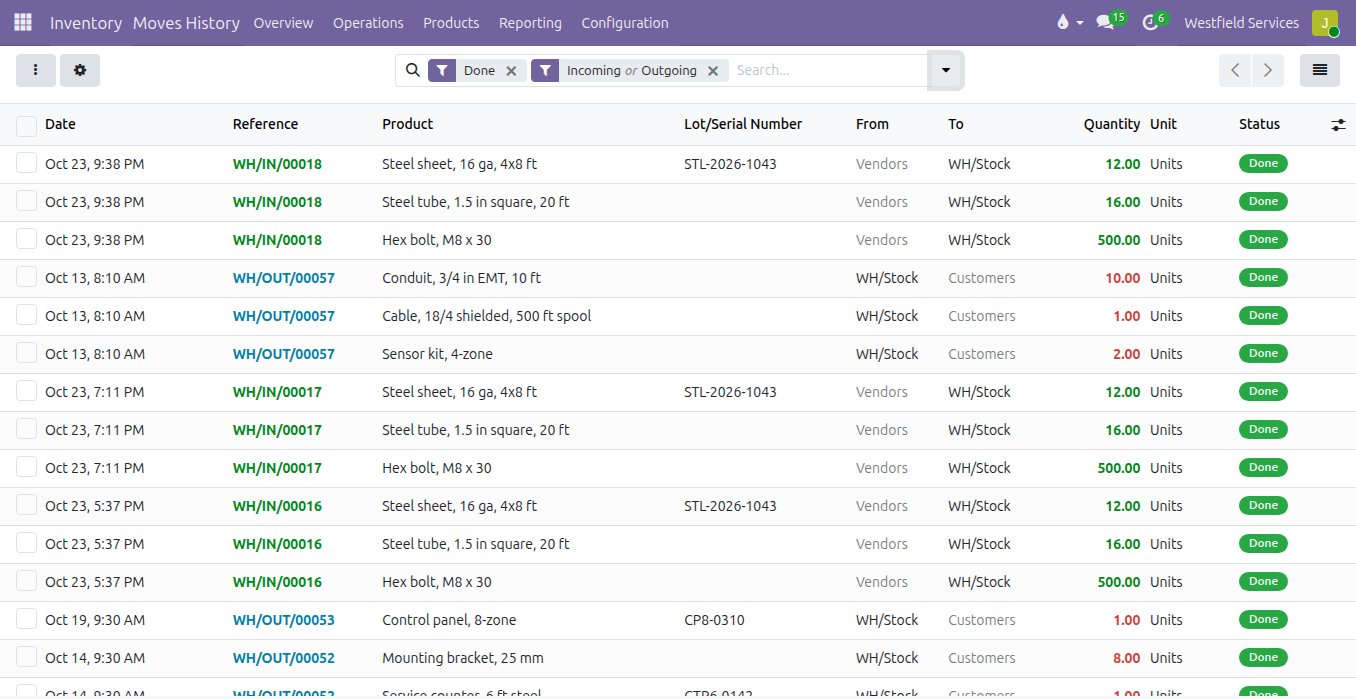
The annual count shuts the warehouse for a weekend and the result is out of date by Tuesday. Cycle counts by location or by product, a few shelves at a time from a phone, keep the count honest all year; a difference is booked with its reason and shows up in the history with who counted and when. Every receipt, move, consumption and delivery is a line in that history, and the value of the stock, at average cost or first in, first out, is in the books without a spreadsheet at month end.
- Cycle counts by location or product, from a phone
- Differences booked with a reason, and who counted
- Every move with who, when, from where and to where
- Stock valuation in the books, at average cost or FIFO
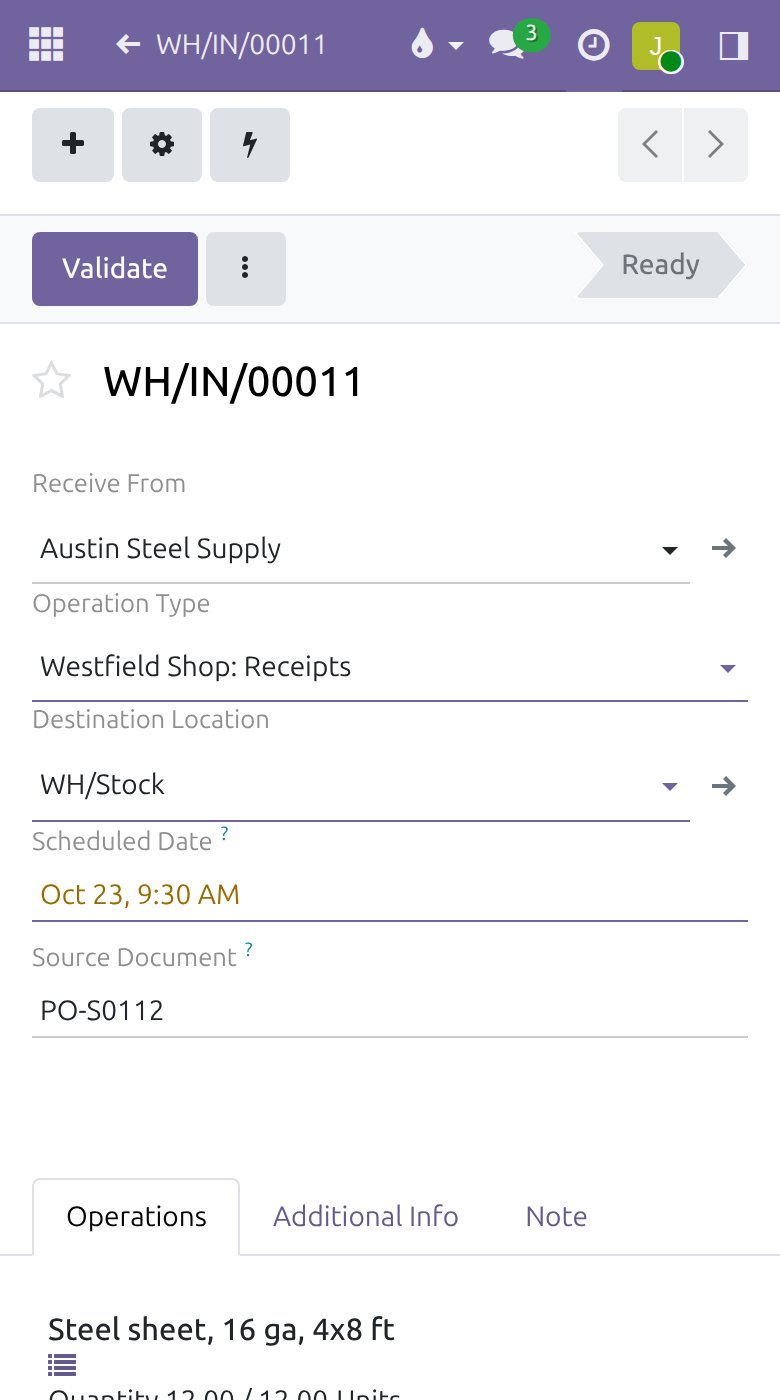
Receive the delivery from the phone at the dock, with a scanner paired to it or the camera doing the reading.
The person at the dock has the paperwork and the person at the desk has the system, and the two meet at the end of the day. With the receipt on a phone at the dock, each scan ticks a line and a quantity that does not match is corrected on the spot. By the time the truck pulls away the office sees the stock and the purchase order knows what is still owed.
- The receipt on the phone at the dock, with nothing to carry back to the office
- A handheld scanner, or the phone camera
- Put-away to the bin from the same screen
What it is for
The stock, without the count that never matches.
Receiving
The delivery scanned at the dock against the purchase order, so what arrived is what is in stock and what did not arrive is visible the same day.
Locations and bins
Warehouses, racks, bins, the truck: stock is where it is, and a move from one to another is a single scan.
Replenishment
Minimum and maximum levels, or a forecast from the orders, turn into draft purchase orders when the level says so.
Lots and serial numbers
Followed from the receipt through the shop to the delivery, so a recall or a warranty question is answered with one search.
Counts and valuation
Cycle counts from a phone, the difference explained, the value of stock in the books without a spreadsheet.
Connected to purchasing and sales
A confirmed sale reserves the stock; a confirmed purchase expects the receipt; the invoice knows what shipped.
Related
Manufacturing
The bill of materials knows the lead time; the ship date is calculated.
See manufacturingQuality control
Inspections tied to every receipt and production run, so defects are caught before shipping.
See quality controlSales
Quotes, orders, deliveries and invoices from one record, so nothing is typed twice.
See salesImplementation
Inventory connected to purchasing, sales and the books, so a count is a count everywhere.
On the services pageSchedule a demo.
Tell us a little about your business and what you would like to see. We walk you through how this would work for a company like yours, at a time that suits you. The first conversation is free.