An add-on for the Odoo you already run. Not running Odoo? Adomi Cloud is the whole system, set up and hosted by us.
Adomi AgentGive your team an assistant that turns a quick message into the to-do, the draft quote or the expense.
The work agreed on site or on a call reaches the system late, if it reaches it at all: the receipt stays in a pocket, the price lives in someone's head and the follow-up is forgotten. Adomi Agent is a private chat in Discuss and a number your team can text. Tell it what happened and it creates the record in your Odoo and answers with a link, acting with that person's own access rights.
- In Discuss, or by text from a phone
- Acts with each person's own access rights
- Never emails, posts or pays on its own
Ask about a customer, an invoice or an order in plain words and get the answer back with the records linked.
Simple questions cost an afternoon: what a customer was invoiced this month, which invoices are overdue, who owns a follow-up. Someone opens three screens or builds a spreadsheet to find out. Ask the agent in Discuss and it reads the answer from your invoices, orders and projects, lists the records with links to each, and turns the next step into a to-do when you ask it to.
- Totals, open amounts and overdue invoices for any customer
- Each record linked, one click away
- A to-do made from the answer, in the same conversation
- Only what the person asking is allowed to see
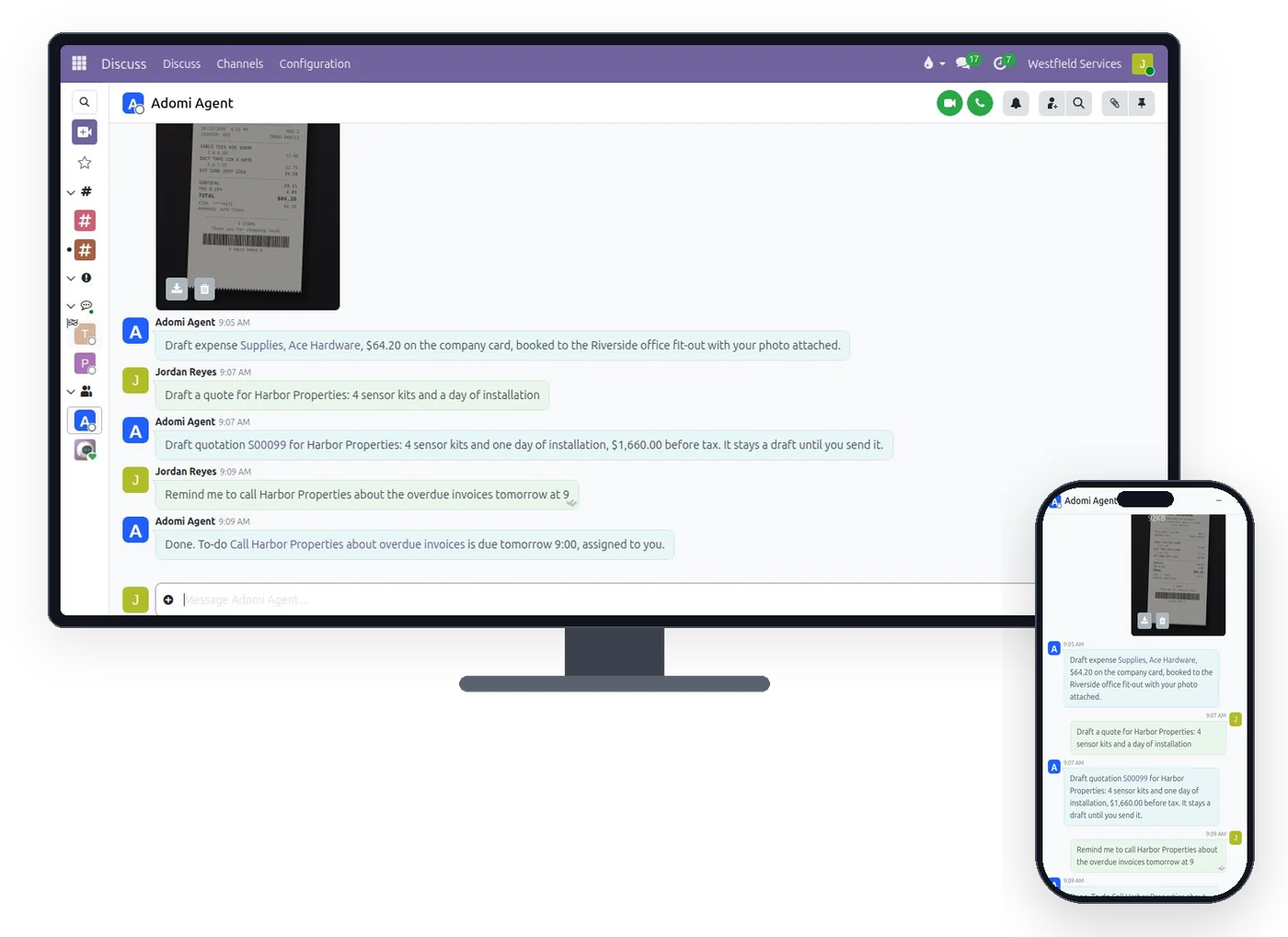
Send a receipt photo or describe the job, and the expense or the draft quotation is created while the details are fresh.
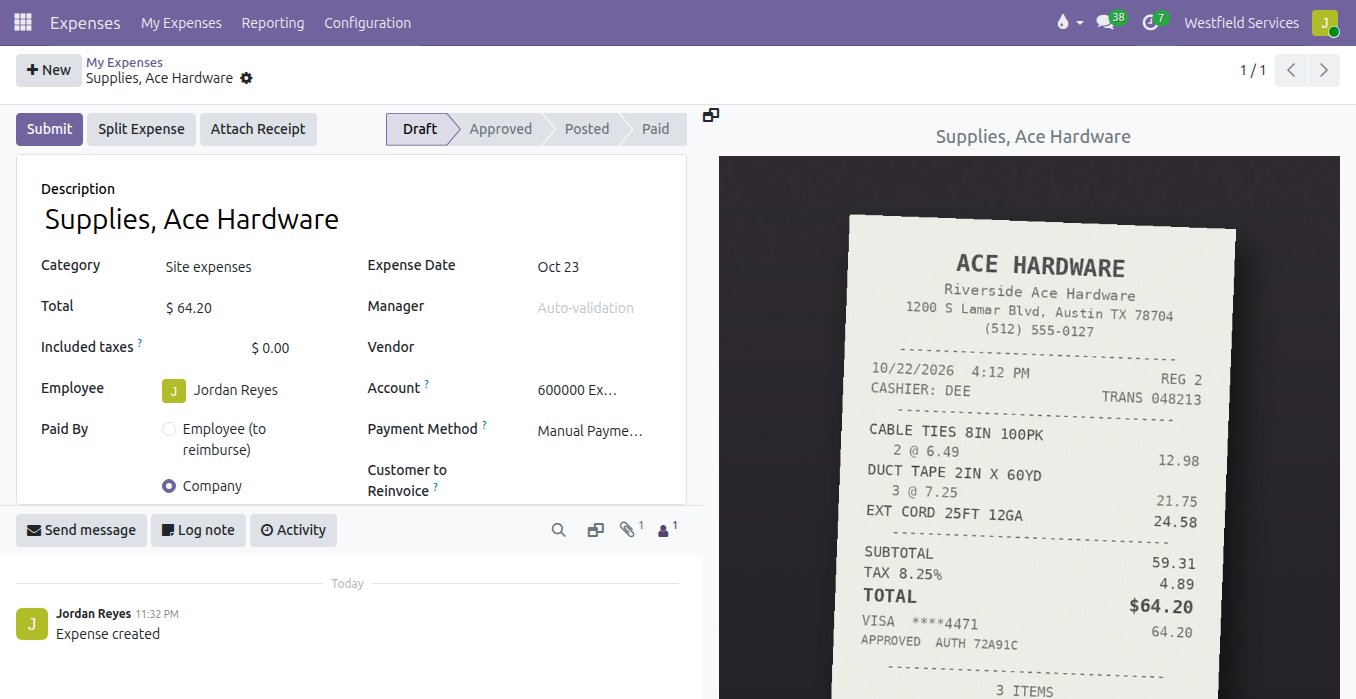
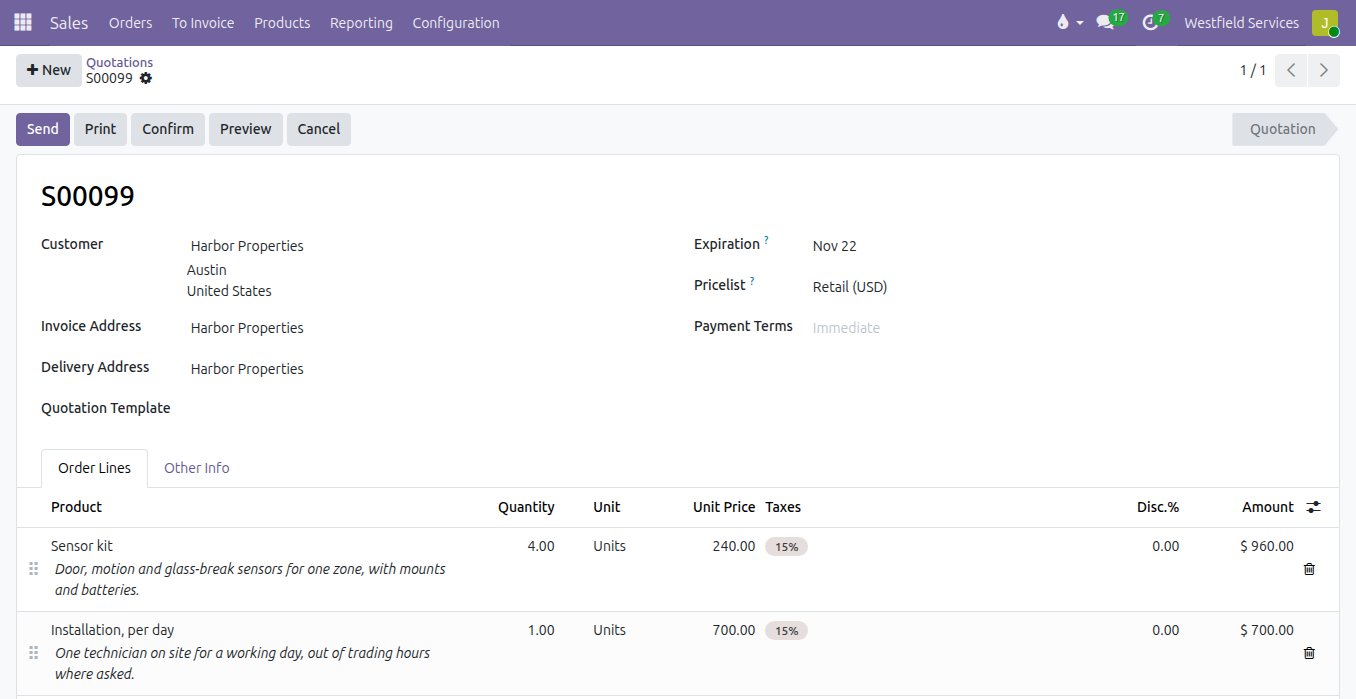
Receipts that never reach the books and quotes written up days after the price was agreed both cost money. Send the photo with a word about the job and the agent files a draft expense with the picture attached and the project set. Name the customer, the products and the quantities and it drafts the quotation at that customer's prices, with a custom line if the product is new.
- Expenses with the receipt attached and the project set
- Draft quotations at the customer's prices
- New contacts, projects and notes from one message
- Photos and documents attached to the record you name
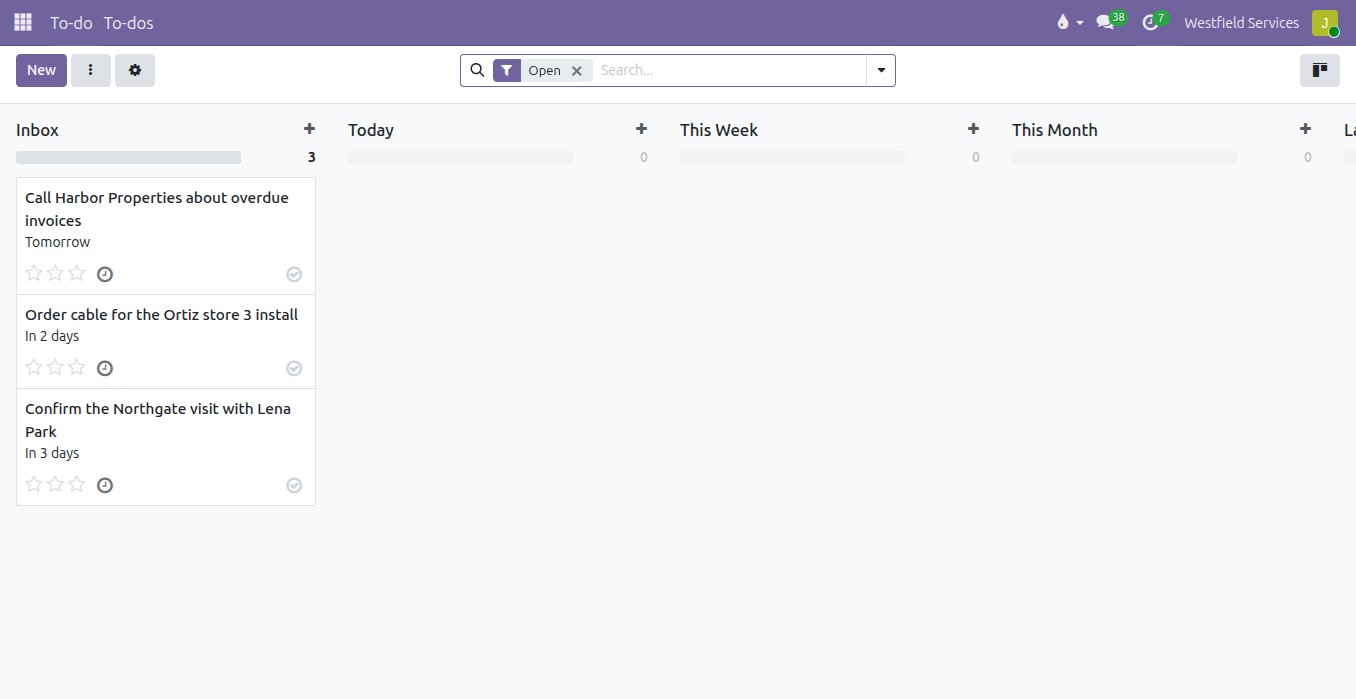
Turn a promise made on a call into a to-do with a due time, and get a text when it is due.
Promises to call back or send a document are easy to make and easy to lose once the next job starts. Tell the agent what you need to do and when, and it creates the to-do with the time you said and assigns it to you. It texts a reminder at that time, closes or moves the to-do when you say so, and asks politely about expenses that are still missing a receipt.
- To-dos with a due date and time, assigned to you
- Reminders sent by text at the time you set
- Done, moved or cancelled with a message
- A gentle nudge for expenses without a receipt
Everything the agent does runs with the user's own access rights and stays a draft until a person approves it.
Handing work to an assistant only pays off if you know where it stops. Every action runs as the person who sent the message, so it cannot read, create or change anything they could not in Odoo themselves. It has no tool that emails a customer, confirms an order, posts an invoice, pays anything or edits your website, and that limit is set by the tools it is given rather than by instructions. Quotations wait for someone to send them and expenses for someone to submit them.
- Runs as the person who sent the message
- No tool that emails, posts, pays or publishes
- Drafts that wait for a person to send or submit them
- Unknown phone numbers get a polite refusal and nothing else
What it is for
The office work of the day, done from a message and done as you.
Answers
Customer totals, open and overdue invoices, orders and projects, with each record linked.
To-dos and reminders
Created, closed and moved from a message, with a text when one is due.
Draft quotations
The customer, the products and the quantities in one sentence, ready for you to check and send.
Expenses with the receipt
A photo of the receipt becomes a draft expense with the picture attached and the project set.
Contacts, projects and notes
A new customer, a new project or a note on a record, one message each.
Texting
Your company's own number, answered for each person's verified mobile.
Questions people ask first
Can it email my customers?
No. It has no tool that reaches outside your company. Quotations and expenses are created as drafts for a person to send or submit.
Whose phone number is it?
Your company gets its own local number, bought and managed by Adomi. Each user links their own mobile with a one-time code, and only verified numbers are answered.
Can it see everything in Odoo?
Only what the person messaging it can see. Every action runs with that user's access rights.
Do I need an app?
No. It is a text message to your company's number, or the chat with the agent in Discuss, on any device you already use.
Which language model?
Adomi runs the model on its service; the key never lives in your database. The agent runs inside your Odoo and sends only the conversation and the results of its tools.
How do we start?
Schedule a demo and we show it on a company like yours. Then the add-on goes on your Odoo, each person links their mobile, and the first message creates the first record.
Related
AI development
Assistants, knowledge bases and integrations on your own data, within limits you set.
See AI developmentSales
Quotes, orders, deliveries and invoices from one record, so nothing is typed twice.
See salesProject management
Every job on schedule and on budget, on a board the whole team works from.
See projectsAI and language models
Assistants and model integrations on your own data, with the limits set in code.
On the services pageSchedule a demo.
Tell us a little about your business and what you would like to see. We walk you through how this would work for a company like yours, at a time that suits you. The first conversation is free.