An add-on for the Odoo you already run. Not running Odoo? Adomi Cloud is the whole system, set up and hosted by us.
Adomi Bank SyncBring every bank and card transaction into your books automatically, matched to the invoice or bill it paid.
Downloading statements, cleaning up the file and importing it is the part of bookkeeping nobody wants, and it leaves the books a few days behind the bank. Bank Sync connects each account once, read-only, imports posted transactions into the journal you choose, and reads supplier invoices and receipt photos into draft bills, so reconciling becomes confirming what is already proposed.
- Thousands of US banks and credit unions
- Read-only: it cannot move money
- Invoice and receipt scanning included
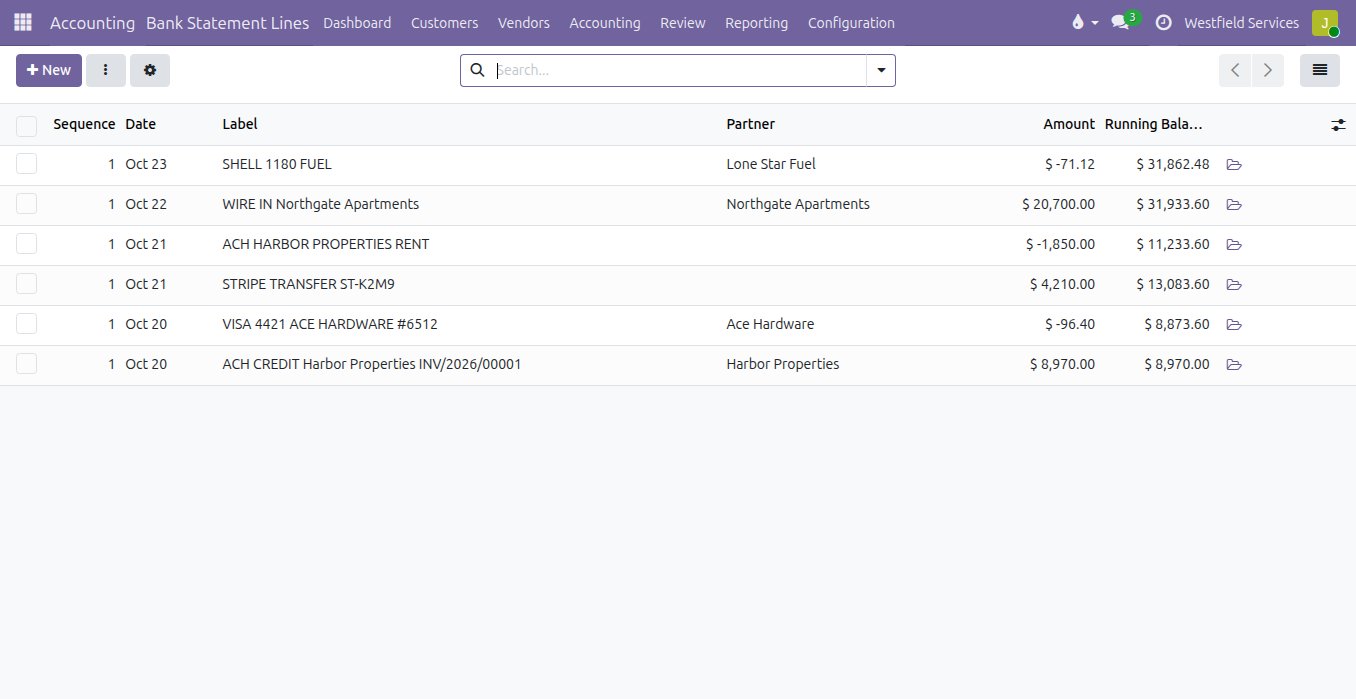
Statement lines land in the right journal exactly as the bank posted them, and nothing is ever imported twice.
A manual import breaks on a date format, leaves out the card account and doubles up the week somebody imported twice. Bank Sync reads posted transactions only, keeps the bank's own id on every line so the same transaction never lands twice, and puts each account in its own journal and currency. When you first connect, up to 90 days of history come in, and a lookback picks up anything the bank posts late.
- Checking, savings, credit cards and loans
- Posted transactions only, so a line never changes under you
- Up to 90 days of history when you connect
- A daily pull, plus another when the bank reports new activity
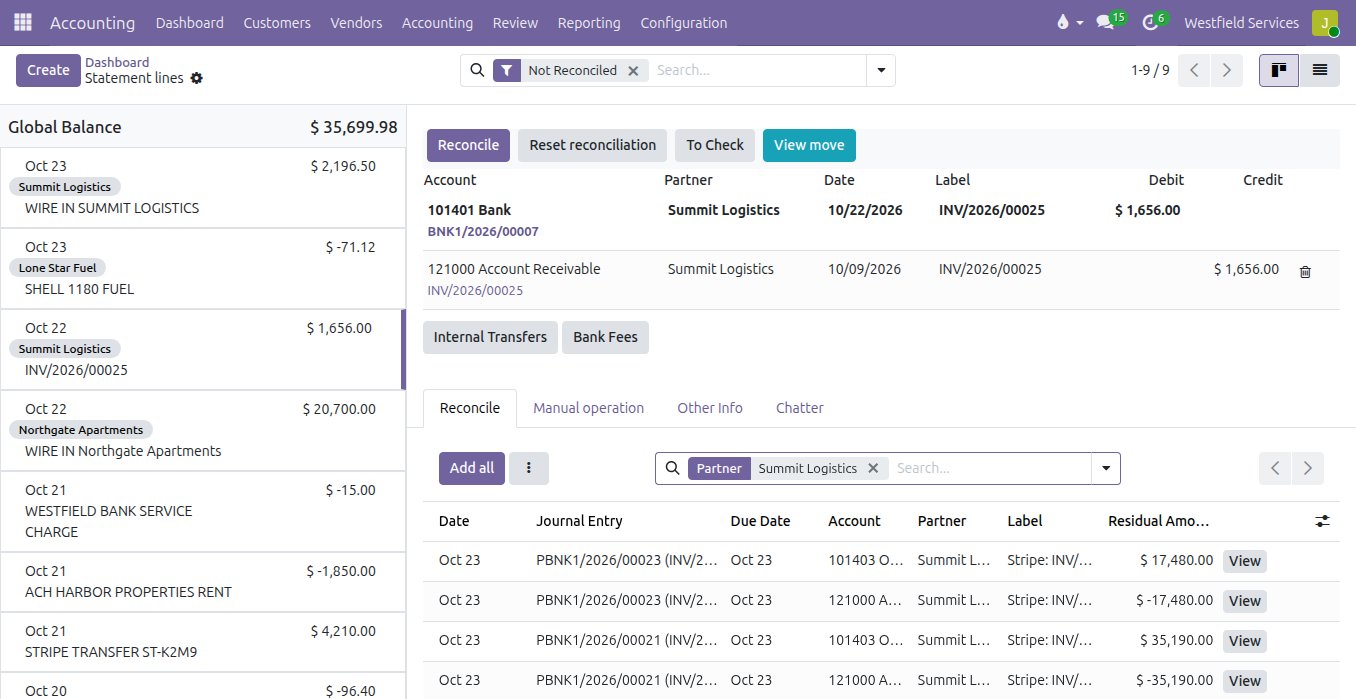
Confirm the match that is already proposed instead of hunting for it, and let rules book the lines that repeat.
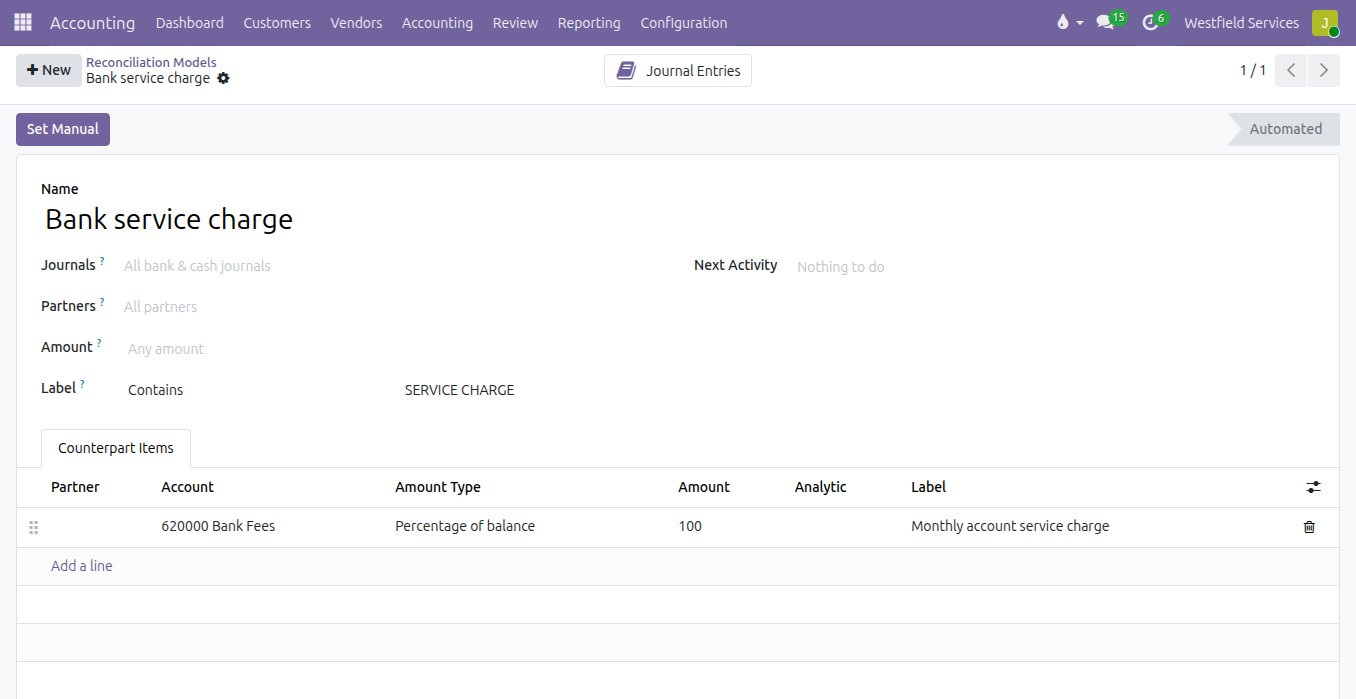
Reconciling by hand means a statement on one screen, the open invoices on another and a long session of ticking. In the reconciliation screen each bank line comes with its counterpart proposed by amount, reference and partner. A transfer that pays several invoices is spread across them, a partial payment leaves the rest open, and rules you set once book bank charges, card fees and other recurring lines to the right account.
- Invoices and bills proposed by amount, reference and partner
- One payment spread over several invoices
- Partial payments that leave the balance open
- Rules for bank fees and other recurring lines
Drop in a supplier's PDF or a photo of a receipt and get back a draft bill with the lines and the tax filled in.
Supplier invoices wait in an inbox and receipts in a wallet until month end, and then someone types them in line by line. With scanning, a PDF dropped on the vendor bills list or a photo uploaded to a bill is read for you: the vendor matched to a contact or created, the date, number and currency, one line per item, and the sales tax matched to your purchase taxes. Anything it could not read is noted on the bill for a person to finish.
- Vendor matched to a contact, or created
- Date, number and currency filled in
- Sales tax matched to your purchase taxes
- The document attached to the bill
Know who owes you, what is overdue and how much cash you have, from books that agree with the bank.
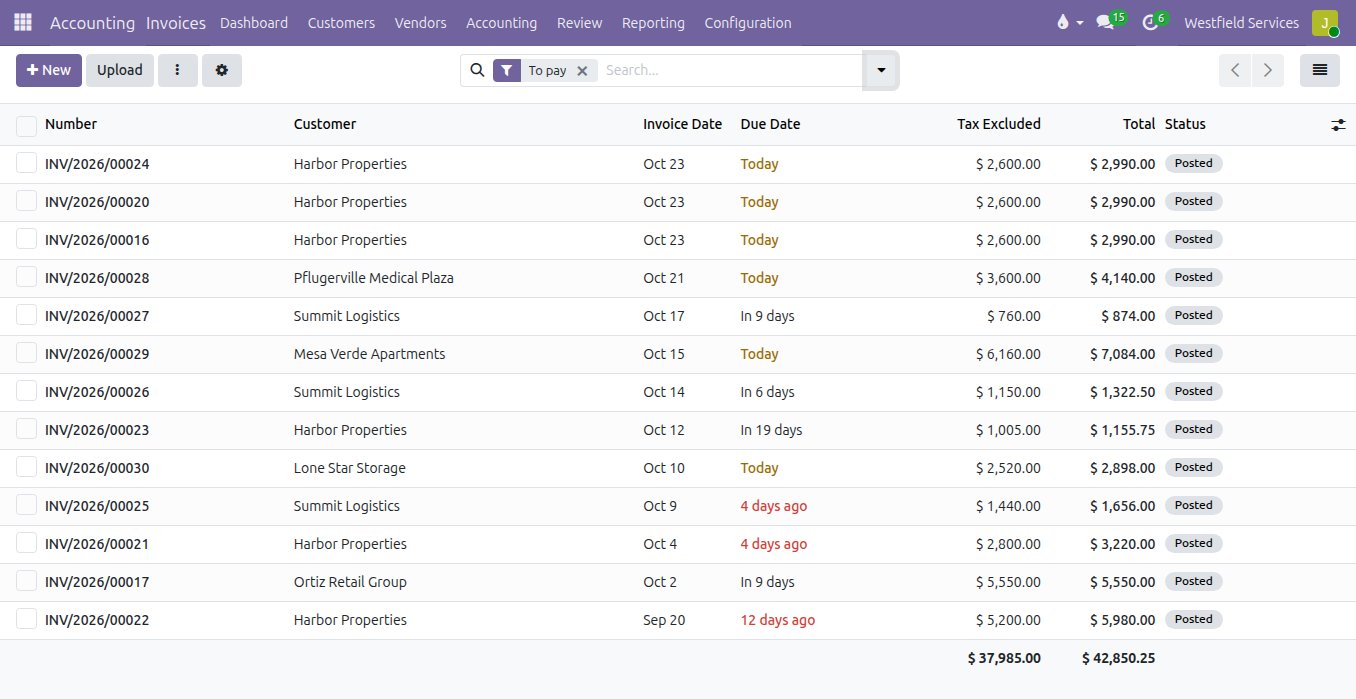
When the bank lines are days behind, the overdue list is wrong and someone ends up chasing a customer who has already paid. With the feed current and payments matched as they arrive, an invoice shows as paid when the money lands, the open invoices by due date are accurate, and the balance in the books is the balance at the bank. Your accountant works from the same figures.
- Invoices marked paid when the payment is matched
- Open invoices by due date, with the overdue ones flagged
- A bank balance in the books that matches the bank
- Month end closed without a catch-up session
What it is for
The bookkeeping that stops waiting for someone to download a statement.
Bank feeds
Posted transactions from every connected account, imported automatically into the journal you chose.
Every account you hold
Checking, savings, credit cards and loans, each in its own journal and currency.
Reconciliation
Matches proposed by amount, reference and partner, confirmed rather than searched for.
Rules
Bank fees and other recurring lines booked to the right account the same way every time.
Invoice and receipt scanning
Supplier PDFs and receipt photos read into draft bills with the document attached.
Read-only access
The connection can list accounts, balances and transactions. It cannot move money.
Questions people ask first
Can it move money?
No. The connection is read-only. It lists accounts, balances and transactions, nothing else.
Which banks?
Thousands of banks and credit unions through Plaid, with the United States and Canada best covered. If you want to be sure yours is there, tell us the name and we check before you start.
Does my bank password reach Odoo?
No. You log in on the bank's own page and pick the accounts to share. Adomi keeps the link to the bank on its service and hands the transactions to your Odoo.
What if the bank asks me to log in again?
The connection shows Needs attention and one click takes you back to the bank's page. Nothing is lost in between.
Does it need Odoo Enterprise?
No. Bank Sync is built for Odoo Community 19 and the OCA bank statement and reconciliation modules.
Can I disconnect a bank?
Any time. Everything already imported stays in your journals.
Related
Accounting
Bank feeds matched automatically, bills read for you, books your accountant can work in.
See accountingThe assistant you text
Run the day from your phone: text a to-do, a receipt or a quote and it lands in the system.
See the assistantBusiness intelligence
Dashboards on one set of numbers everyone agrees on.
See business intelligenceIntegration
Your bank, your books and the rest of your software connected, so information is entered once.
On the services pageSchedule a demo.
Tell us a little about your business and what you would like to see. We walk you through how this would work for a company like yours, at a time that suits you. The first conversation is free.