Get your team confident on the new system with training built on your own setup.
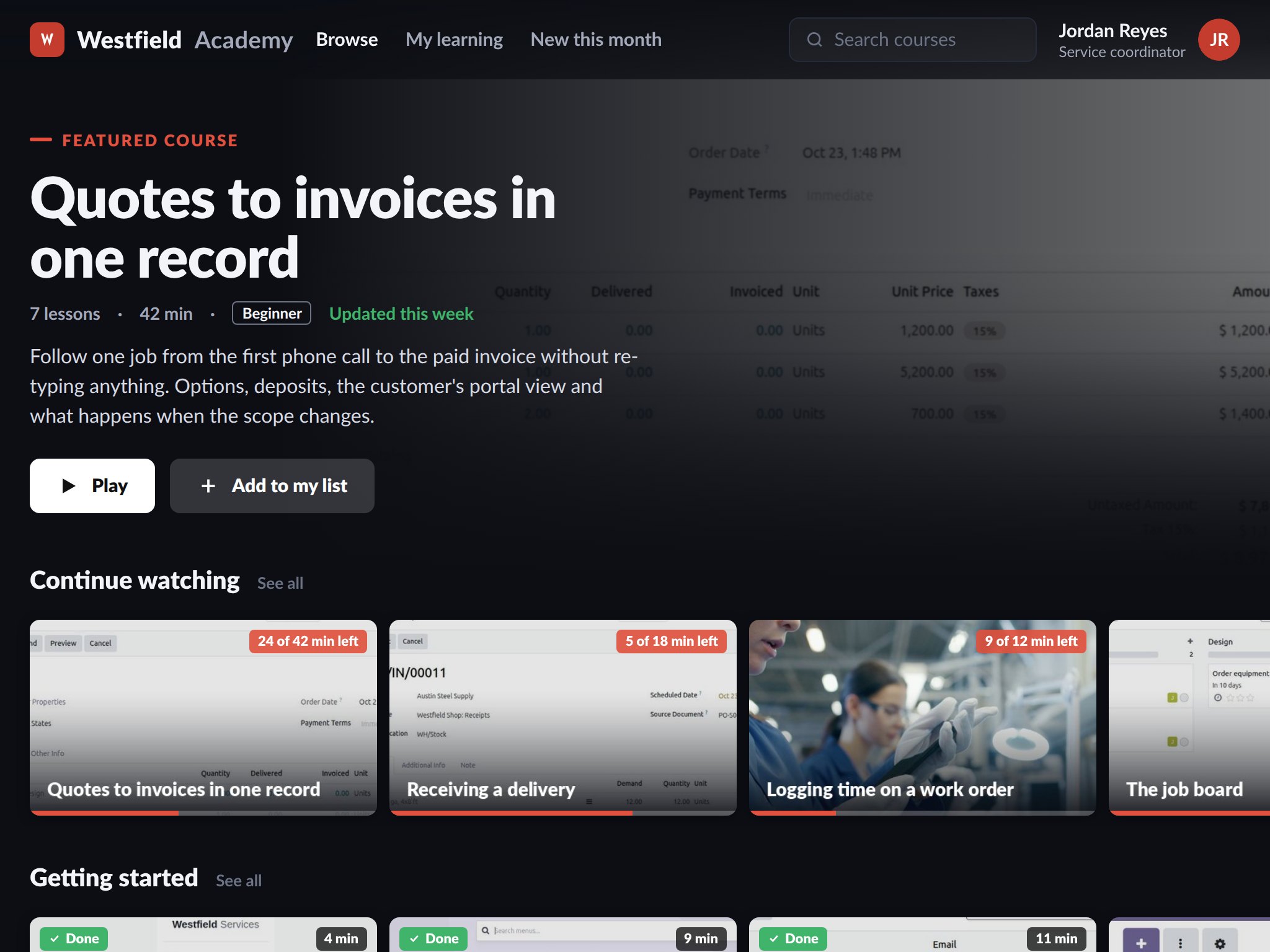
A new system is only as good as the people using it, and a four-hour training day is forgotten by the next week. Every setup comes with a training portal and written documentation for your team: short video courses by role with a quiz at the end, procedures a new hire can follow on their first day, and a handbook that answers the question before it becomes a support ticket.
- Video courses by role, progress tracked
- A handbook of your own procedures
- Kept current as the system changes
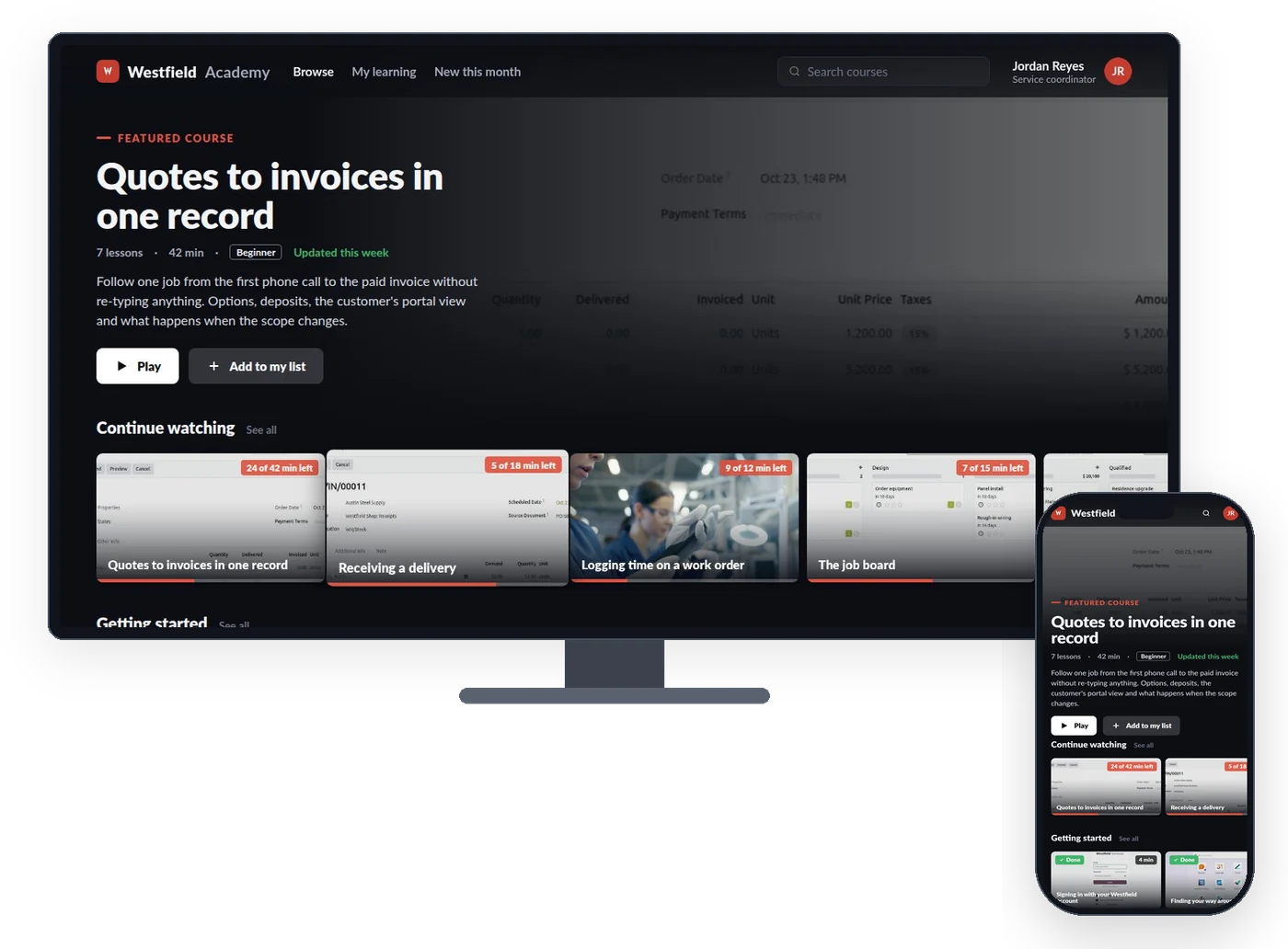
Short courses by role mean each person watches the ten minutes they need on the day they need them.
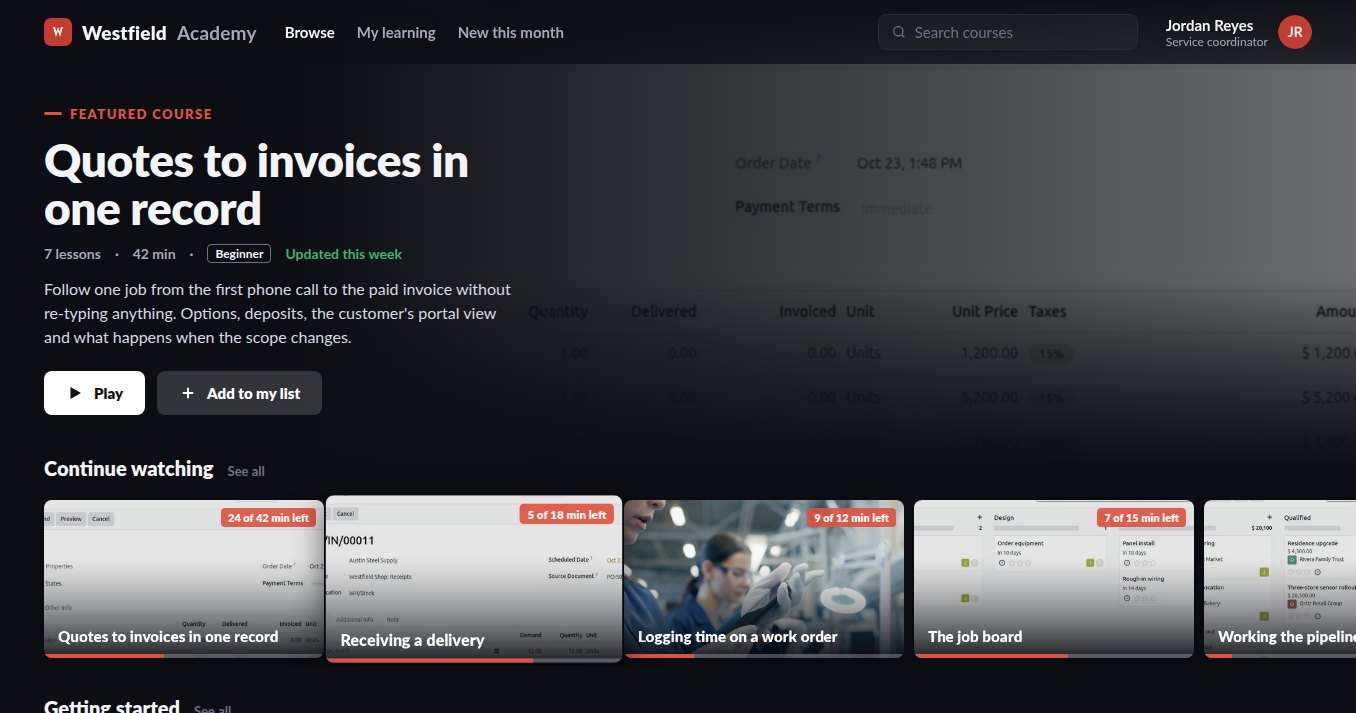
Nobody remembers a four-hour training day, so the person at the next desk becomes the help desk. A portal of short courses, organised by role and by task and recorded on your own setup, lets someone watch what they need when they need it, pick up where they left off and see what they have finished. A course ends in a short quiz, a passed quiz earns a certificate for the role, and a course can require another before it, so the new hire's path is in the right order. Managers see who has finished what, and who still needs a hand.
- Courses by role: sales, the shop floor, the books, managers
- A quiz at the end and a certificate for the role
- Progress per person, with a path for new hires in the right order
- Recorded on your own setup, branded as yours, behind your login
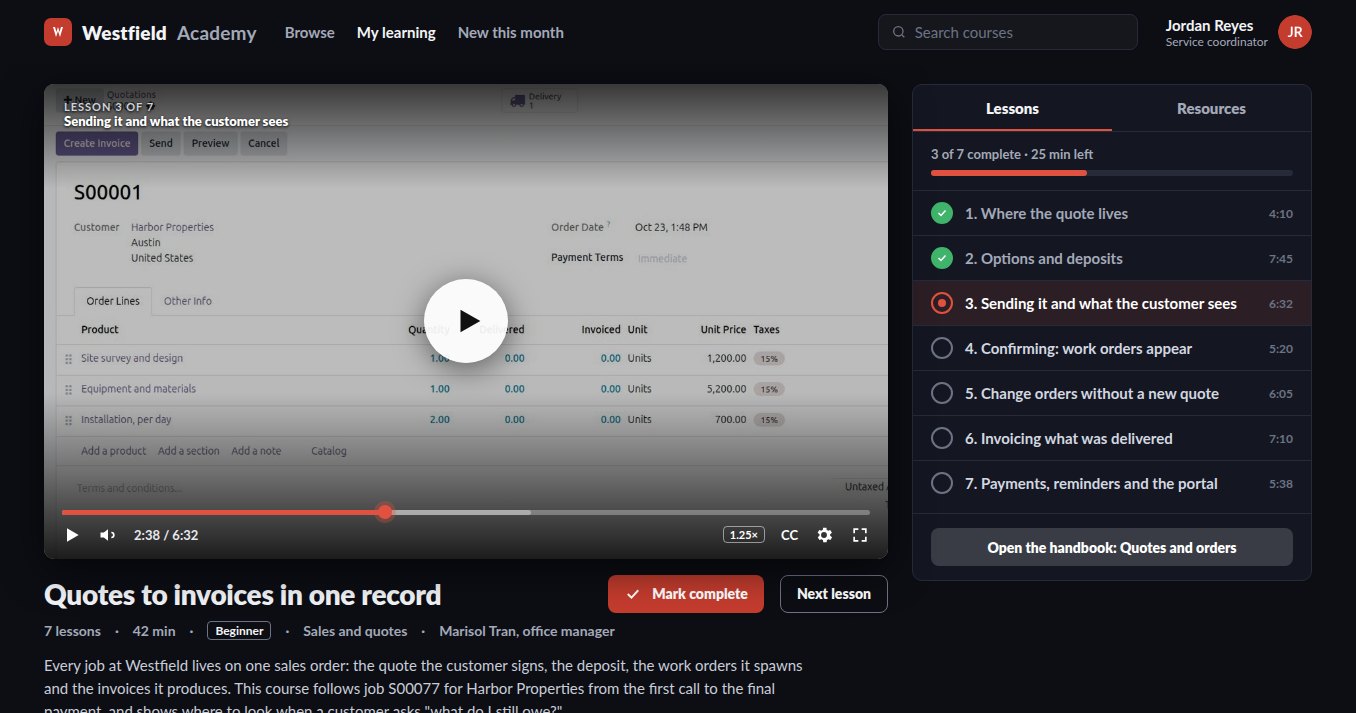
When the one person who knows how month end works is away, the handbook knows too.
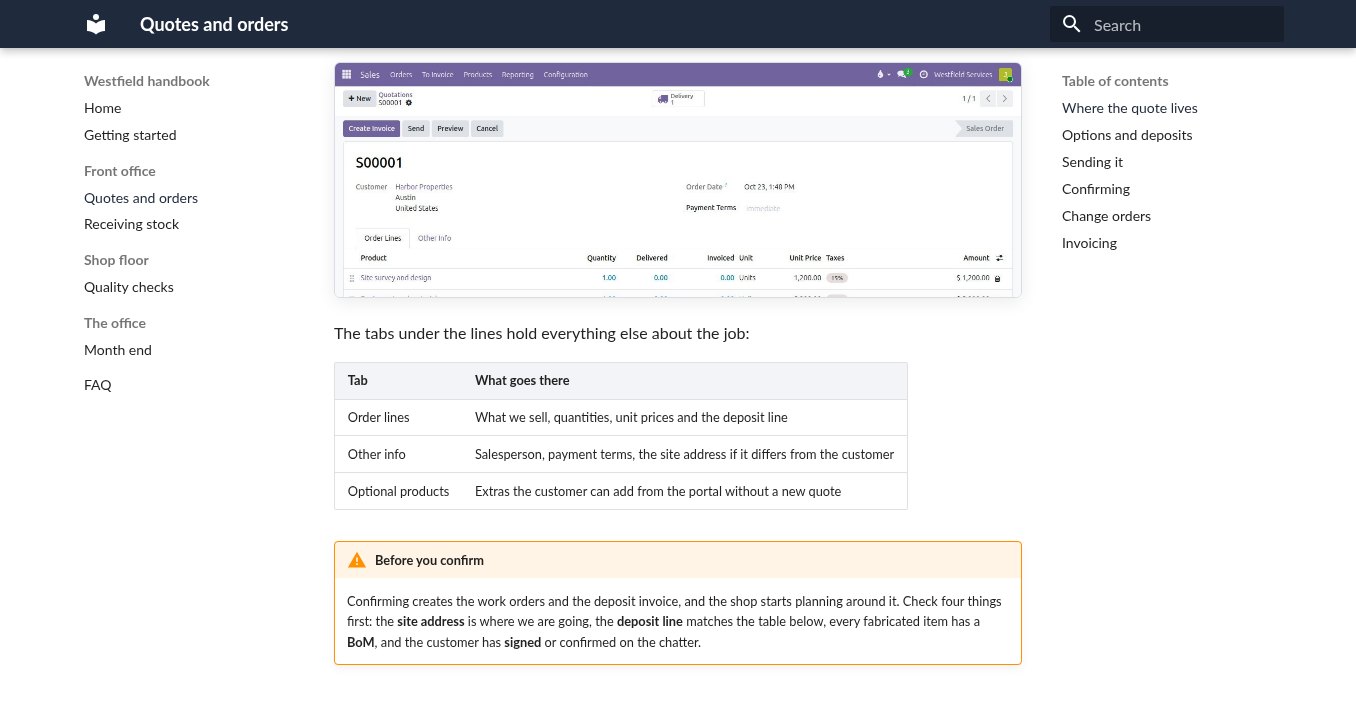
The procedures live in one person's head, and when they are off the work waits for them. They are written as pages anyone can search: how a quote is approved, what to check before a receipt is validated, what month end looks like. Each page shows your own screens and, where it helps, a live list from the system itself, so the page about open orders shows this week's open orders. Pages have an owner, a history of every change, and access set per team, and a page can be published for customers or suppliers when it should be.
- Searchable, with your own screenshots and live lists from the system
- A page per procedure, in the order the work happens, with an owner
- Every change kept in the history, and updated with every change we make
- Yours to edit, to host and to share outside when a page should be public
What it is for
The questions a new system raises, answered before they are asked.
New hires
A path of courses for their role and the handbook pages for their first week, so the person next to them is not the training department.
New features
When something changes, a short video and an updated page go out with it instead of a meeting.
Procedures
How things are done here, written down and kept current, so a leaver does not take the process with them.
Support requests
The answer to the common question is a page, and the page is one search away, so fewer questions reach you.
Live sessions
Training for each role on your own data at go-live, recorded for the people who join later.
Ownership
The portal and the handbook run on your own domain and are handed over with the rest of the system.
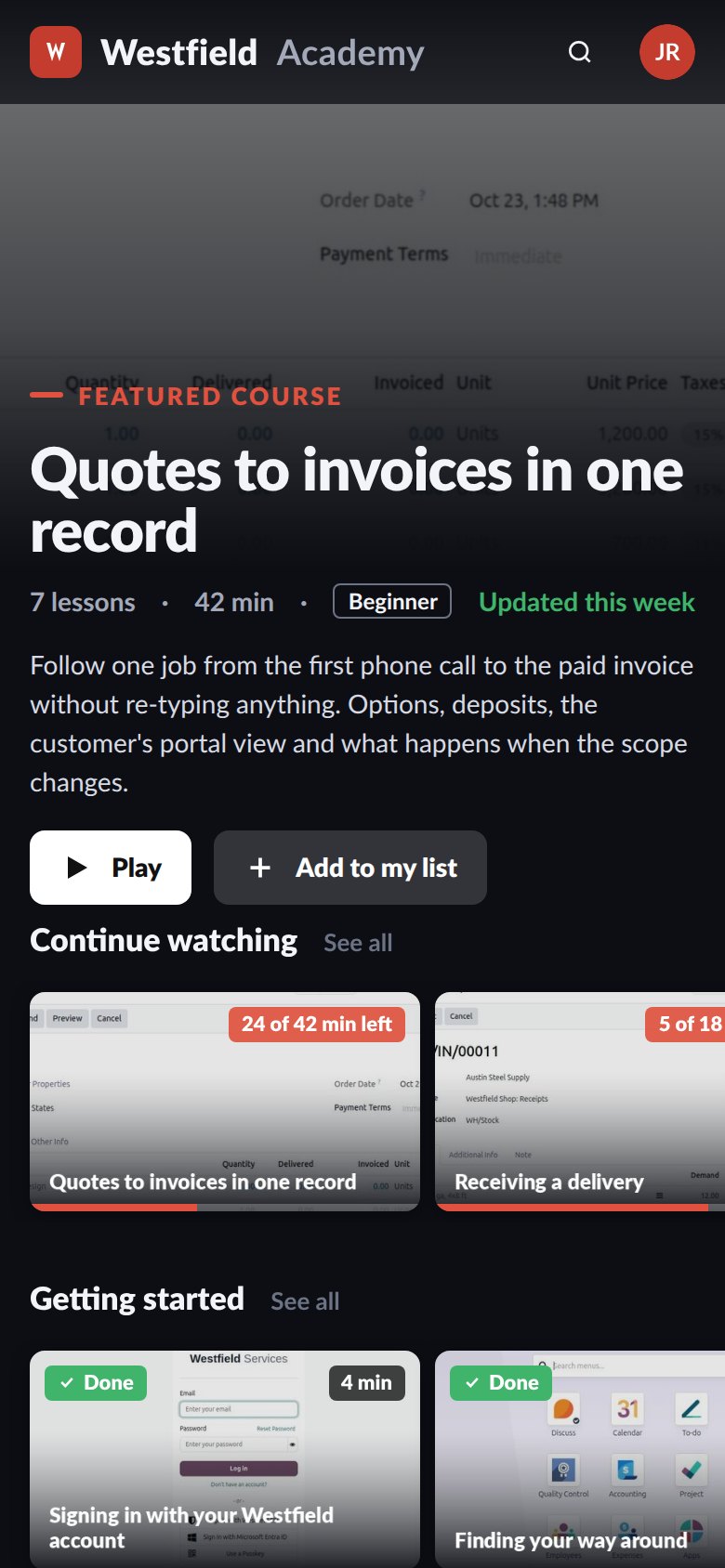
Wherever the work happens, the course and the handbook open on the device in hand and pick up where they stopped.
The question comes up at the bench or on site, not at a desk. A course plays wherever the person is, on the device they have, and resumes where they stopped, and the handbook opens on a phone at the bench as easily as on the office screen.
- Works on a phone, a tablet and a desk
- Resume where you left off
- Nothing to install
Related
Customer portals
Customers sign quotes, pay invoices and check on jobs themselves.
See customer portalsCustom application development
The screens and workflows your business needs when standard software falls short.
See custom developmentAI development
Assistants, knowledge bases and integrations on your own data, within limits you set.
See AI developmentImplementation
Training for each role is part of every setup we deliver.
On the services pageSchedule a demo.
Tell us a little about your business and what you would like to see. We walk you through how this would work for a company like yours, at a time that suits you. The first conversation is free.