Promise delivery dates your shop can keep, and know what every job costs before the first cut.
Most job shops and small manufacturers run on a quoting spreadsheet, a board of due dates and a supplier who says it ships next week. The ship date is a hopeful guess, the margin shows up after the invoice, the parts that went out for plating are somewhere between two buildings, and the press brake gets serviced when it stops. As an Odoo partner, we set the software up around the way your shop builds: bills of materials and routings with real costs and lead times, purchasing that follows the order, outside work tracked like any other step, and maintenance planned before a machine holds up a job.
- Ship dates checked against component arrivals and shop time
- The cost of a unit known when you quote it
- Every machine on a maintenance schedule

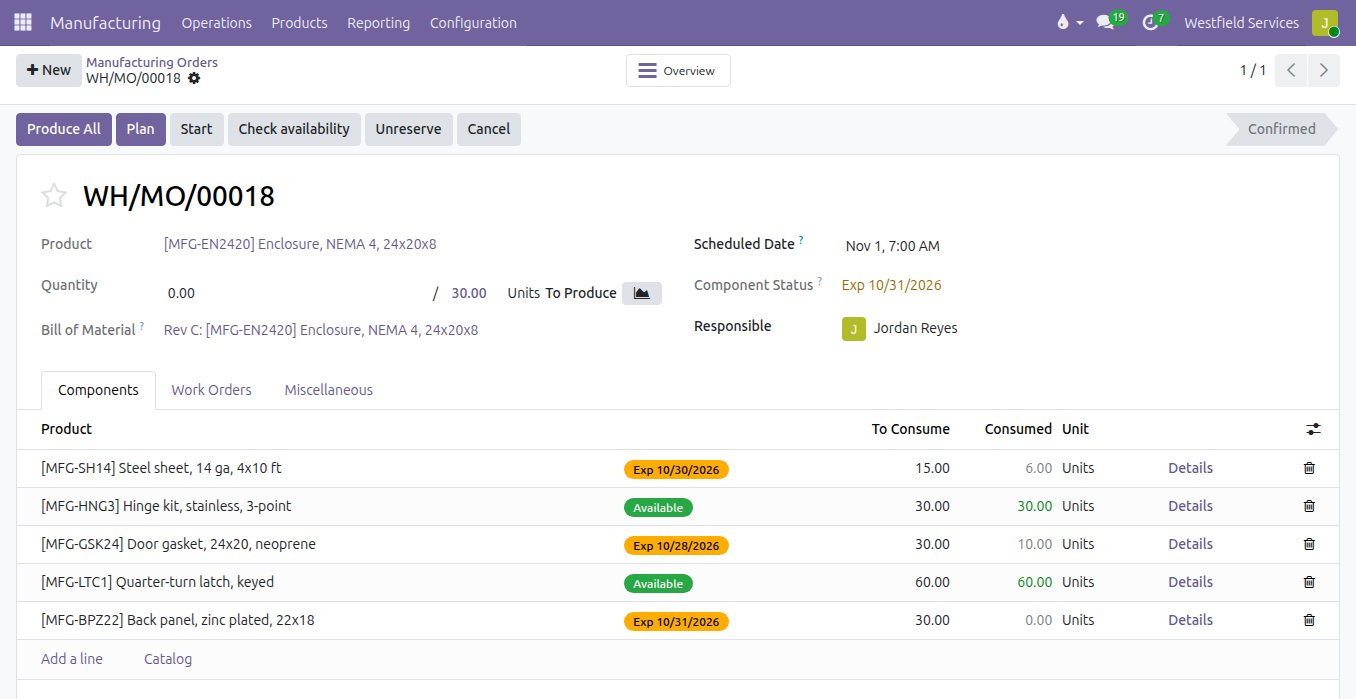
When a customer asks for a date, give one that already accounts for the steel on order and the hours in the shop.
Sales promises three weeks because that is what it usually takes, then the sheet steel arrives late and the order ships in five. Once the order is confirmed, its manufacturing order lists every component with its status: on the shelf, or expected on the date the supplier confirmed, with the purchase order behind it. The latest arrival plus the time on the routing tells you the earliest day the job can really ship, and when a supplier slips, the job that depends on it shows the new date before the customer has to ask.
- Each component marked available or expected, with its date
- Purchase orders for what is short, linked to the job
- Shop time from the routing on every order
- A late supplier visible on the job it delays
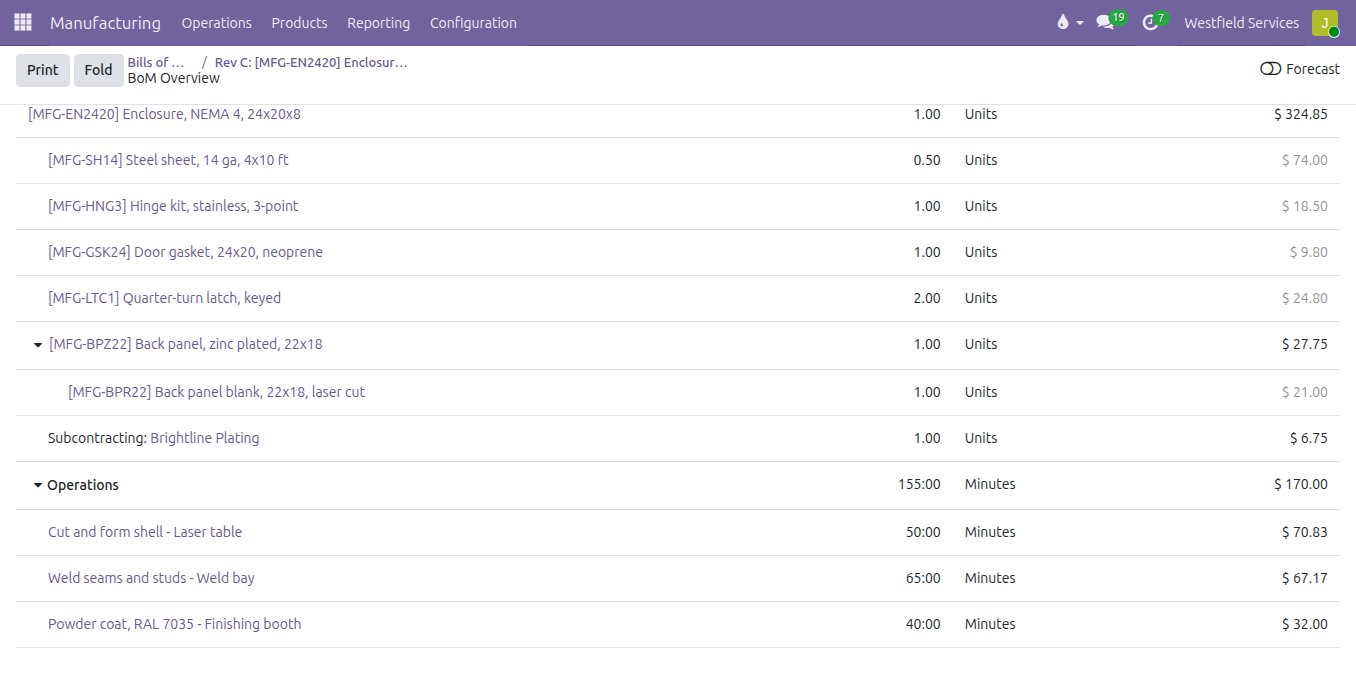
See what an enclosure, a bracket or a full assembly costs to make before you put a price on the quote.
Quoting from the last similar job works until the price of steel moves or a part needs an extra weld. With the bill of materials and the routing in place, the cost of one unit is rolled up from the component prices, the minutes at each work centre at that centre's hourly rate, and what the subcontractor charges for their step. Change a material price or a cycle time and the cost follows, so the margin on the quote is a figure you checked, and when the job closes the actual cost sits beside the planned one.
- Material, machine time, labour and outside work in one unit cost
- An hourly rate for each work centre
- Planned cost beside actual cost on every finished job
- Quotes priced from figures you can check
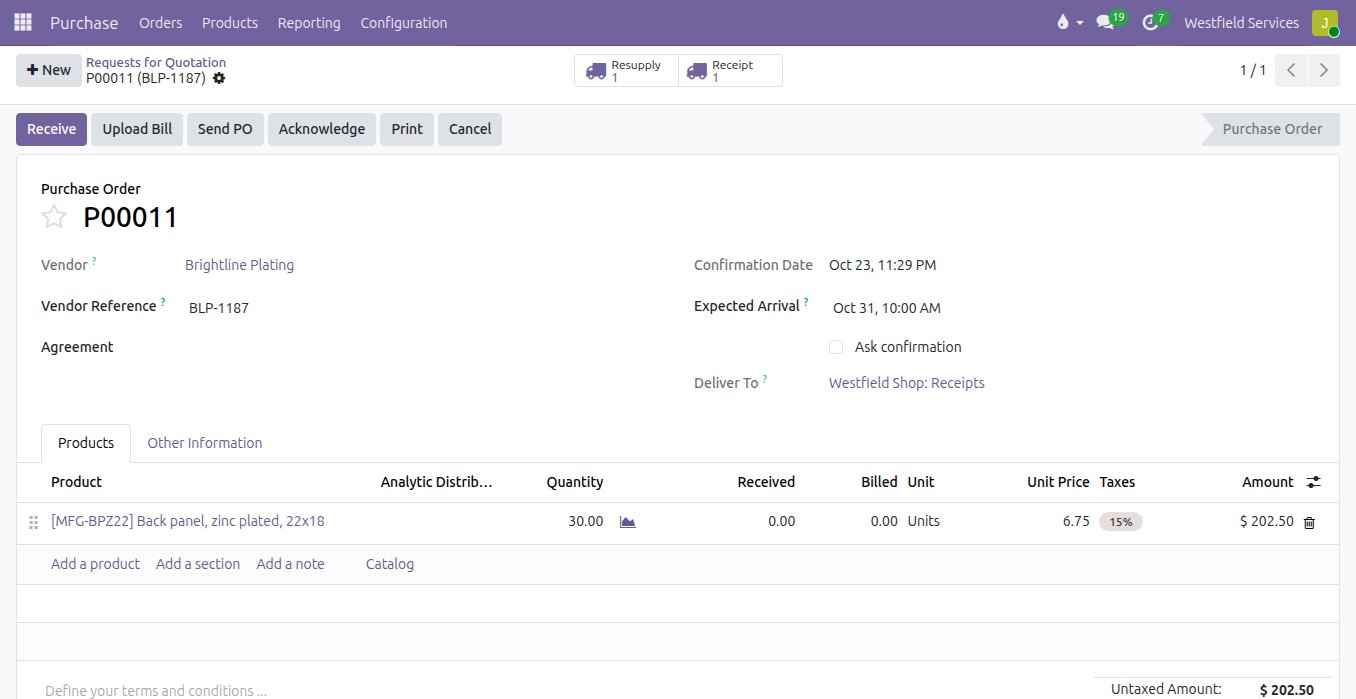
Track the plating, heat treating and machining you send out as closely as the work you do in your own shop.
Parts that leave for an outside finisher tend to disappear: someone ships the blanks, someone else waits for a call, and the job in the shop stalls without anyone knowing why. Set up as subcontracting, the finished part has its own bill of materials naming the supplier and what you send them. Ordering the plated part creates the shipment of blanks to the plater, the stock sitting at their site stays on your books, and when the parts come back the blanks are used up and the plater's charge is added to the part's cost.
- Components sent to the subcontractor from the purchase order
- Stock at the subcontractor's site kept on your books
- Their charge added to the cost of the part
- The return date on the job that needs the parts
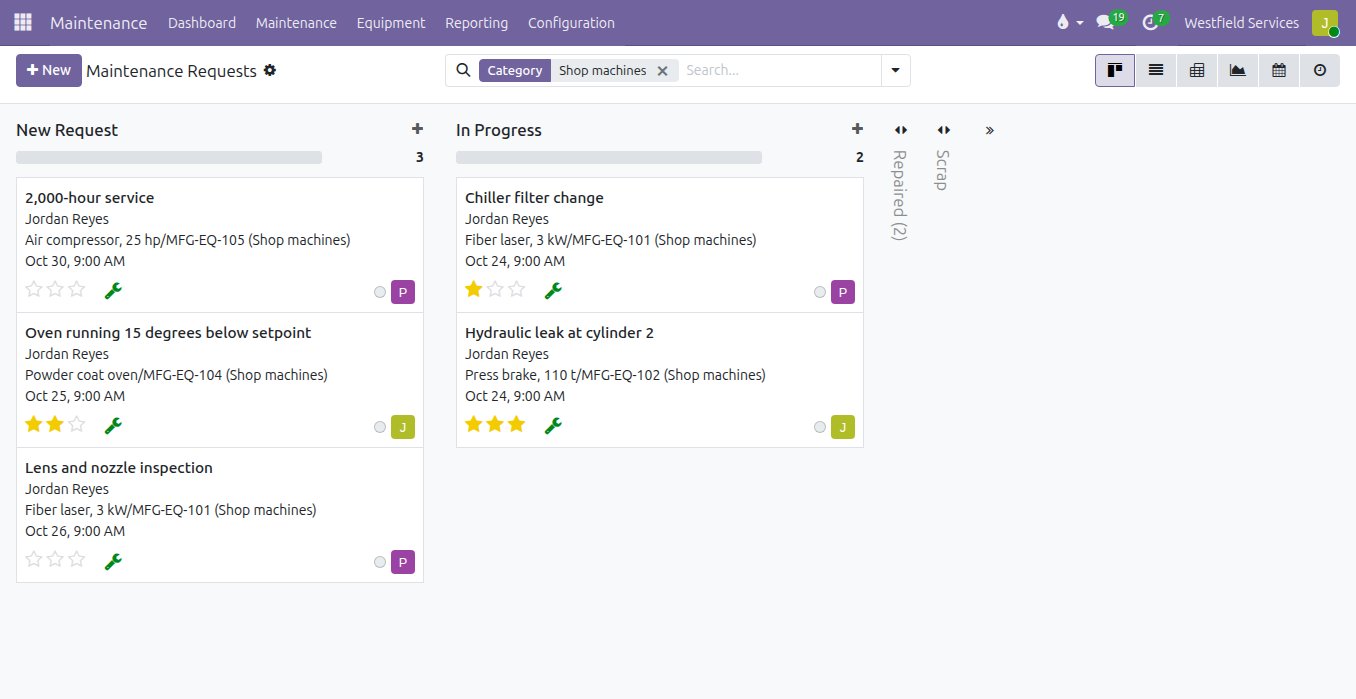
Keep every machine on a maintenance plan, so service happens between orders and a breakdown is fixed where everyone can see it.
When maintenance lives in one person's head, the compressor is serviced after it trips and the hydraulic leak is a sticky note on the press. Each machine becomes a piece of equipment with its own history: preventive jobs on a schedule, breakdown requests anyone on the floor can raise, a technician and a priority on each one, and a board that shows what is new, in progress and repaired. Over a few months the history shows which machine costs you the most downtime and when it is worth replacing.
- Preventive maintenance on a schedule for each machine
- Breakdowns reported from the floor with a priority
- A technician and a date on every request
- Repair history and downtime per machine
The apps and add-ons a manufacturer starts with.
Odoo Community at the centre, open-source modules from the Odoo Community Association where they save custom work, and the floor screens where they help.
Manufacturing
Bills of materials, routings, work orders and subcontracting, so a confirmed order becomes a build plan with costs and dates.
Purchase
Purchase orders for whatever a job is short, with each supplier's price and lead time.
Inventory
Raw material, finished goods and the stock at your subcontractors, counted where it actually is.
Maintenance
Every machine with its preventive schedule, its breakdowns and its repair history.
Quality control
Inspections at receiving and between operations, so a bad batch of parts stops at the bench.
Sale info on manufacturing orders
The customer, their reference and the promised date on every manufacturing order and work order, so the floor knows what is urgent.
Multi-level MRP
Planning that works down through sub-assemblies to the raw material and proposes what to make and what to buy.
Maintenance plans
Several preventive routines per machine, each on its own interval, raised as requests when they fall due.
Grafana
A live board of work centres and machines on the shop-floor screen, with an alert before a line stops.
Related
Manufacturing
The bill of materials knows the lead time; the ship date is calculated.
See manufacturingInventory
Accurate stock in every location, reordering that runs itself, lots you can trace.
See inventoryQuality control
Inspections tied to every receipt and production run, so defects are caught before shipping.
See quality controlReal-time reporting
Every machine on one live board, with an alert before the line stops.
See real-time reportingOther industries we set up
Software as a Service
Billing, books, logins, support and email behind your product, set up and connected.
See how we helpConstruction
Estimates, job costing, subcontractors, progress billing.
See how we helpWholesale and distribution
Purchasing, warehouses, deliveries, invoicing.
See how we helpField service
Scheduling, work orders, parts, on-site invoicing.
See how we helpSchedule a demo.
Tell us a little about your business and what you would like to see. We walk you through how this would work for a company like yours, at a time that suits you. The first conversation is free.