Give customers faster answers and your team one place to handle every request.
Support lives in a shared inbox until something gets missed, and the customer explains the problem again to whoever picks it up. With a ticket for every request, from chat on your website, email or the portal, each one has an owner, a stage and a deadline you promised, the customer's orders and history sit beside it, and you can see how fast you answer and how happy people are with the answer.
- Live chat on your website, answered by your team
- A ticket with an owner and a deadline for every request
- Ratings and response times you can see
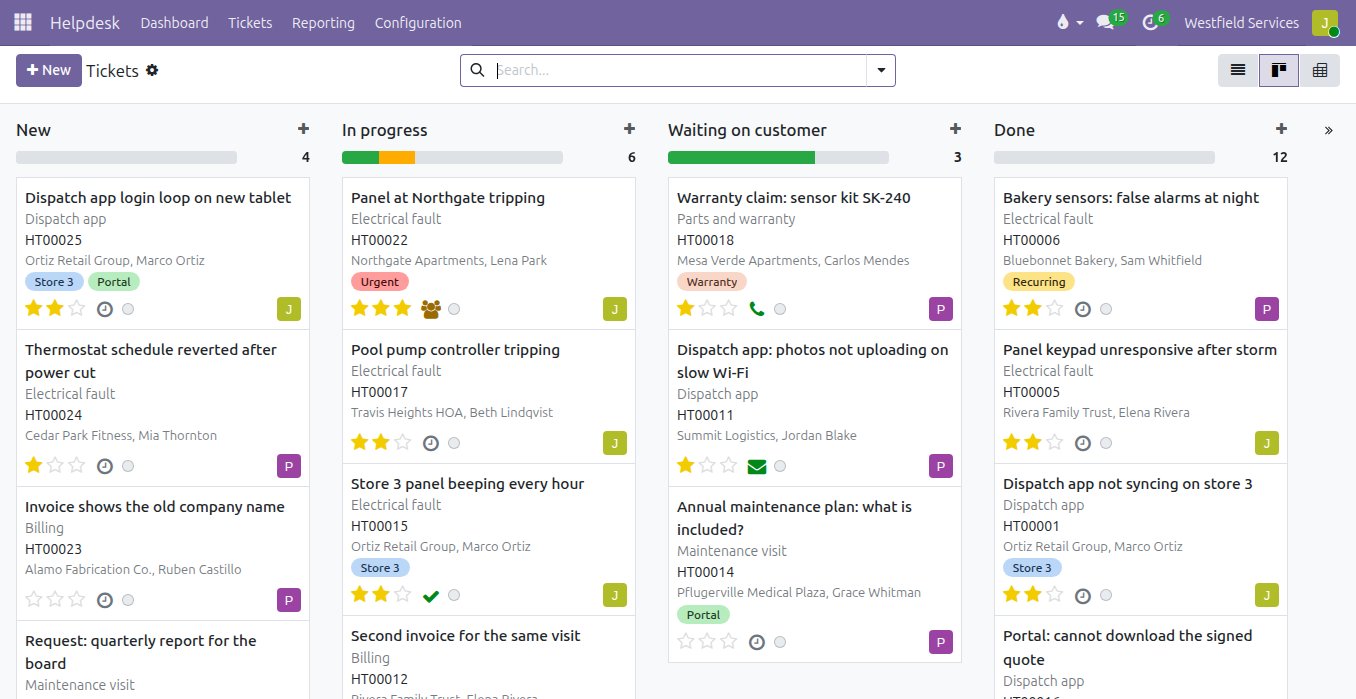
Answer the visitor while they are still on your website, from the screen your team already works in.
A visitor with a question usually leaves before they get round to emailing. With chat on the site, the question lands with whoever is on duty for that part of the business, on the same screen as everything else, and they answer it there and then. A visitor who has lingered on a service page can be invited to chat first. Out of hours, a scripted assistant collects the details and opens the ticket. If it needs more than a chat, one click turns it into a ticket or a lead with the conversation attached.
- Chats routed to the right team, answered from the system they are already in
- An invitation to chat for visitors who linger
- A scripted assistant out of hours that opens the ticket
- One click turns a chat into a ticket or a lead
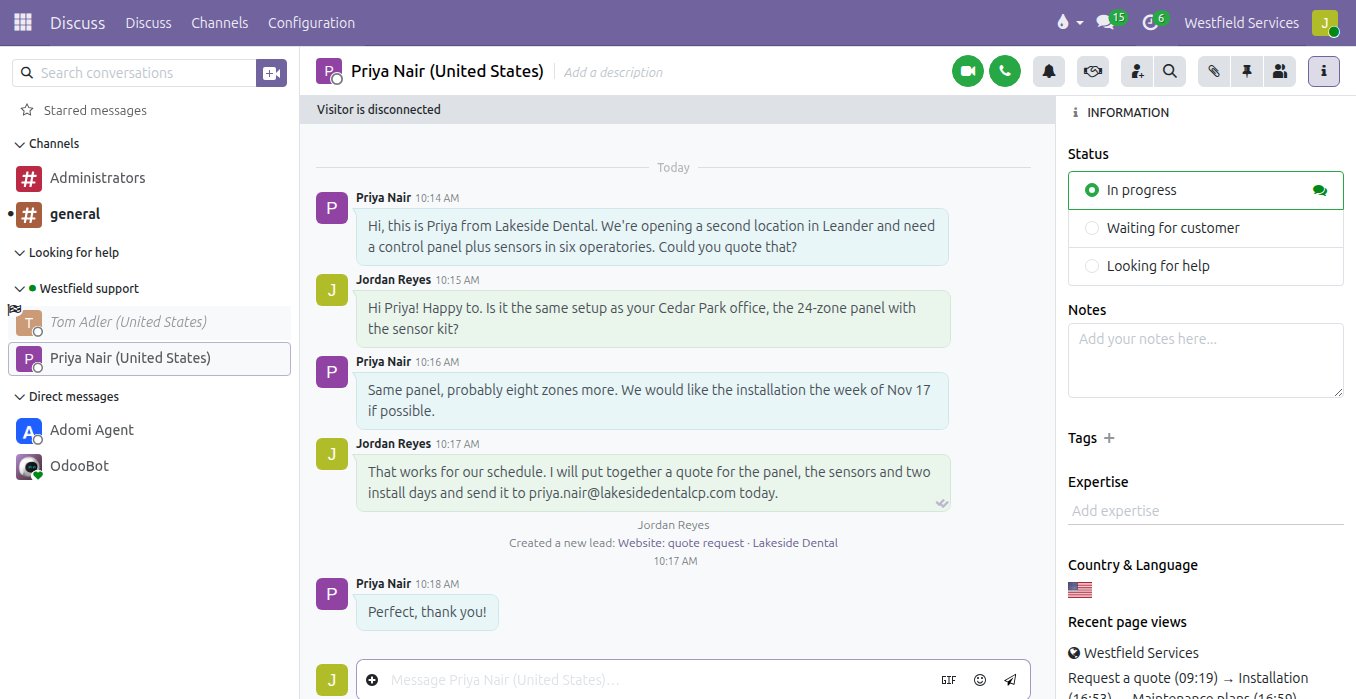
Promise a response time and keep it, because every ticket shows its deadline and escalates before it slips.
The request that got missed was the one nobody owned, and the customer who waited three days was a priority customer. Here every request becomes a ticket with an owner, a priority and a stage, whether it came in by chat, email, a web form or the portal. Service-level rules set the deadline by customer, type and priority, the ones about to run late turn red, and an overdue ticket can go to a manager in one click. The customer's orders, invoices and past tickets are beside it, replies go out from the ticket, and the customer gets an update automatically when it moves.
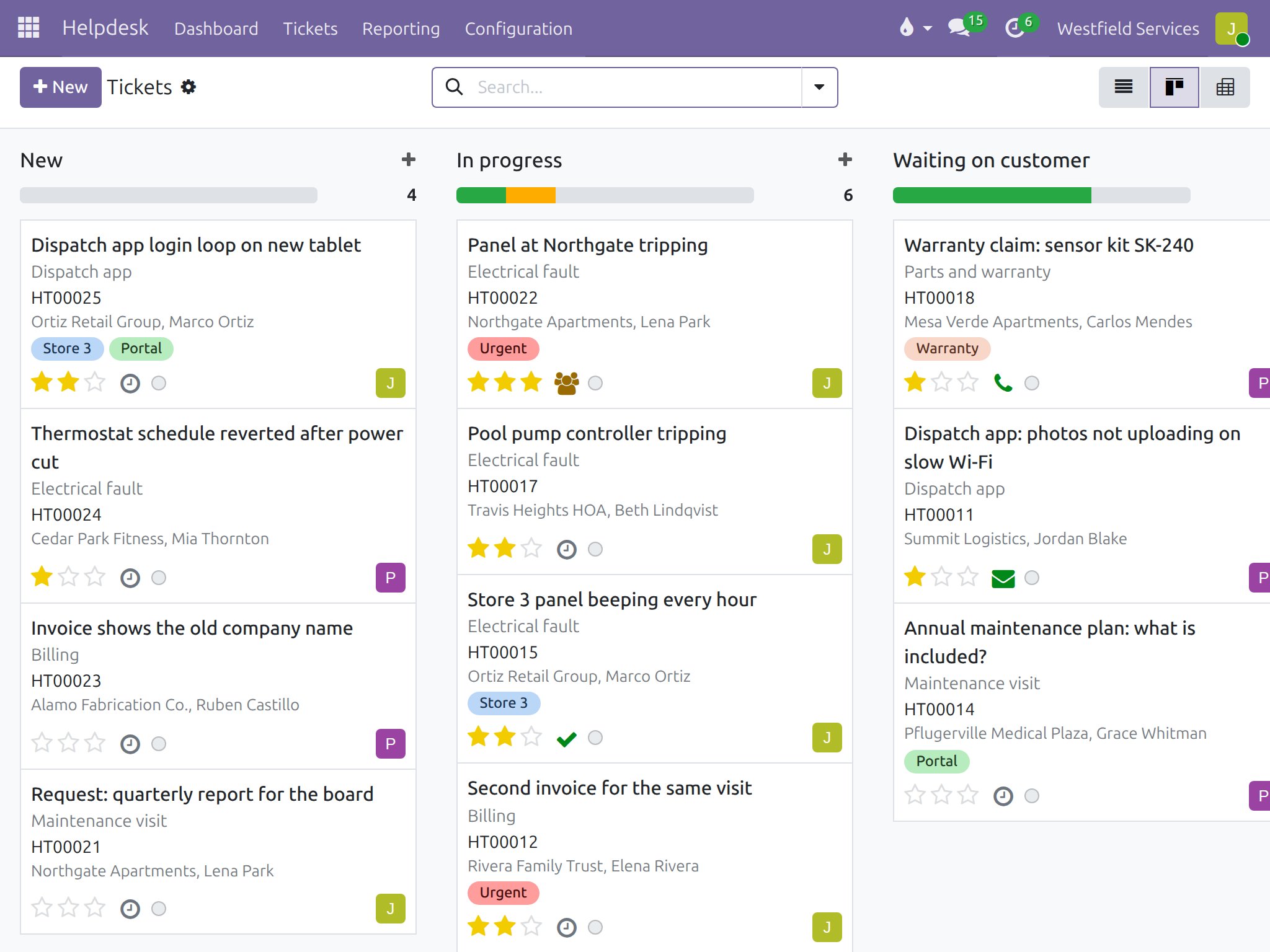
- Tickets from chat, email, web forms and the portal on one board
- Deadlines by customer, type and priority, with the late ones in red
- Escalation to a manager in one click
- Automatic updates to the customer as the ticket moves
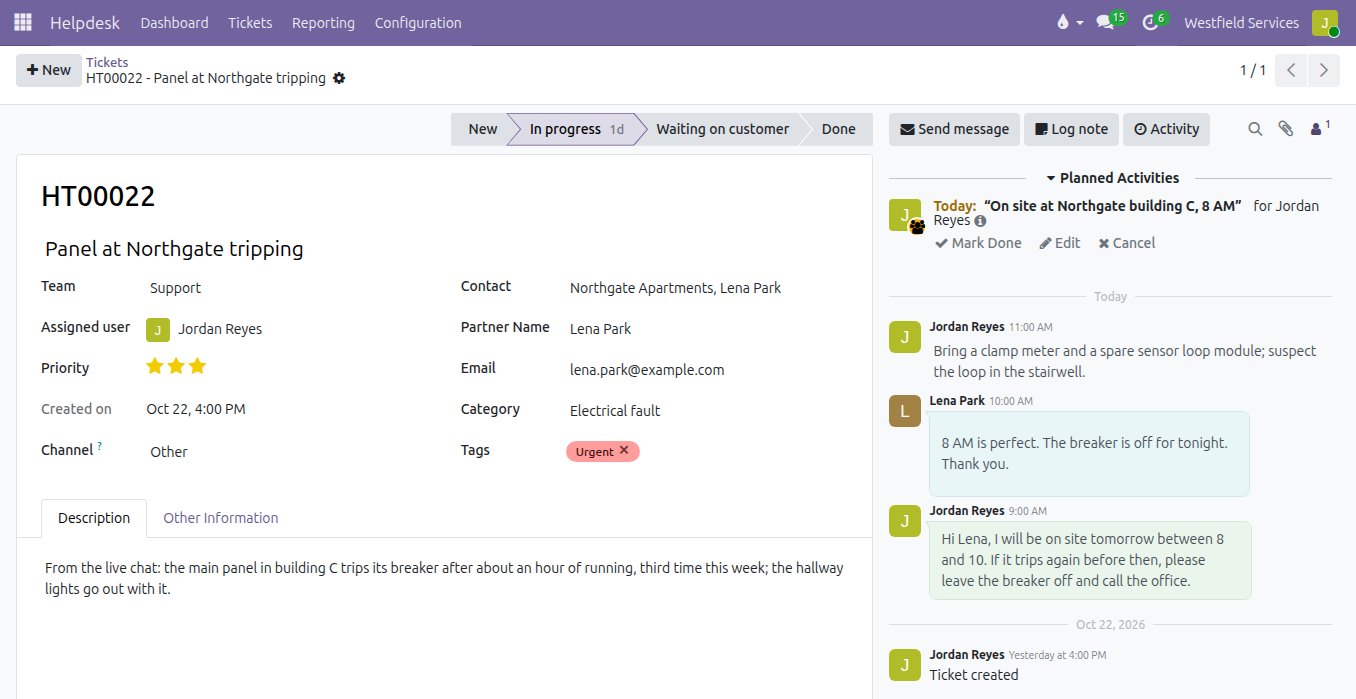
Write the best answer to a common question once, and let the whole team give it in two keystrokes.
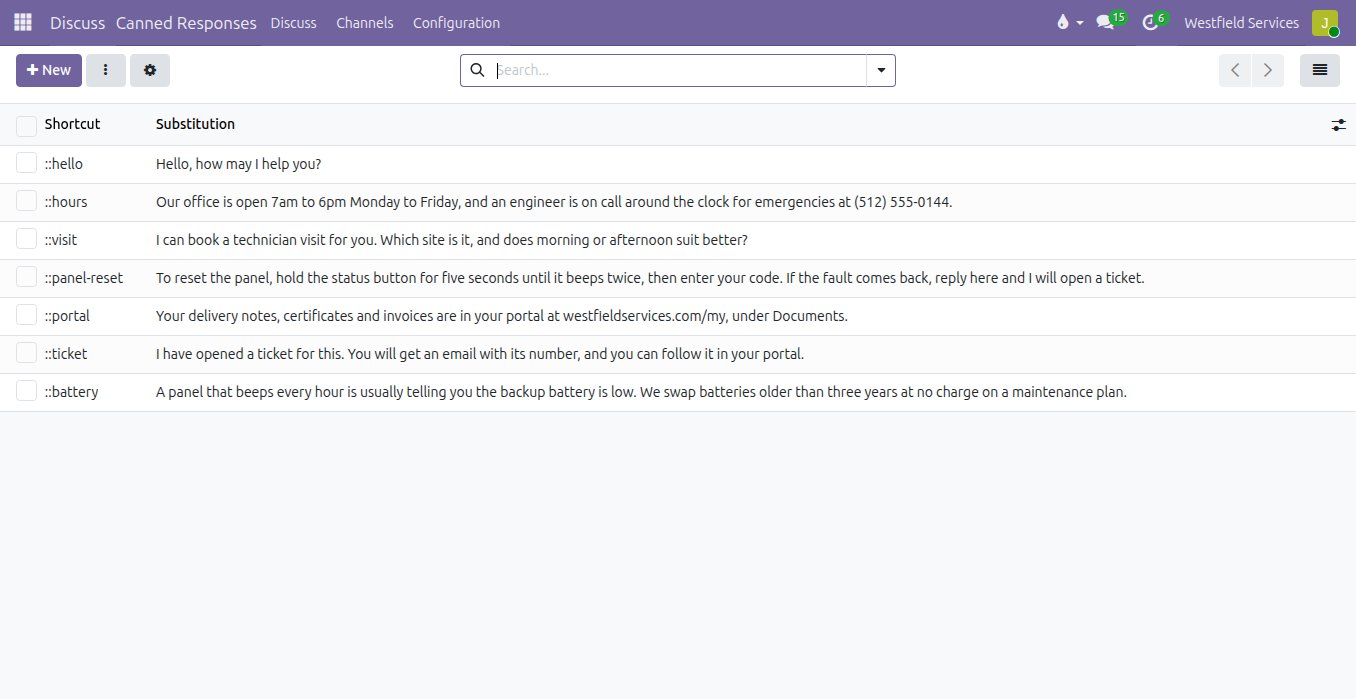
The same ten questions arrive every week, and each one gets answered from scratch, a little differently depending on who picks it up. Saved answers turn those replies into shortcuts: type two colons and a word in a chat and the full answer appears, the office hours, how to reset the panel, where the invoices are in the portal. Email replies on tickets use templates the same way, and the articles in your knowledge base can be linked to a ticket, so customers learn to find the answer themselves next time.
- Shortcuts for the replies you send every day
- Reply templates on tickets, in your words
- Knowledge base articles linked to the ticket
- The same good answer, whoever is on duty
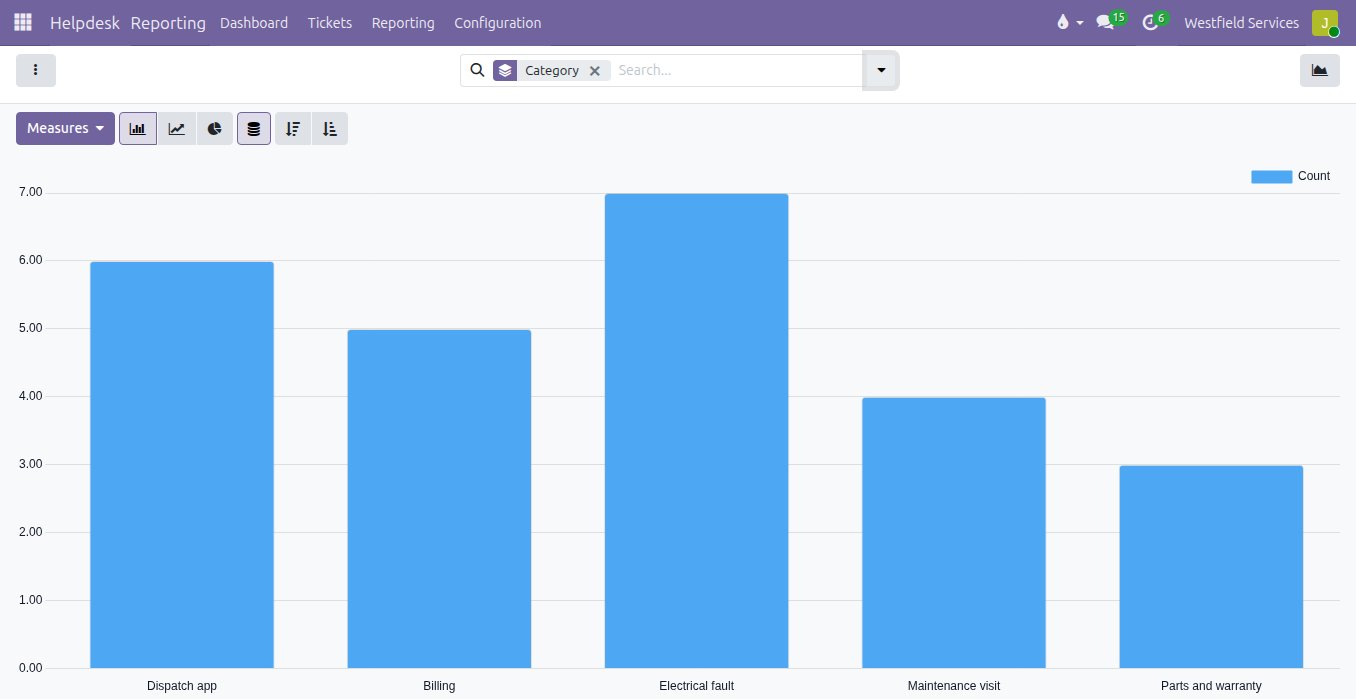
Find out what customers keep asking about and how they rate the answers, so you fix the cause rather than the ticket.
Without numbers, support is judged by the last angry email. Here each closed ticket and each chat asks the customer for a rating, and the comments land on the ticket. Tickets are counted by category, team, customer and product, so a fault that keeps coming back shows up as a bar rather than a hunch, and the share of tickets answered and solved within the promised time is there for every team and every week. The questions that dominate become saved answers or articles, and the faults become a fix.
- A rating after every ticket and chat, with the comment kept
- Tickets by category, team, customer and product
- Deadlines met, by team and by week
- Recurring problems visible before they become a pattern
What it is for
The requests you get every day, handled the same way every time.
Live chat
On your website, answered by your team, and turned into a ticket or a lead when it needs to be.
Email to ticket
Mail to the support address becomes a ticket; replies go out from it and come back onto it.
Portal requests
Customers raise a request from their portal and watch it move from received to done.
Service levels
Deadlines by customer and priority, with the ones about to run late in red and escalated in a click.
Saved answers and knowledge base
The same question gets the same good answer, written once and reused by the whole team.
Customer ratings
A rating after every ticket and chat, so you know how each answer landed.
Support reporting
Tickets by category, team and customer, and how often you meet the time you promised.
Field visits
When a ticket needs a visit, it becomes a job on the project board with the site attached.
Related
Customer portals
Customers sign quotes, pay invoices and check on jobs themselves.
See customer portalsCRM
Every lead in one pipeline, with the company profile filled in and the next step scheduled.
See CRMProject management
Every job on schedule and on budget, on a board the whole team works from.
See projectsImplementation
Support set up around the way your customers actually reach you.
On the services pageSchedule a demo.
Tell us a little about your business and what you would like to see. We walk you through how this would work for a company like yours, at a time that suits you. The first conversation is free.