Get quotes out faster, follow up before deals go quiet, and get paid sooner.
Quotes take too long to put together, prices get copied from an old document and come out wrong, deals go quiet because nobody followed up, and money waits on an invoice someone has to remember to send. We set up your sales so quotes are built from your own products and price lists, customers accept and pay a deposit online, your team is reminded when a quote needs a follow-up, and the invoice comes straight from the order once the work is done.
- Quotes built from templates, with your own proposal pages
- Signed and paid online, with a down payment
- A reminder to follow up on every open quote
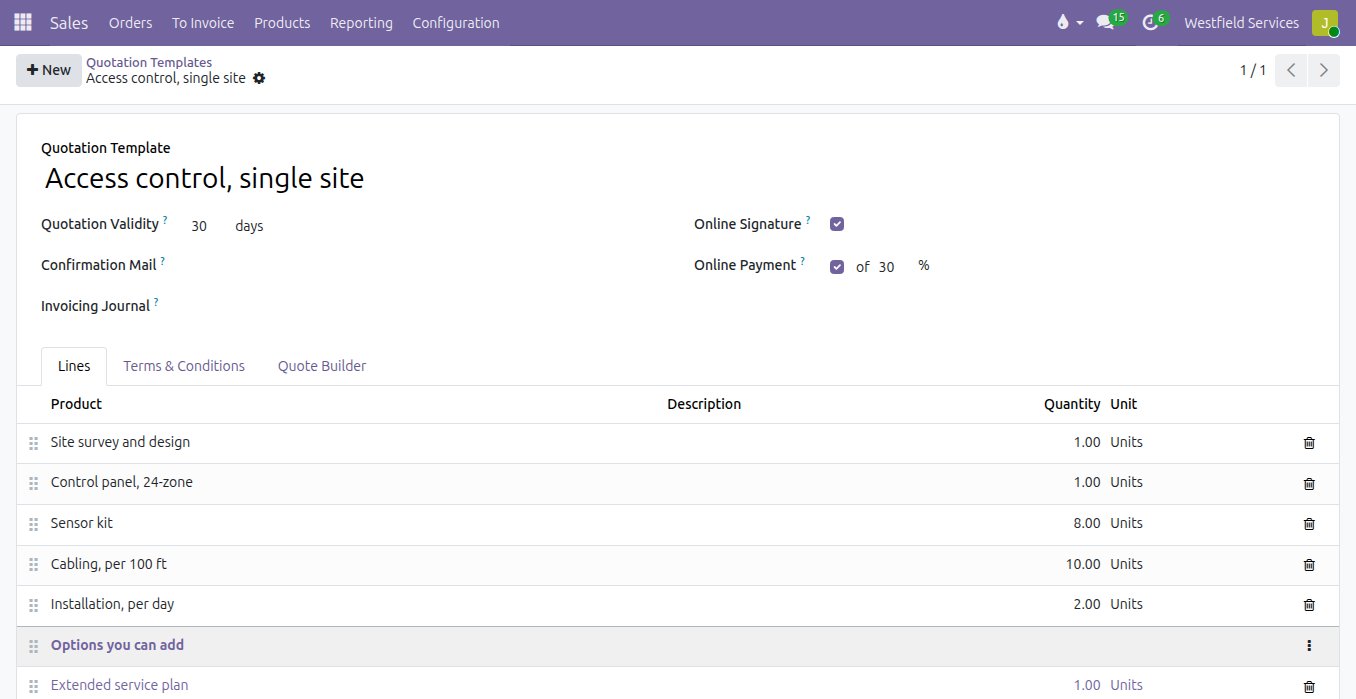
Start every quote from a template that already knows the lines, the terms and the pages your customer needs to say yes.
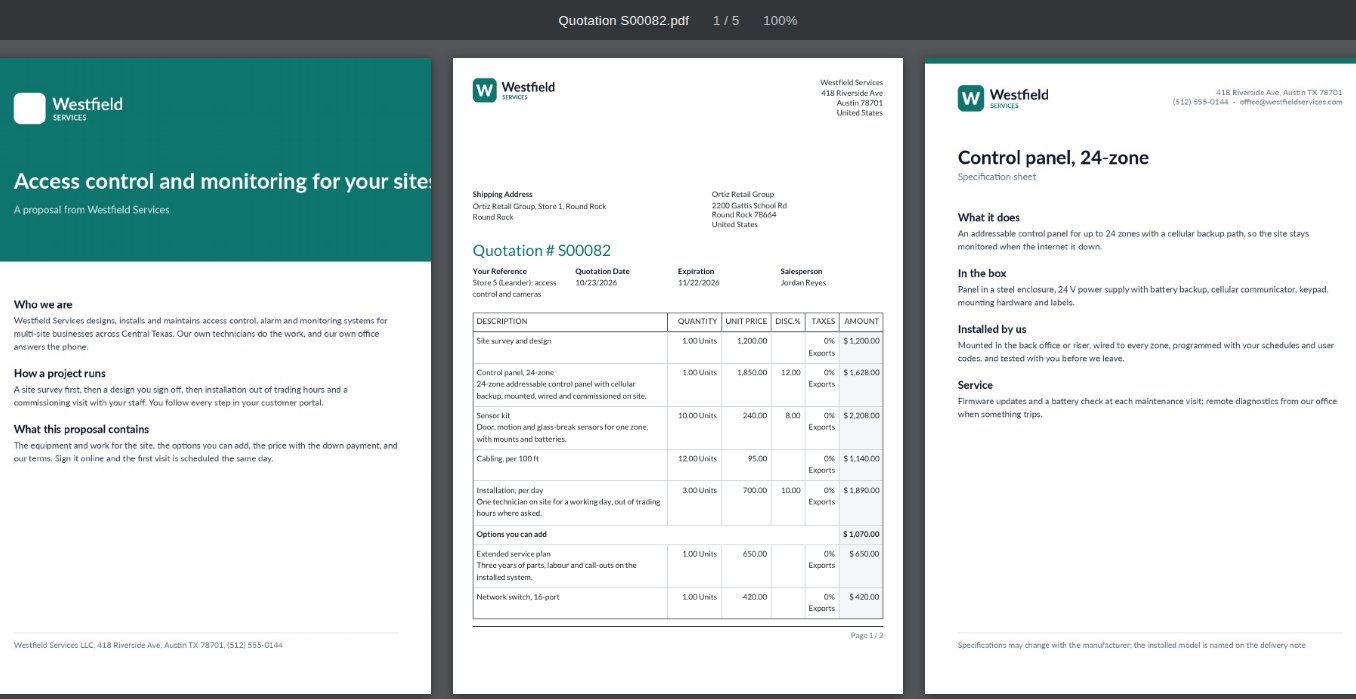
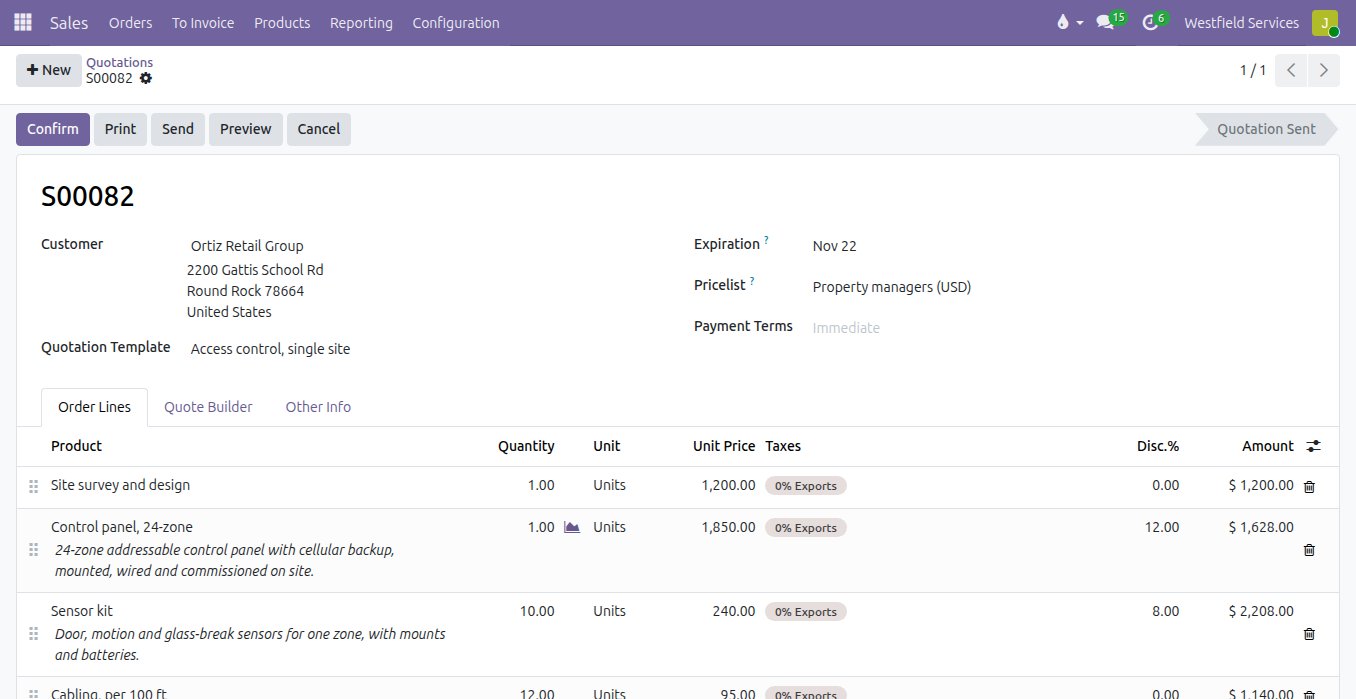
A good quote takes an hour: find the last similar one, copy it into a document, fix the prices, attach the spec sheets, export a PDF and hope nobody kept the old discount. Here a template holds the usual lines for each kind of job, how long the quote stays valid, the terms and conditions and the deposit you ask for. Picking it fills the quote in for the customer, at their prices. The PDF reads as a proposal rather than a price list: your cover page and how you work in front, the priced lines in the middle, and a specification sheet for each product at the back, assembled automatically from documents you keep once.
- A template per kind of job, with the lines, validity and terms filled in
- Cover pages, introductions and spec sheets added to the PDF automatically
- Prices and taxes taken from the customer, not from memory
- The same quality of quote from every salesperson
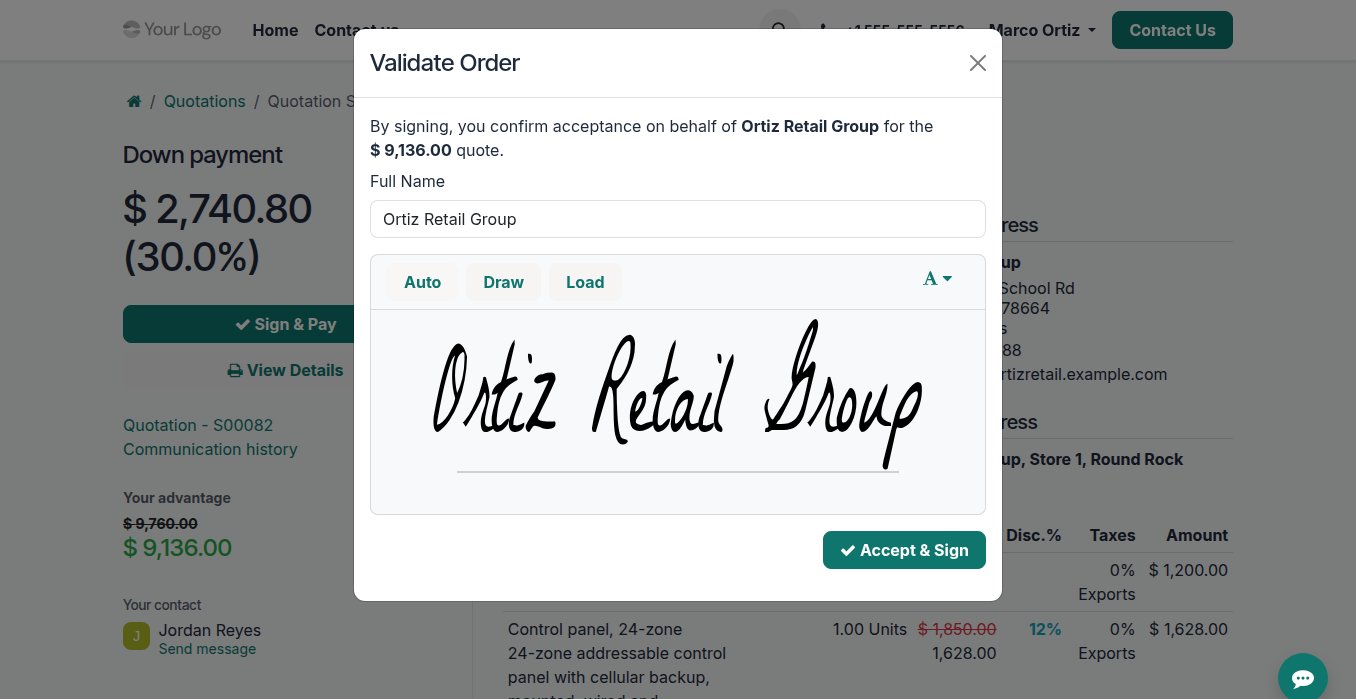
Let the customer accept the quote the moment they decide, with their signature, the options they chose and the deposit paid.
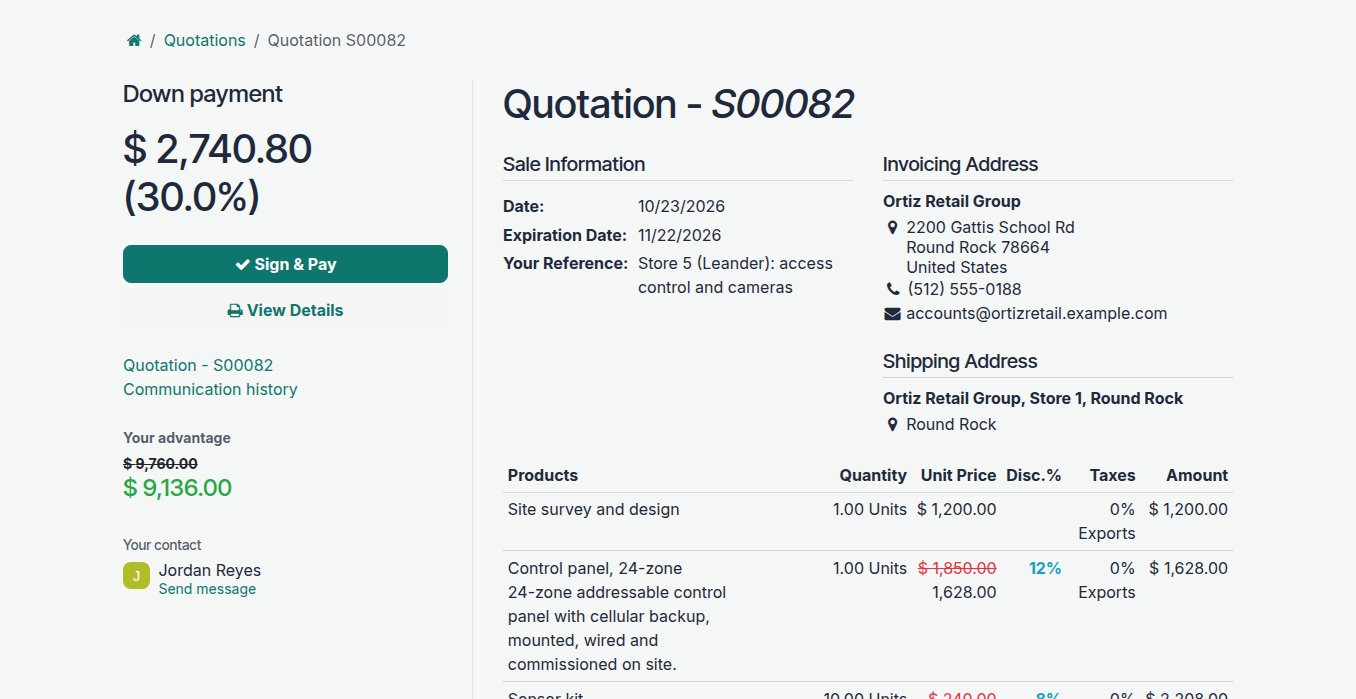
Quotes die in the gap between yes and paperwork: print it, sign it, scan it, send it back, then wait for the deposit. The quote you send is a link to a page of its own. The customer reads it, adds the extras you offered as options, an extended warranty, a second unit, a service visit, signs with a finger or a mouse and pays the down payment by card in the same step. You are told the moment it is accepted, the quote becomes the order with the signature and the date on it, and the payment is already recorded against it.
- Optional products the customer can add themselves, so every quote carries an upsell
- A signature in the browser, kept on the order
- A down payment, as a share of the total, paid in the same step
- Discounts shown as the saving they are, so the value is clear
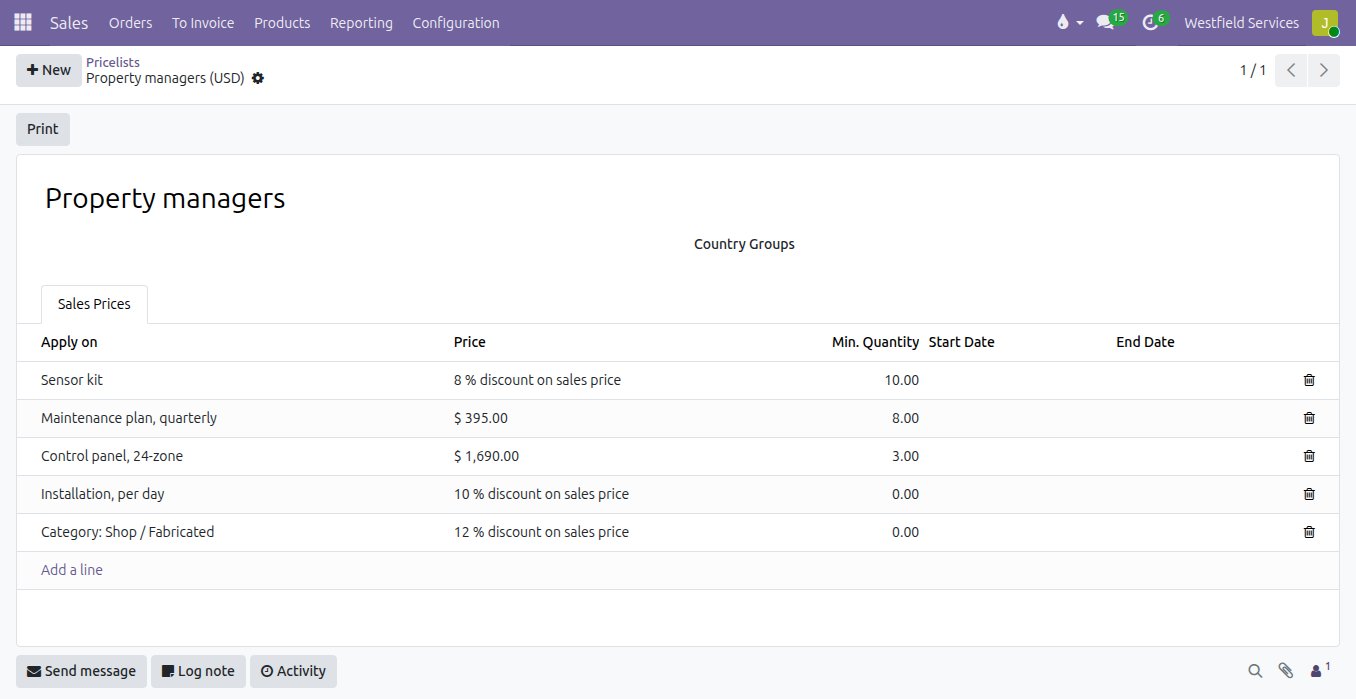
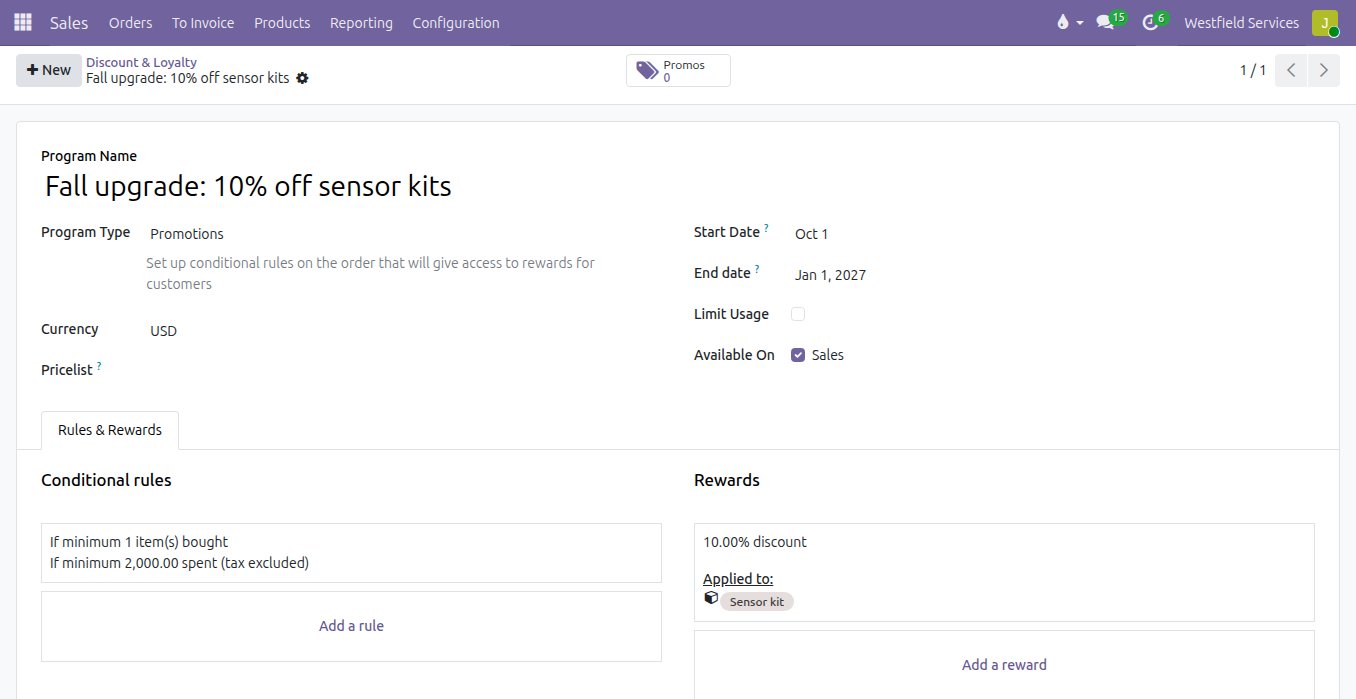
Who gets which price is a rule you set once, so every salesperson quotes the same number and the margin survives the deal.
Every company has its price exceptions: the contractor rate, the break at ten units, the distributor in another currency, the autumn offer someone half remembers. When they live in people's heads, two salespeople quote the same customer two prices and discounts creep up quietly. Here a pricelist per kind of customer holds the fixed prices, the percentage off and the quantity breaks, with dates if they expire. Promotions, coupon codes and loyalty rewards apply themselves when the order meets the conditions, and any discount is visible on the line it was given rather than buried in the total.
- A pricelist per customer group, currency or market
- Quantity breaks and dated prices applied on the line
- Promotions, coupon codes and loyalty rewards that apply themselves
- Every discount visible on the line it was given
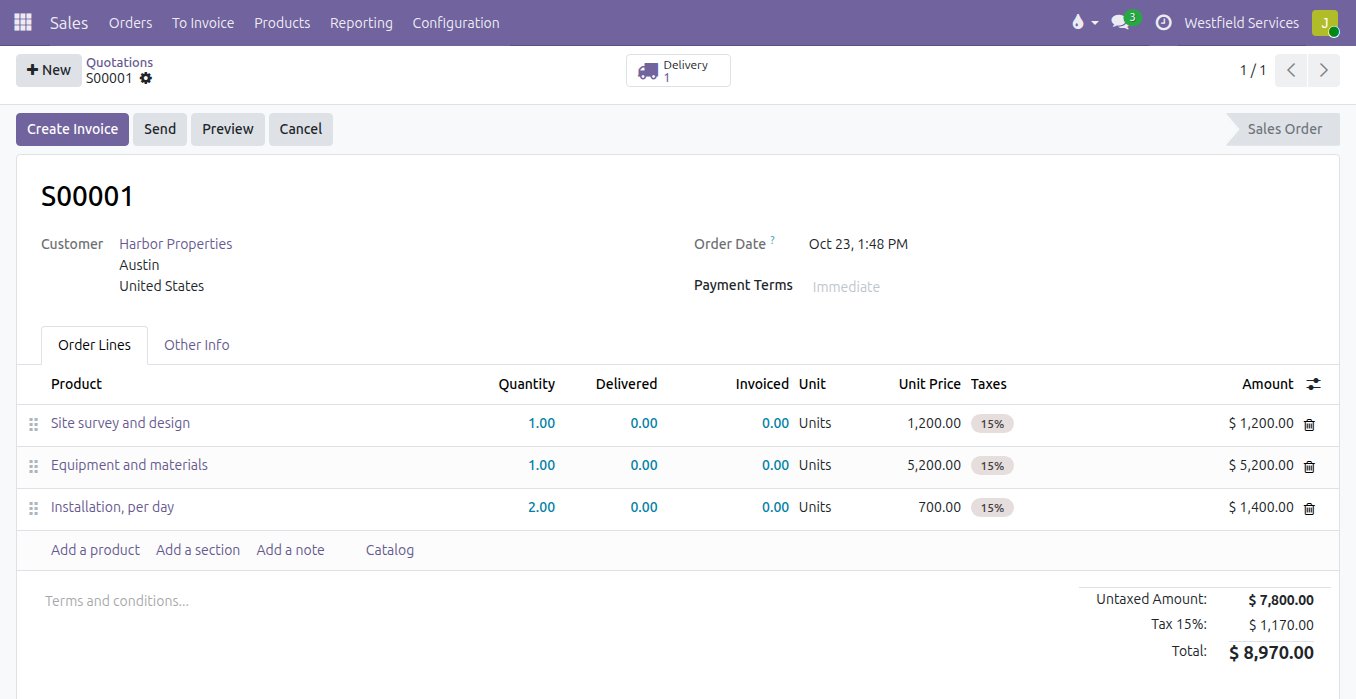
Invoice the way each job is actually sold, whether that is a deposit up front, what shipped, the hours worked or a milestone reached.
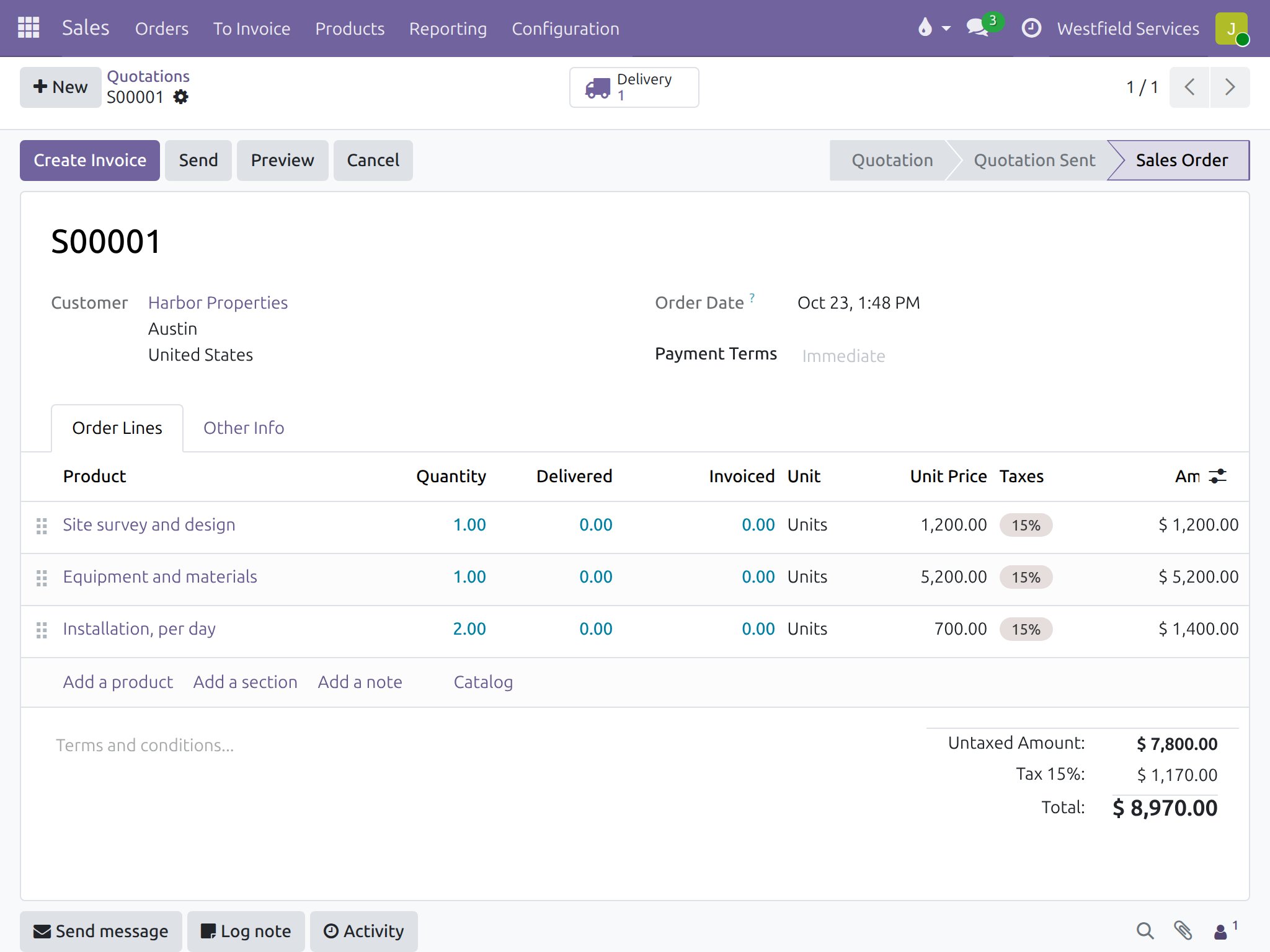
Most of the mistakes on an invoice were made by retyping it: a line left off, an old price, a quantity that did not match what shipped. Here confirming the quote creates the order and the delivery, and the invoice is drawn from the order by the policy you set for each product: what was ordered, what was delivered, the time and materials logged against the job, or the milestones signed off on the project. The down payment already received is deducted, a pro-forma goes out when the customer needs one for their own approval, and a card or bank payment is matched to the invoice automatically.
- Invoiced on ordered or delivered quantities, product by product
- Down payments, pro-formas and milestone invoices from the order
- Time and materials billed from the hours actually logged
- Payments matched to the invoice when they land
Know which team is on target this month and which orders actually made money, without building a spreadsheet to find out.
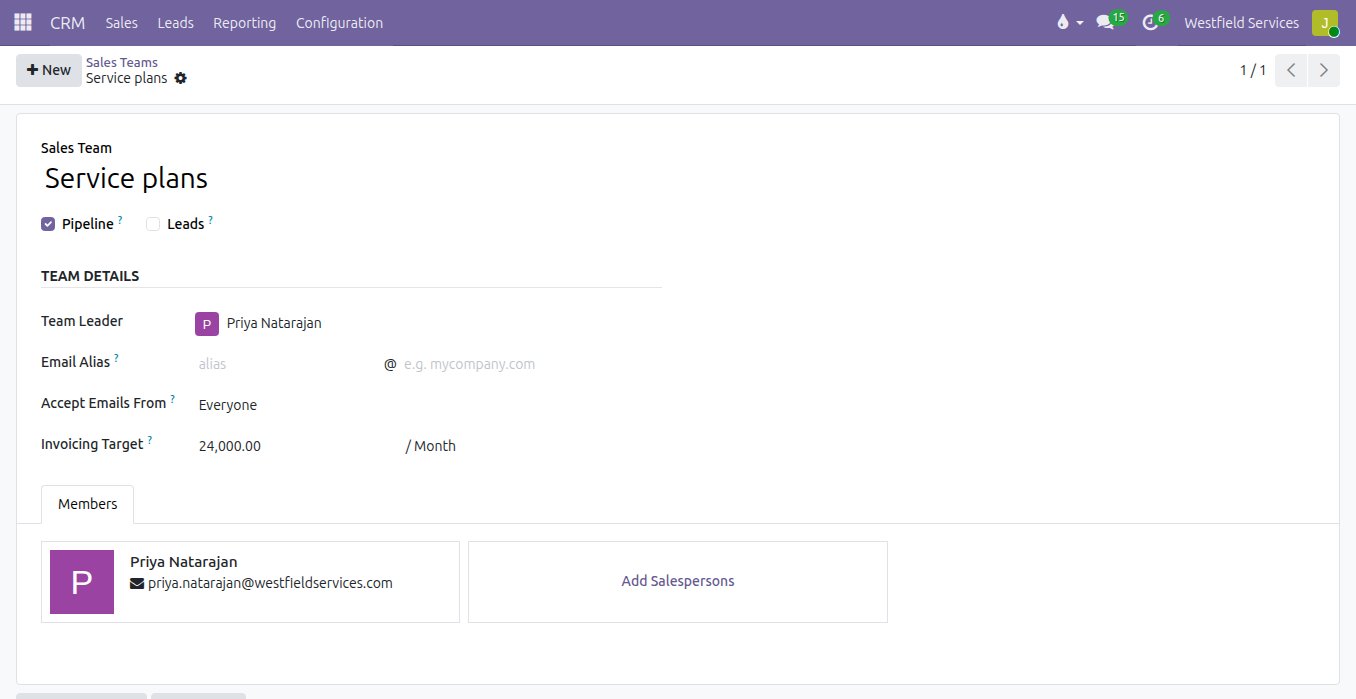
The sales meeting starts with someone reading numbers out of three reports that do not agree. Here each team has its leader, its members and a monthly invoicing target, and progress against it is counted from the invoices already posted. Every order line carries its cost, so the margin is on the order before it is confirmed and on the report after, by customer, product, salesperson or team. Because the sales figures come from the same orders and invoices the books use, the forecast and the accounts say the same thing.
- Sales teams with a leader, members and a monthly target
- Margin on every order line, before it is confirmed
- Sales by customer, product, salesperson and team, any day
- The same quote and order on a tablet in the field
What it is for
The parts of selling that stop being chores.
Quotation templates
The usual lines, terms, validity and deposit for each kind of job, so a quote is minutes of work rather than an hour.
Proposal PDFs
Your cover page, introduction and product spec sheets assembled around the priced lines automatically.
Optional products
Extras offered on every quote that the customer can add themselves before they sign.
Pricelists
Prices per customer group, currency and quantity, applied by rule and the same for every salesperson.
Promotions and coupons
Seasonal offers, coupon codes and loyalty rewards that apply themselves when the order qualifies.
Signature and down payment
Accepted, signed and part paid online in one step, with the signature kept on the order.
Invoicing policies
Invoiced on what was ordered, delivered, logged or reached, from the order itself, with the deposit deducted.
Margins and targets
Margin on every line and each team against its monthly target, from the same figures the books use.
Selling on site
A quote accepted at the customer's premises or an order confirmed on the road is in the office straight away.
Your customers, products and open invoices come across, and your accountant keeps working the way they do today.
The worry with changing how you sell is losing what you have. You do not: we load your customers, products, prices and open invoices from the files you already have, your invoice numbering carries on from where it left off, and closed history stays where it is to look up. If your accountant wants to keep the bookkeeping tool they know, they can. We are an Odoo partner, and what changes is that the quote, the order and the invoice are no longer three separate things to keep in step.
- Customers, products, prices and open invoices loaded from your files
- Invoice numbering that continues from where you left off
- Your accountant keeps their access and their reports
Run the day from your phone and have every to-do, receipt and quote land in the system.
Most owners run the business from a truck, a site or the shop floor, and the office work waits for the evening. Adomi Agent gives your company its own number: text it the to-do, the receipt photo or the quote you just promised, and the record is created in your system with a link back to it. Nothing to install, nothing to type in later.
- To-dos, reminders and notes from a text, wherever you are
- A photo of a receipt becomes a draft expense, with the picture attached
- Draft quotes ready to check and send when you are back at a desk
- It only does what the sender is allowed to do, and never contacts a customer
Related
CRM
Every lead in one pipeline, with the company profile filled in and the next step scheduled.
See CRMCustomer portals
Customers sign quotes, pay invoices and check on jobs themselves.
See customer portalsAccounting
Bank feeds matched automatically, bills read for you, books your accountant can work in.
See accountingImplementation
Set up around the way you quote, sell and invoice today.
On the services pageSchedule a demo.
Tell us a little about your business and what you would like to see. We walk you through how this would work for a company like yours, at a time that suits you. The first conversation is free.