An add-on for the Odoo you already run. Not running Odoo? Adomi Cloud is the whole system, set up and hosted by us.
Adomi EnterpriseAdd automatic bank feeds, invoice scanning and an assistant your team can message to the system you already run.
Your company already runs Odoo Community, and the bank statement, the supplier bills and the work done away from a desk still arrive by hand. Adomi Enterprise is every Adomi add-on for Odoo Community 19 together: Bank Sync with invoice and receipt scanning, Adomi Agent, and each add-on we release next, on your own Odoo with your data staying where it is.
- Bank feeds for every account you hold
- Invoices and receipts read into draft bills
- An assistant in Discuss and by text
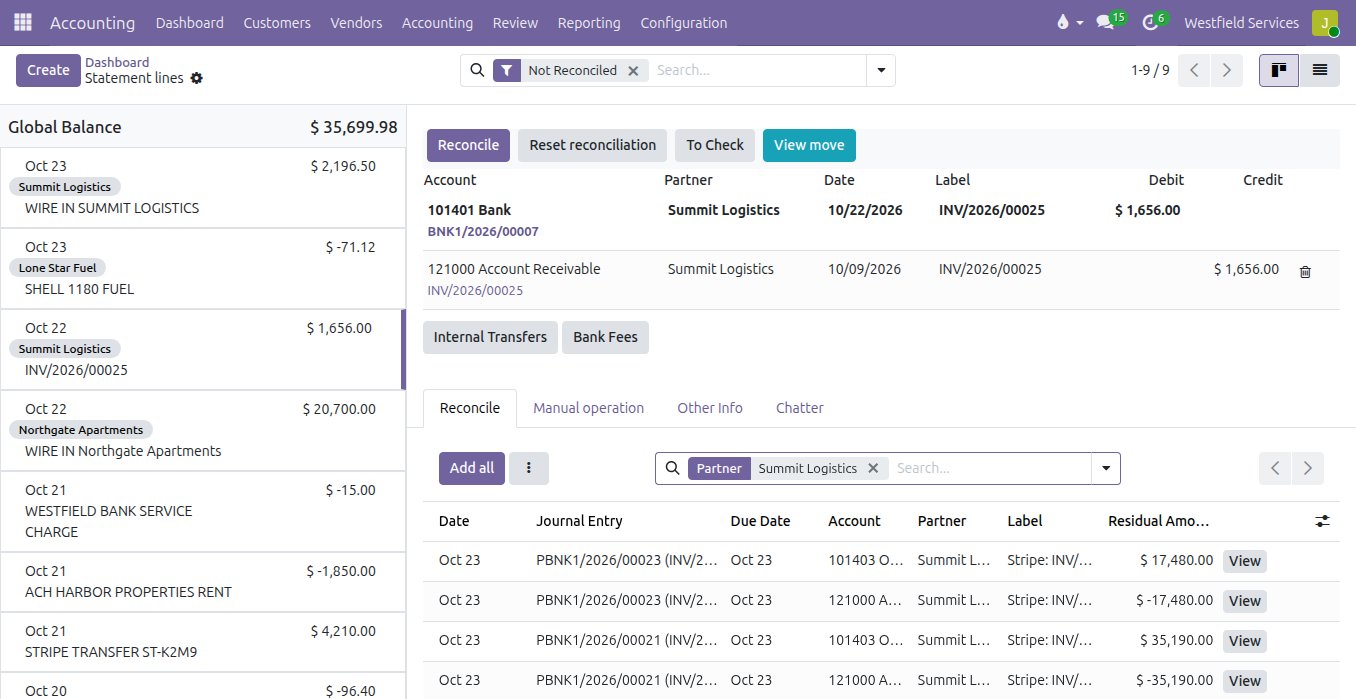
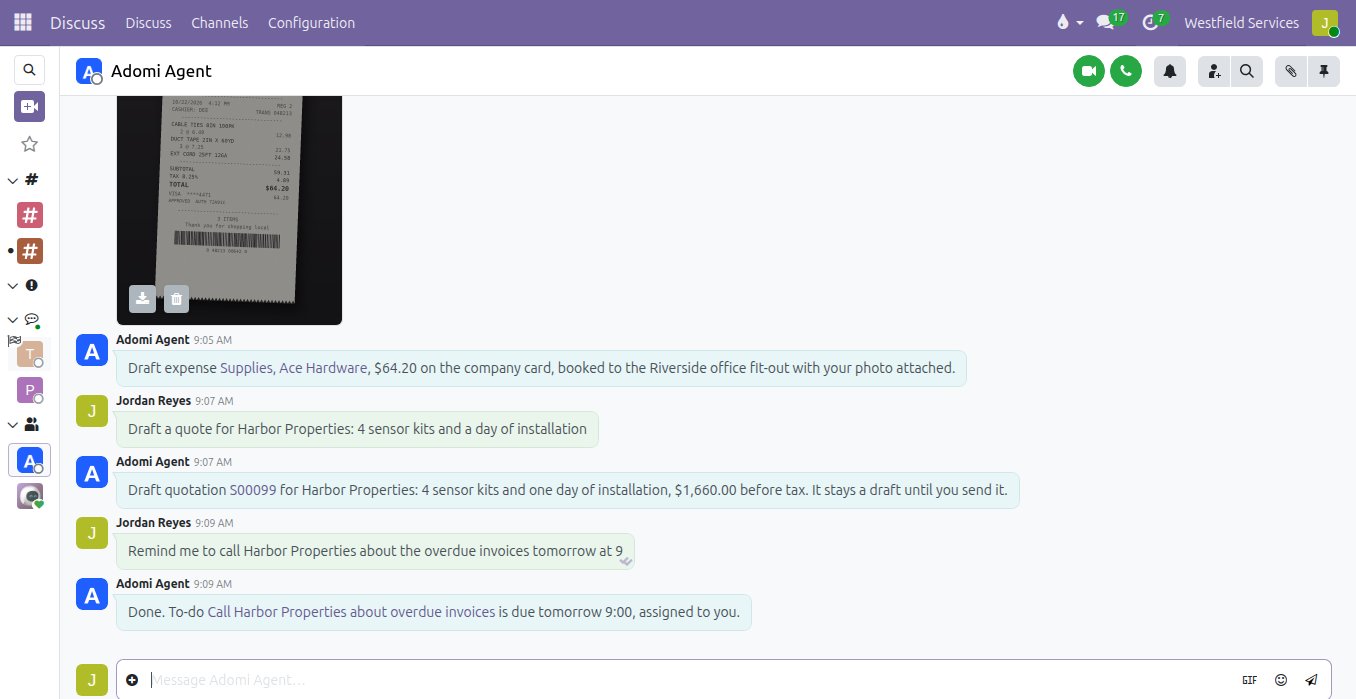
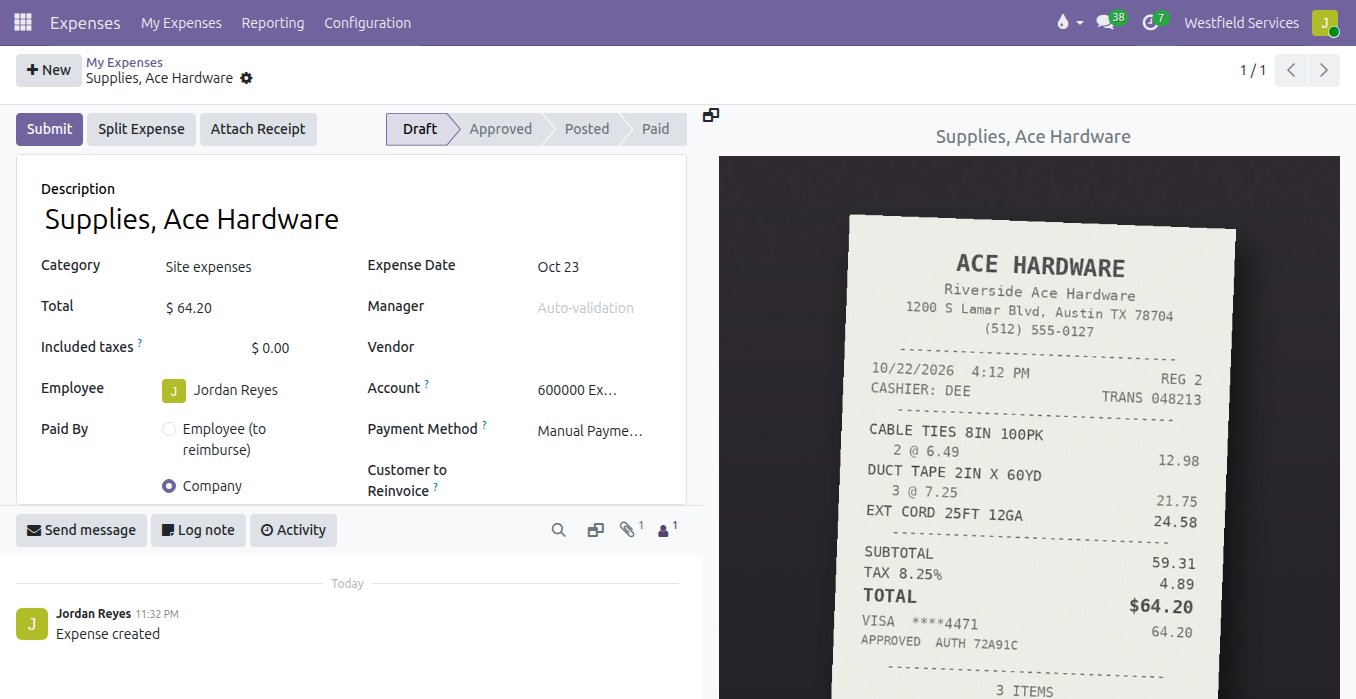
Keep the books in step with the bank without downloading a statement, because each line arrives with its match proposed.
Your Odoo keeps the books, and someone still downloads the statement, fixes the file and imports it. Bank Sync connects each bank once, on the bank's own page, and imports every posted transaction into the journal you choose. Each line comes with its invoice or bill proposed, a payment covering several invoices is spread across them, and rules book the lines that repeat.
- Thousands of US banks and credit unions, read-only
- Checking, savings, credit cards and loans, each in its own journal
- Posted transactions only, nothing imported twice
- Up to 90 days of history when you connect
Let supplier invoices and receipt photos fill in their own draft bills, so month end becomes checking rather than typing.
Supplier invoices wait in an inbox and receipts in a wallet until someone types them in line by line. A PDF dropped on the vendor bills list, or a photo uploaded to a bill, is read into a draft: vendor, date, lines and tax, with the document attached. A person checks and confirms it, and the bank line that paid it is matched when it arrives. Scanning comes with Bank Sync.
- Vendor matched to a contact, or created
- One bill line per item, with quantity, price and tax
- What could not be read is noted on the bill for a person
- The document stays attached to the bill
Give everyone a chat where questions about customers, invoices and orders are answered from your own records.
Simple questions take an afternoon of screens and exports. In Discuss the agent answers in plain words from the records the person asking is allowed to see, lists the invoices or orders with links, and creates a to-do from the reply when asked. It works inside your Odoo with each user's own access rights, and it never reaches a customer.
- Answers from the records the person is allowed to see
- Every invoice or order in the reply linked
- A to-do from the answer, in the same conversation
- Runs as the person asking, never on its own
Have expenses, draft quotes and to-dos written from a message sent wherever the work happens.
The receipt from the supply run and the price agreed with a customer are written up days later, from memory, if at all. Your team sends the agent a photo or a sentence in Discuss or by text from a phone, and it creates the draft expense with the receipt attached, the draft quotation at the customer's prices or the to-do, and answers with a link. Drafts stay drafts until a person sends or submits them.
- Expenses with the receipt attached and the project set
- Draft quotations from one sentence
- To-dos and reminders texted at the time you set
- The same conversation in Discuss and by text
What it is for
Everything Adomi adds to an Odoo Community you already run.
Bank feeds
Posted transactions from every account, imported automatically into the journals you choose.
Reconciliation
Matches proposed for every bank line and rules for the ones that repeat.
Invoice and receipt scanning
Supplier PDFs and receipt photos read into draft bills with the document attached.
Answers in Discuss
Questions about customers, invoices and orders answered from your records, with links.
Work from a message
Expenses, draft quotes and to-dos created from a text or a chat, as the person who sent it.
What we release next
New Adomi add-ons are part of Enterprise from the day they are released.
Questions people ask first
Do I need Odoo Enterprise?
No. Everything is built for Odoo Community 19. The name is about the scope, not Odoo's edition.
Which Odoo versions?
Odoo Community 19. Older versions are not supported.
I already use one Adomi add-on. Can I add the rest?
Yes. Talk to us and the others are switched on against the same account, without a gap.
Where does my data go?
It stays in your Odoo. Bank Sync passes transactions through Adomi's service to your journals; the Agent sends only the conversation and the results of its tools to the language model.
Can I buy one add-on on its own?
Yes. Bank Sync and the Agent are each available on their own as well. Request a quote and tell us which.
How do we start?
Schedule a demo. We show every add-on on a company like yours, then they go on your Odoo and you connect the banks and link the mobiles.
Related
Accounting
Bank feeds matched automatically, bills read for you, books your accountant can work in.
See accountingThe assistant you text
Run the day from your phone: text a to-do, a receipt or a quote and it lands in the system.
See the assistantIntegrations
The software you already use, connected so information is entered once.
See integrationsImplementation
Installed and set up on the Odoo you run, around the way you work today.
On the services pageSchedule a demo.
Tell us a little about your business and what you would like to see. We walk you through how this would work for a company like yours, at a time that suits you. The first conversation is free.