Bill every hour and every part, from a timer on the task to the invoice.
Hours get written on a job sheet and typed up on Friday, materials get remembered or not, and the invoice goes out short. With a timer on the task and the parts booked as they are used, the invoice is one click and nothing is left off it.
- A timer on every task
- Parts booked as they are used
- The invoice in one click
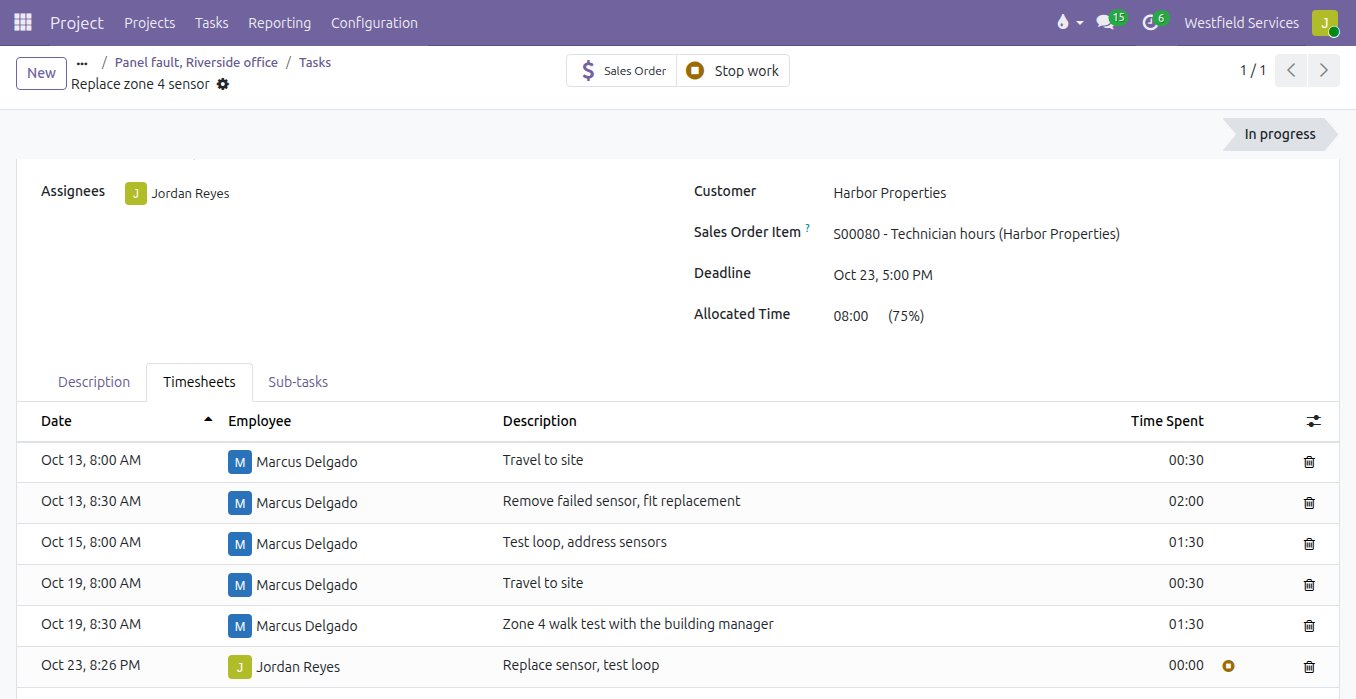
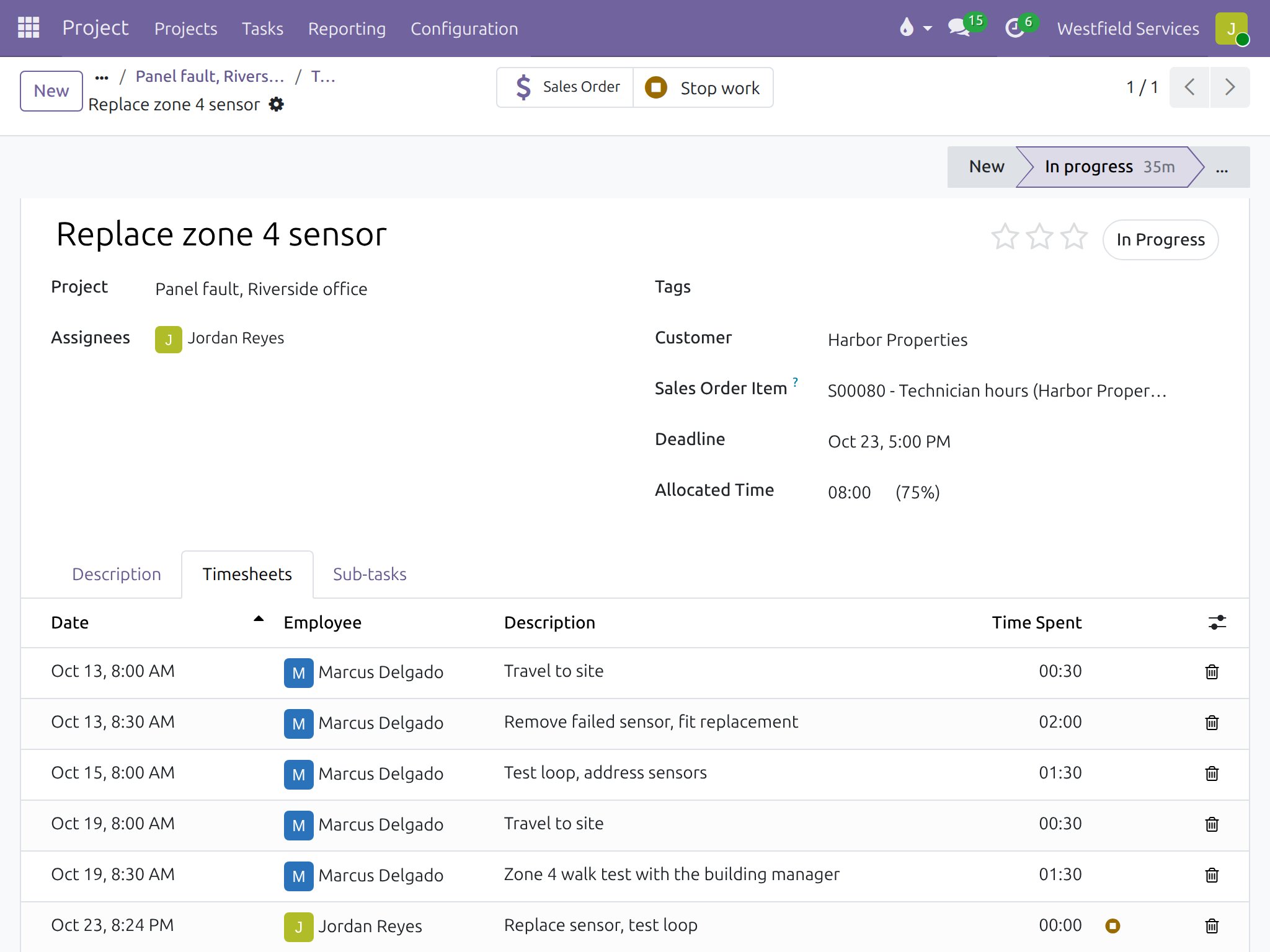
Your technicians press start and stop, and the timesheet is done before they leave the site.
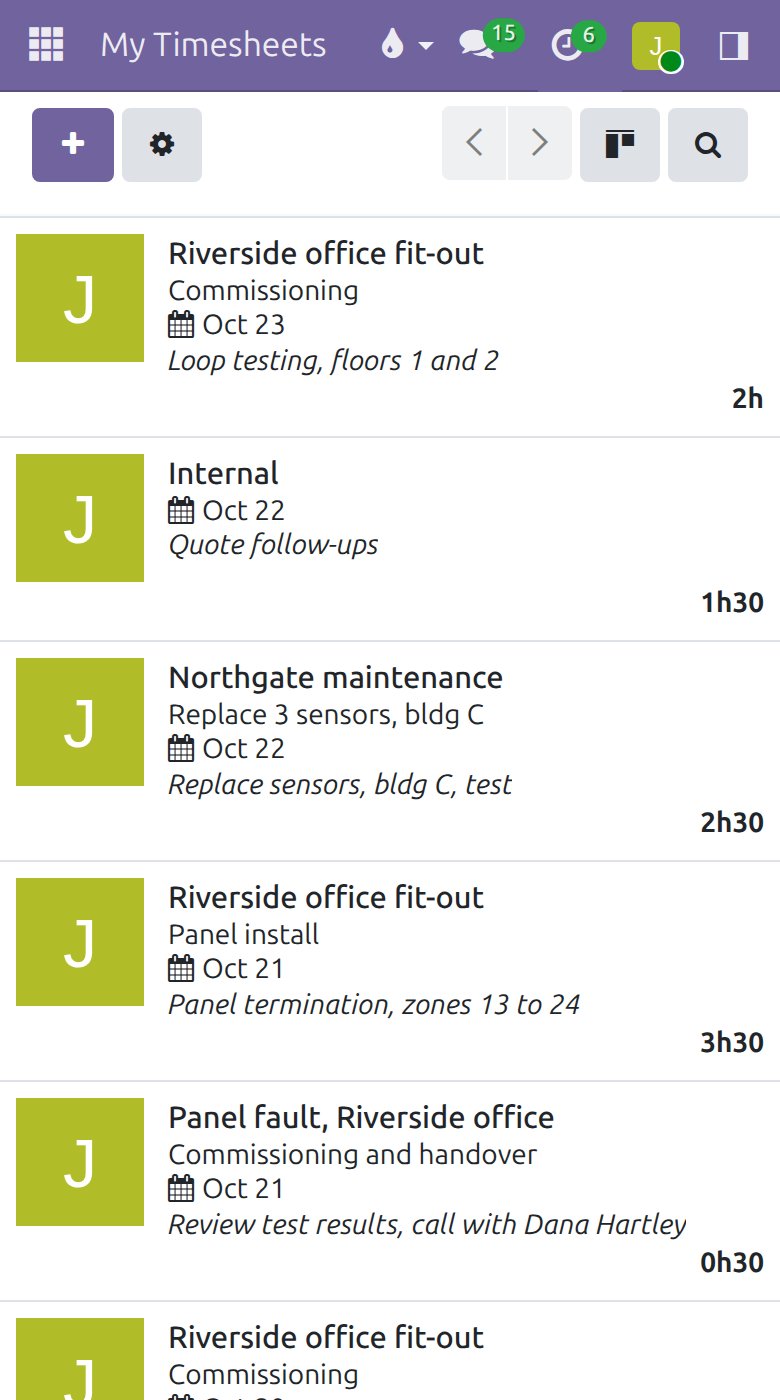
Hours written on a job sheet get typed up on Friday from memory, and the short ones get rounded down. With a timer on the task, the hours land on the task, the project and the week's timesheet as the work happens, with a line that says what was done. Travel, fault finding and the fix each get their own line, so what is billed can be explained, and Friday afternoon stops being a memory exercise.
- A timer on every task, on the phone and at the desk
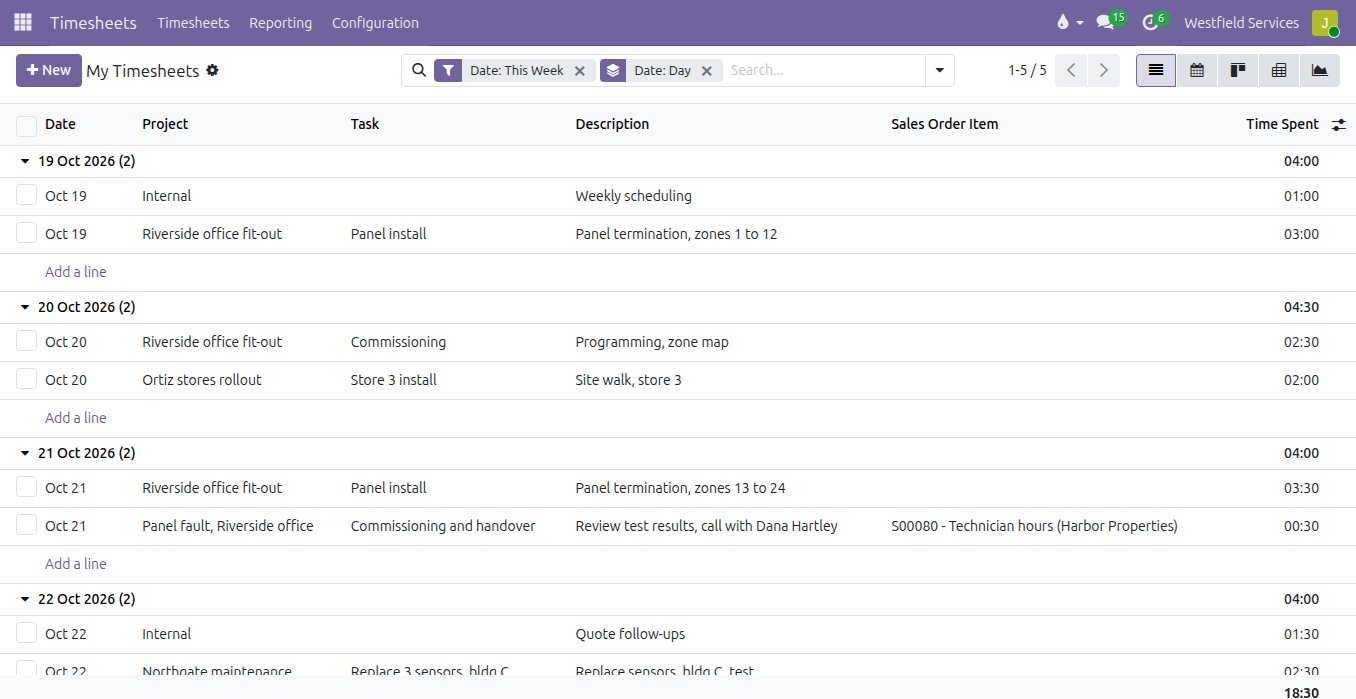
- Hours by person, project and day, with the week's total
- Hours reviewed by project and person before they are billed
- Billable and non-billable hours kept apart
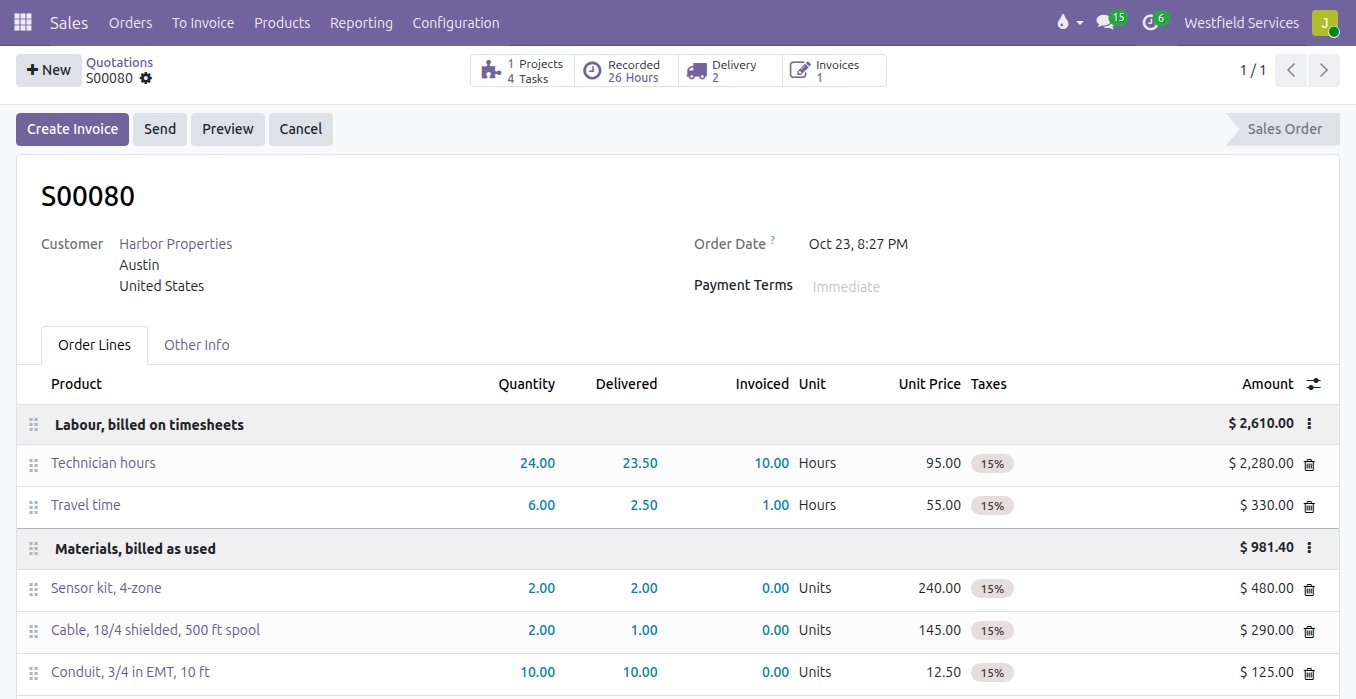
Invoices that list every hour by task and every part by line, ready the day the job is done.
What can be billed is usually worked out after the fact, from a job sheet, a parts list and a best guess. Here the order carries the rate and the materials, the delivered hours and parts move as the work is logged, and the invoice is created from them in one click, with the re-billed expenses and their receipts attached. A block of prepaid hours is drawn down the same way, and the customer can see the balance.
- Delivered hours and parts updated as the work happens
- Invoice by milestone, by hours, or at the end of the job
- Expenses re-billed with the receipt attached
- Prepaid hours drawn down as the work is logged
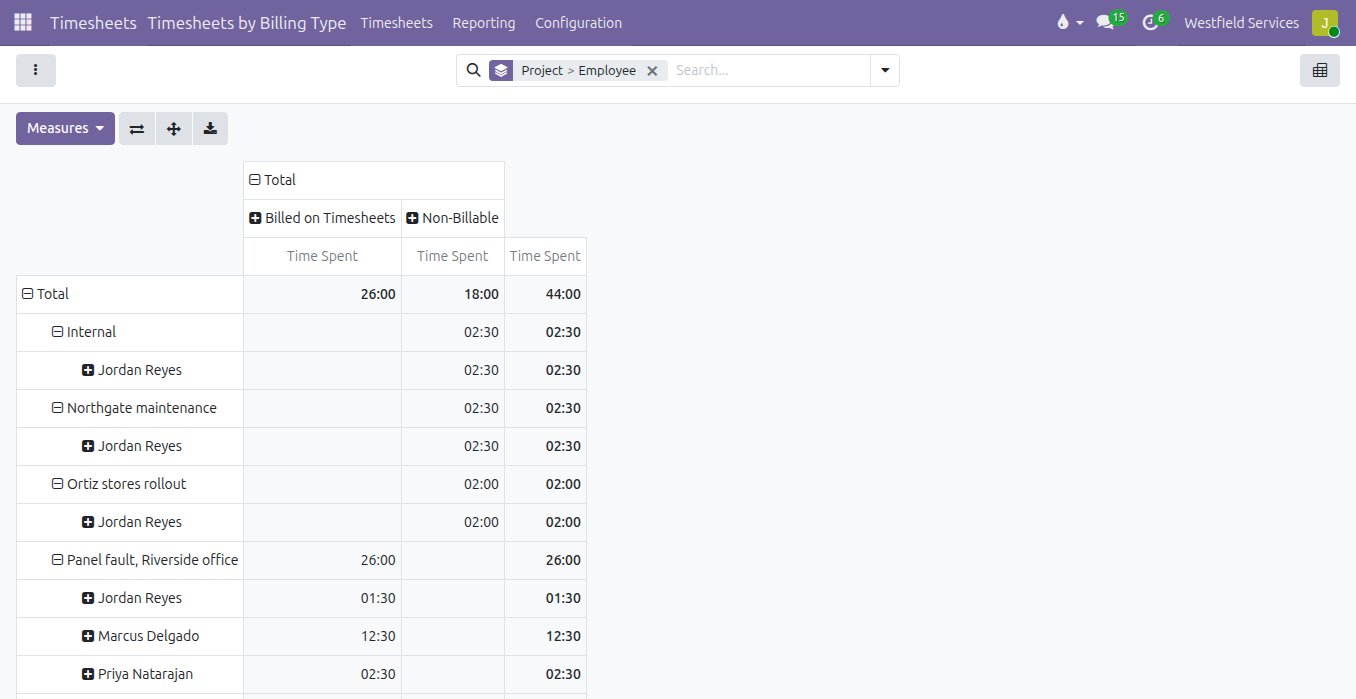
Know which jobs made money and where the hours went, by person, project and billing type, from the same timesheets.
The margin on service work is a guess, because the hours at cost and the parts at cost never meet the invoice in one place. When every hour carries the person's cost rate and the order's sale rate, a report shows billable against non-billable, hours billed against hours worked, per project and per person, and the jobs that quietly run over show up while there is still time to do something about them.
- Billable and non-billable hours by project and person
- Hours billed against hours worked, per order
- A cost rate and a sale rate on every line
- A report you can regroup without an export
On the tablet in the truck or the phone in a pocket, the timer and the parts list are the same ones the office sees.
Technicians do not carry a computer, so the job sheet is paper and the office types it up later, if it comes back at all. The task opens on the tablet with its description, the start button and the parts used so far; photos and notes attach to it on the spot, and the hours and parts reach the office as they happen rather than at the end of the week.
- Start and stop from the tablet or the phone
- Parts used added to the task from the stockroom or the truck
- Photos and notes on the task, visible to the office
What it is for
Service work billed for what it actually took.
Service calls
Travel, fault finding and the fix are timed on the task and billed at the rate on the order.
Parts on the job
Materials are booked to the job from the truck or the stockroom, and the delivered quantities follow.
Retainers and blocks of hours
Prepaid hours are drawn down as work is logged, with the balance visible to the customer.
Crews and subcontractors
Hours per person and per crew, with the cost rate for the margin and the sale rate for the invoice.
Margin per job
Hours at cost and parts at cost against what was invoiced, per job and per customer.
The customer portal
Customers see the hours and parts on the portal before the invoice arrives, so the invoice is never a surprise.
Keep every job on schedule and on budget with a board the whole team works from.
Jobs run on a whiteboard, a group chat and one person's memory, right up to the day that person is off. A board the whole team works from shows what is waiting, what is in progress and what is done, with the hours, the purchases and the conversation on the job itself.
- Stages that match how your jobs actually move
- Tasks assigned, prioritised and tagged, with the discussion on the task
- Hours, purchases and expenses on the job, so the margin is known before the invoice
- The same board on the phone, on site
Related
Project management
Every job on schedule and on budget, on a board the whole team works from.
See projectsSales
Quotes, orders, deliveries and invoices from one record, so nothing is typed twice.
See salesAccounting
Bank feeds matched automatically, bills read for you, books your accountant can work in.
See accountingImplementation
Timesheets and billing set up around how your crews actually work.
On the services pageSchedule a demo.
Tell us a little about your business and what you would like to see. We walk you through how this would work for a company like yours, at a time that suits you. The first conversation is free.