Keep every job on schedule and on budget with a board the whole team works from.
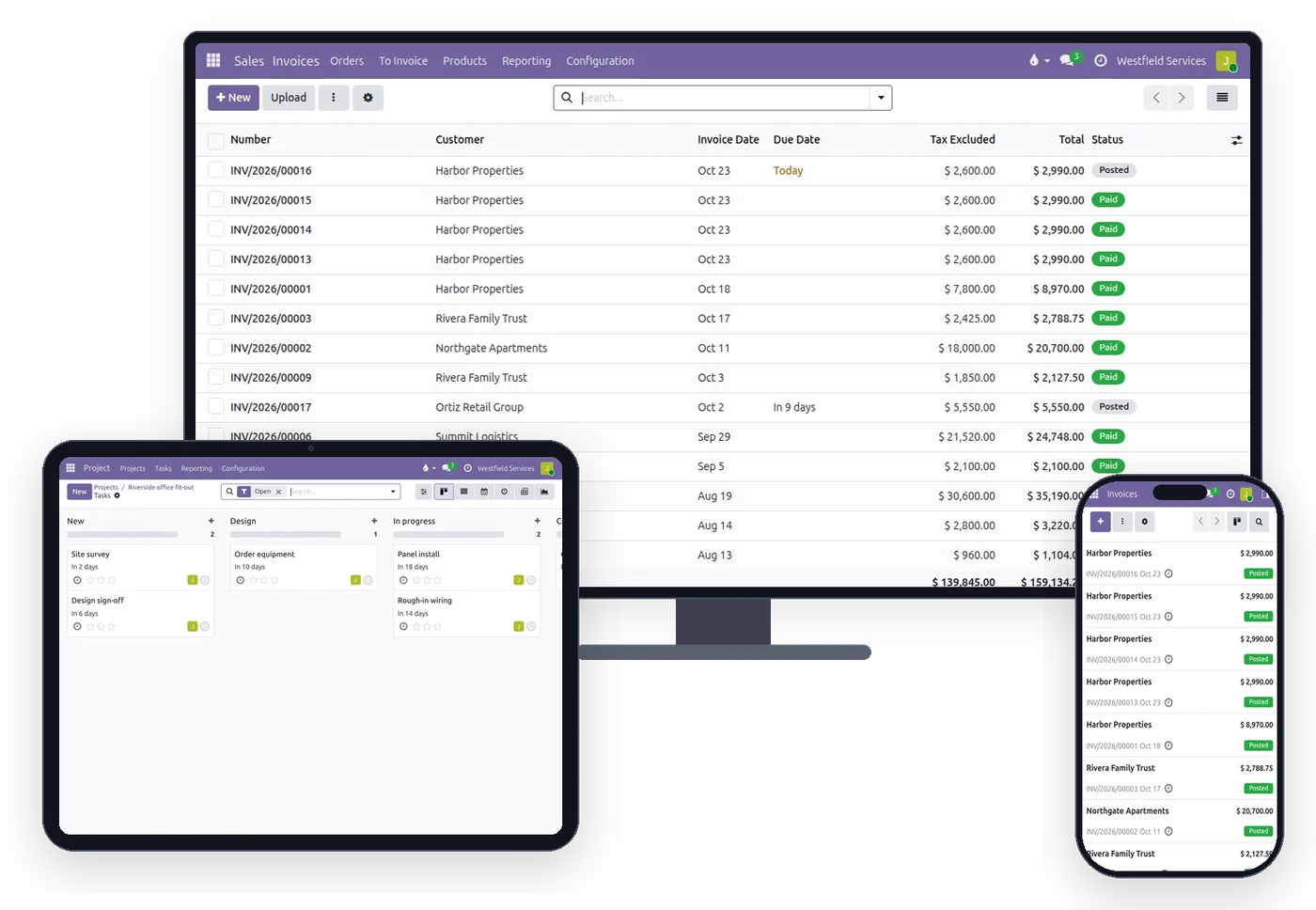
Most jobs run on a whiteboard, a group chat and one person's memory, and the margin is only known when the final invoice goes out. On one board every job shows where it is, who has it and what it has cost so far, from the shop, the truck or the office.
- Every job and its stage on one board
- Costs on the job as they happen
- Today's tasks on each person's phone
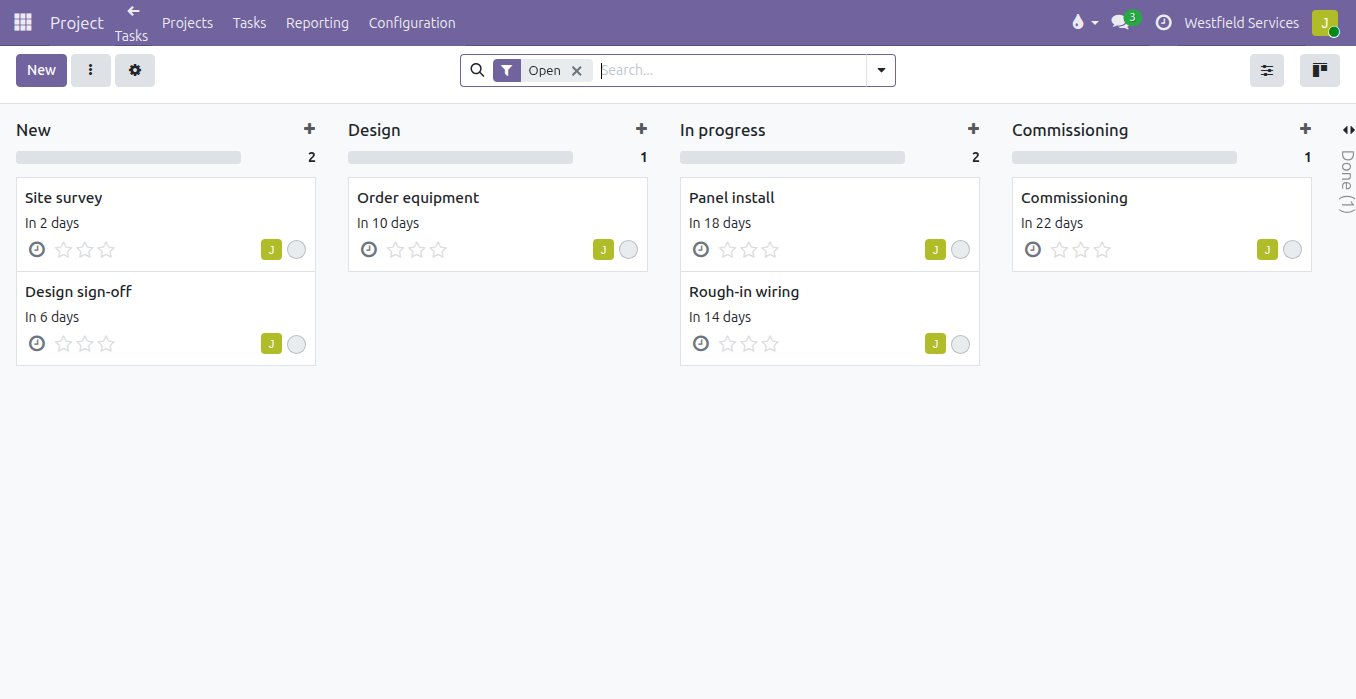
Move a job to its next stage, hand it to a colleague and set the date, and everyone sees the same board a second later.
The whiteboard is in one room, the group chat is on everyone's phone, and neither says who is doing what by when. Here each project has the stages your jobs actually go through, a task carries its owner, its deadline, its tags and its files, a note on the task reaches the person it mentions, and a task that cannot start until another is done says so. The same work shows as a board, a list, a calendar or a timeline, and a repeating job recreates its own tasks.
- Stages per project, in the words your team uses
- Owner, deadline, tags and files on every task
- Tasks that depend on other tasks, and tasks that repeat
- Board, list, calendar and timeline of the same work
Every job shows its next milestone and whether it is on track, without a status meeting to find out.
The customer asks how the job is going and the honest answer takes three phone calls. With milestones on the project, the ones reached and the ones ahead with their dates sit next to the task count, the hours logged and the invoices issued, and a short written update with a status and a percentage is the record of where things stood that week. A milestone can also be what triggers the invoice, so progress billing follows the work instead of the calendar.
- Milestones reached and ahead, with their dates
- A written update with status and progress, kept on the project
- Tasks, hours, invoices and bills counted on the same page
- Invoice on a milestone, so billing follows the work
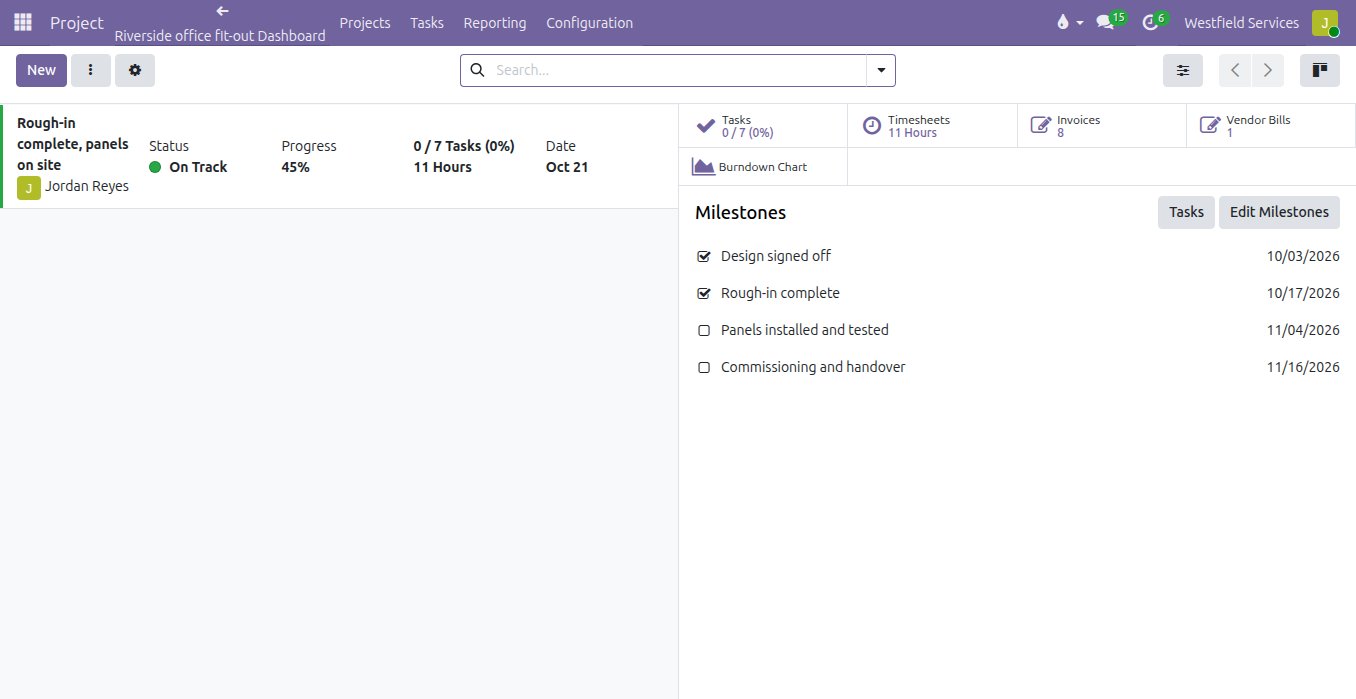
What the job has cost so far and what has been invoiced sit on the project, so the margin is known while the job is still open.
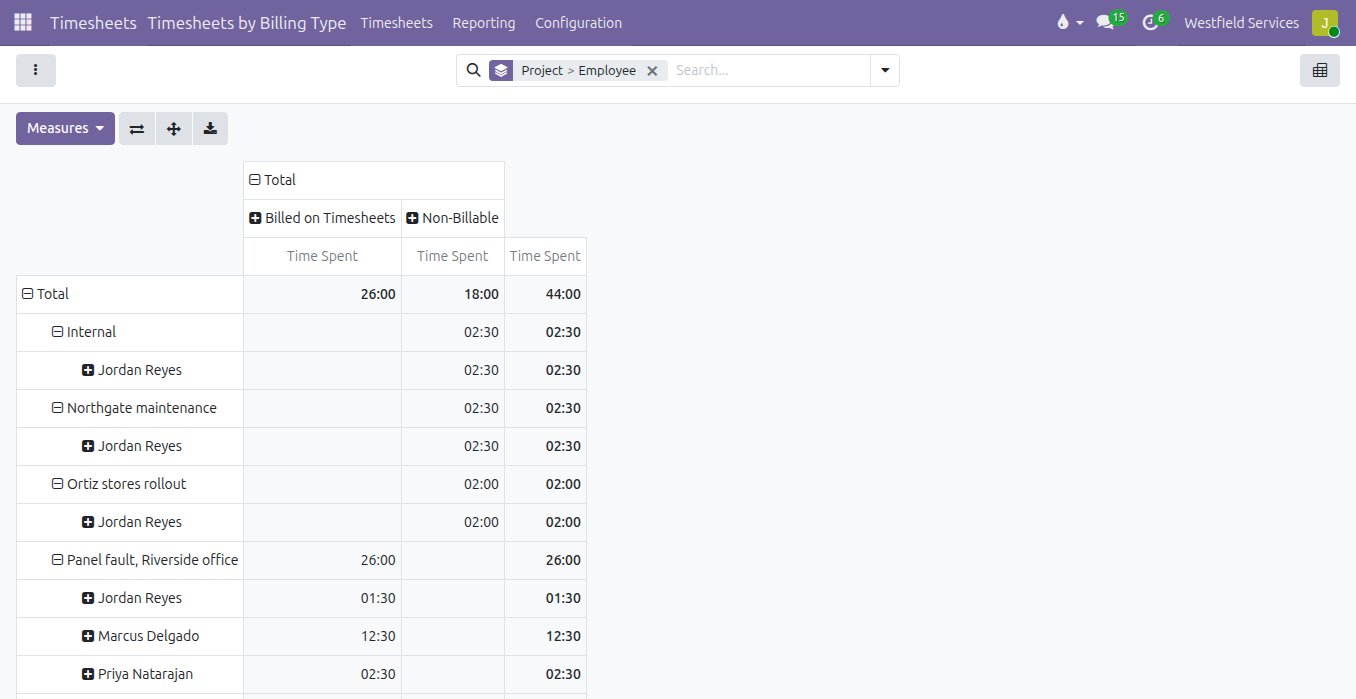
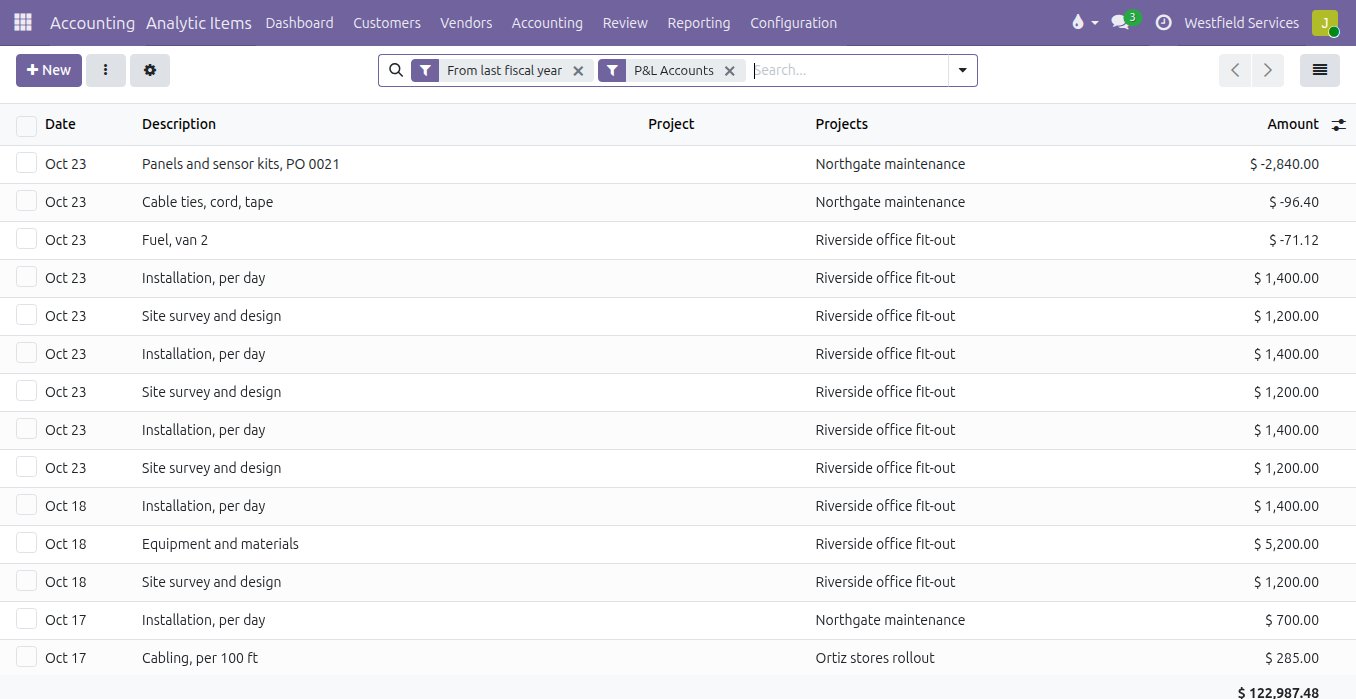
The margin on a job is worked out months later, from invoices in one system, hours in another and receipts in a shoebox. When every hour, purchase, bill and expense is tagged to the project as it is entered, the project shows its revenue against its costs today, by hours, materials and expenses, and a job that is running over is visible while something can still be done about it. Hours can be billed as they are logged, by milestone, or at the end, from the same order.
- Hours, purchases, bills and expenses tagged to the project as they land
- Revenue against costs per project, any day
- Billable and non-billable hours by person and project
- Invoice by hours, by milestone or at the end, from the order
Close the task on site and the office sees it the same minute.
The office finds out how a job went when the crew gets back, if the paperwork makes it that far. When a task is closed from a phone, a photo attached from the truck or a receipt texted in, it lands on the job as it happens, so the office sees the job as it is today, not as it was on Monday. Customers who want to follow along get a portal page with the stages, the approvals and the invoices, and nothing else.
- Each person sees their own tasks on their phone
- Photos and documents kept on the task they belong to
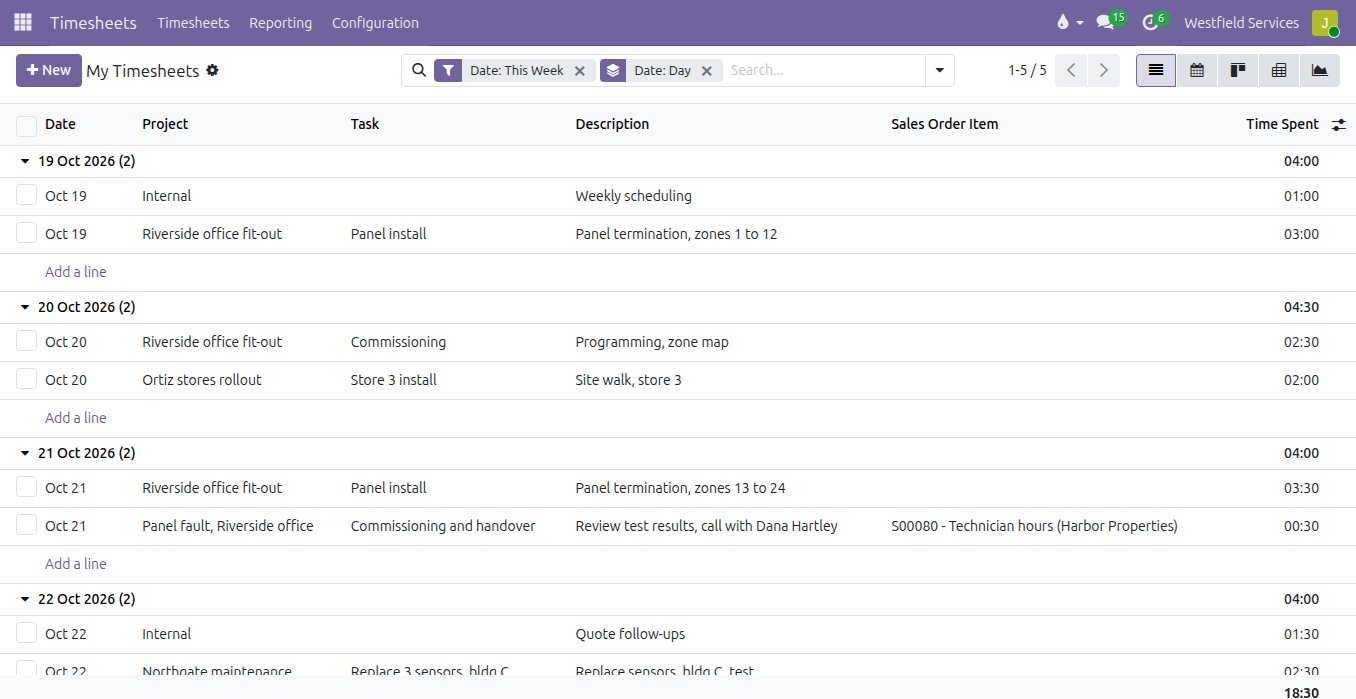
- Hours logged from the task, on the day
- A portal page for the customer, with only their job on it
Text the assistant from the road, and the note, the to-do or the receipt is on the job before anyone is back at a desk.
The notes from the day sit in text threads and pockets until someone types them up, if they ever are. Your company gets its own number: text it the to-do, the note or the receipt photo, and the record is on the project with a link back to it in the reply.
- A to-do from one text, with its due date
- A receipt photo becomes a draft expense on the job
- Reminders texted back to you when they are due
What it is for
The job, from the quote to the last receipt.
Your own stages
The columns are the way your jobs actually move, from new to invoiced, so the board reads the way your team already talks about the work.
Timesheets and scheduling
Hours land on the task they belong to, and the week is planned on a calendar the whole crew can see.
Costs on the project
Purchases, bills and expenses are tagged to the job as they land, so you know what it cost before the invoice goes out.
Margin by project
What was invoiced against what it cost, per job and per customer, with a drill-down to the lines behind it.
Invoicing from the project
Invoice by milestone, by hours or at the end, and the invoice carries what was done.
A customer portal
Customers see where the job is, what was approved and what was invoiced, without calling you.
Bill every hour and every part, from a timer on the task to the invoice.
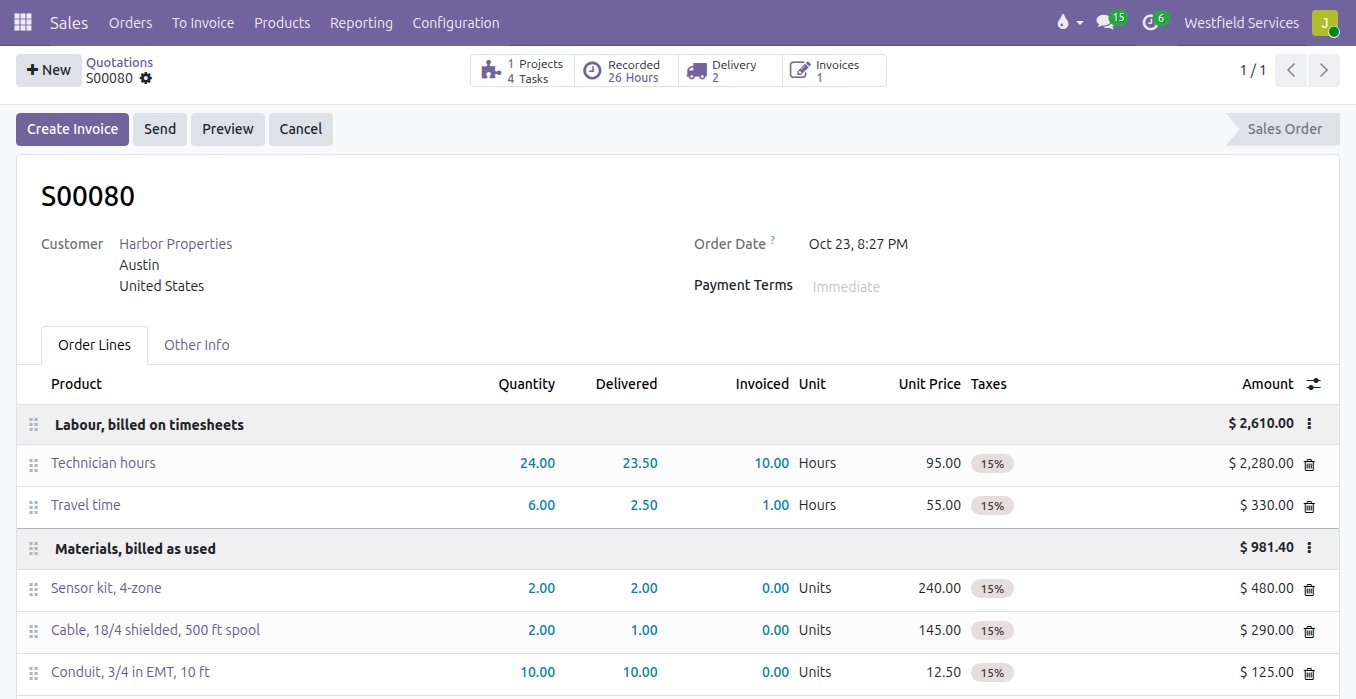
Hours get written on a job sheet and typed up on Friday, materials get remembered or not, and the invoice goes out short. With a timer on the task and the parts booked as they are used, the hours and the materials are already on the order when the job is done, and the invoice is one click.
- A timer on the task, from the phone or the desk
- Timesheets by person, by project and by day, approved before they are billed
- Materials and expenses booked to the job as they are used
- Invoices for the hours and the parts straight from the order, nothing forgotten
Related
Sales
Quotes, orders, deliveries and invoices from one record, so nothing is typed twice.
See salesAccounting
Bank feeds matched automatically, bills read for you, books your accountant can work in.
See accountingCustom application development
The screens and workflows your business needs when standard software falls short.
See custom developmentImplementation
Projects and field service connected to quoting and billing, so nothing is done and forgotten.
On the services pageSchedule a demo.
Tell us a little about your business and what you would like to see. We walk you through how this would work for a company like yours, at a time that suits you. The first conversation is free.