Put AI to work on your own data, inside the systems you already run.
The question only one person can answer, the email someone reads and retypes into a quote, the lookup that takes four clicks in a system the assistant on your desk cannot see. We build agents, knowledge bases, model integrations and MCP servers on your own records, with the model provider you choose, limits set by you and enforced in code, and every action logged, starting with one task you would hand to a careful new hire.
- Agents that work on your records, with your permissions
- Answers with the source shown
- Limits set by you and enforced in code
Four practices
What we build, and the first project most companies ask for.
Agent development
An assistant that takes a request in plain language and does the work in your systems. Most companies start with the enquiry email turned into a draft quote for a person to check and send.
Knowledge bases
Your manuals, contracts and procedures indexed, so a question is answered from them with the source shown. A new hire can ask on their first day and get the same answer as the person who has been there ten years.
Model integrations
A model from the provider you choose, working inside your ERP, CRM and documents within the limits you set. Incoming email sorted into quote requests, support and invoice questions, each routed to the right record, is the usual first step.
MCP servers
Your systems exposed to the assistant your team already uses, so it can look things up and act in them, with permissions per user and per tool. The assistant on your desk finally knows your customers, orders and projects.
An enquiry email becomes a draft quote, with a person checking it before it goes anywhere.
An enquiry arrives asking for forty hours of installation and a permit, and someone spends twenty minutes finding the customer, looking up the prices and typing the quote. With an agent on your records, it reads the email, finds the customer or creates the contact, matches the lines to your products and prices, and writes a draft quotation with a note on what it assumed. It cannot send it. A person opens the draft, fixes the one line that was wrong, and sends. The Adomi Agent, the assistant you text, is the same practice shipped as a product, with the same boundary.
- A draft for a person to check, never a message sent to a customer
- Every tool it can call audited and every call logged
- Runs as the person who asked, with their access and no more
- What it assumed, written on the record
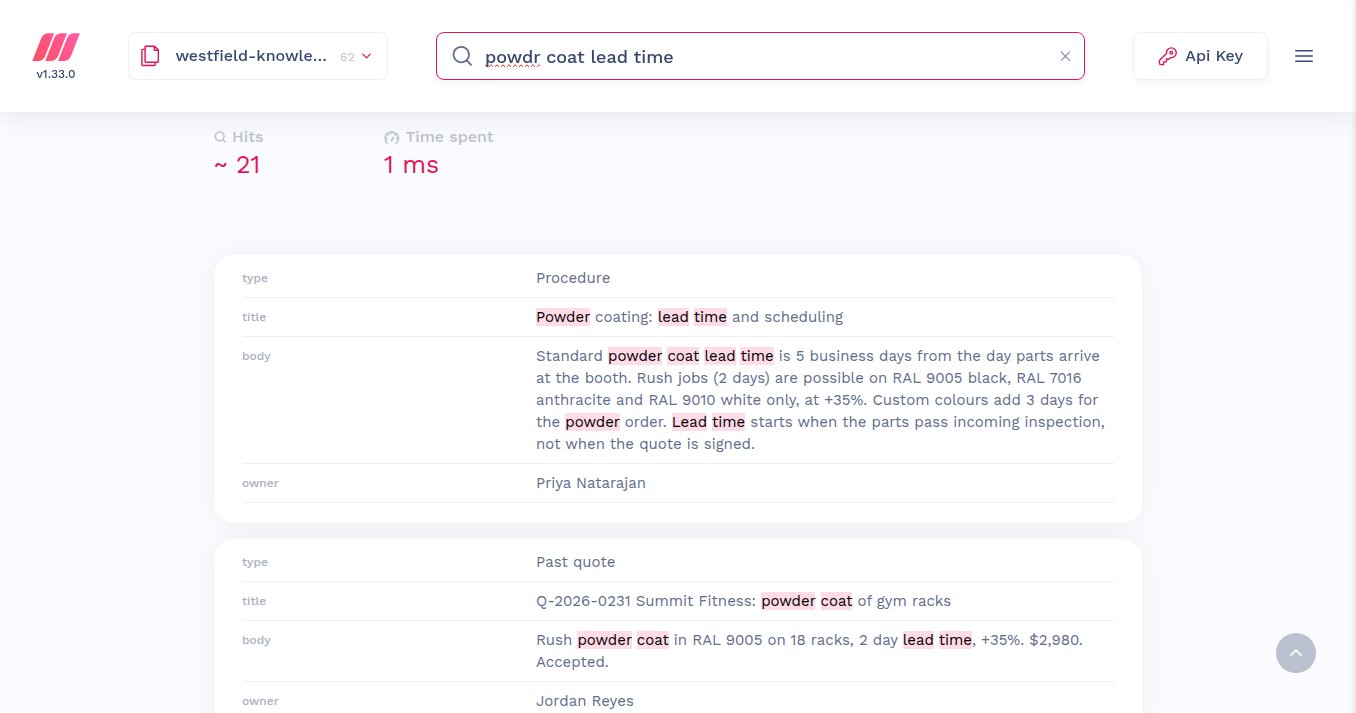
Ask how long powder coating takes and get the procedure, the person who owns it and the last quote that promised it.
The lead time for powder coating lives in one person's head, and when they are off the quote waits. Your procedures, manuals, contracts and past quotes are indexed from where they already live and kept current when they change, so a question typed in a hurry, typo and all, returns the procedure that answers it in milliseconds, with its owner and the records it came from. When an assistant answers from the knowledge base, it cites the page and the version, so a wrong answer can be traced to the page that needs fixing rather than to a guess.
- Procedures, manuals, contracts and past records indexed from where they live
- Typo-tolerant search that answers in milliseconds
- Every answer with its source, its owner and its version
- Re-indexed automatically when a page changes
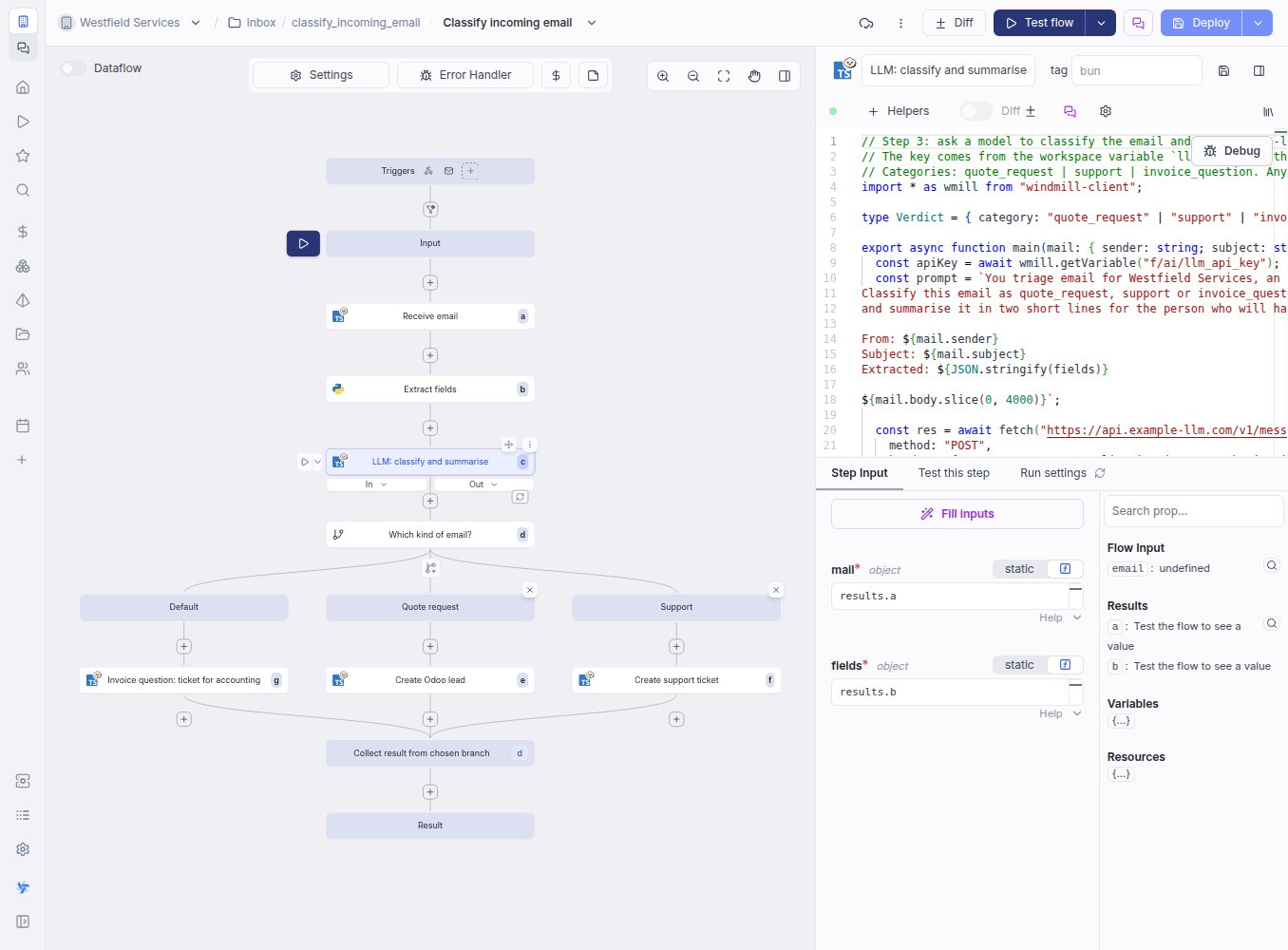
Every email into the shared inbox is sorted, summarised and turned into the right record before anyone opens it.
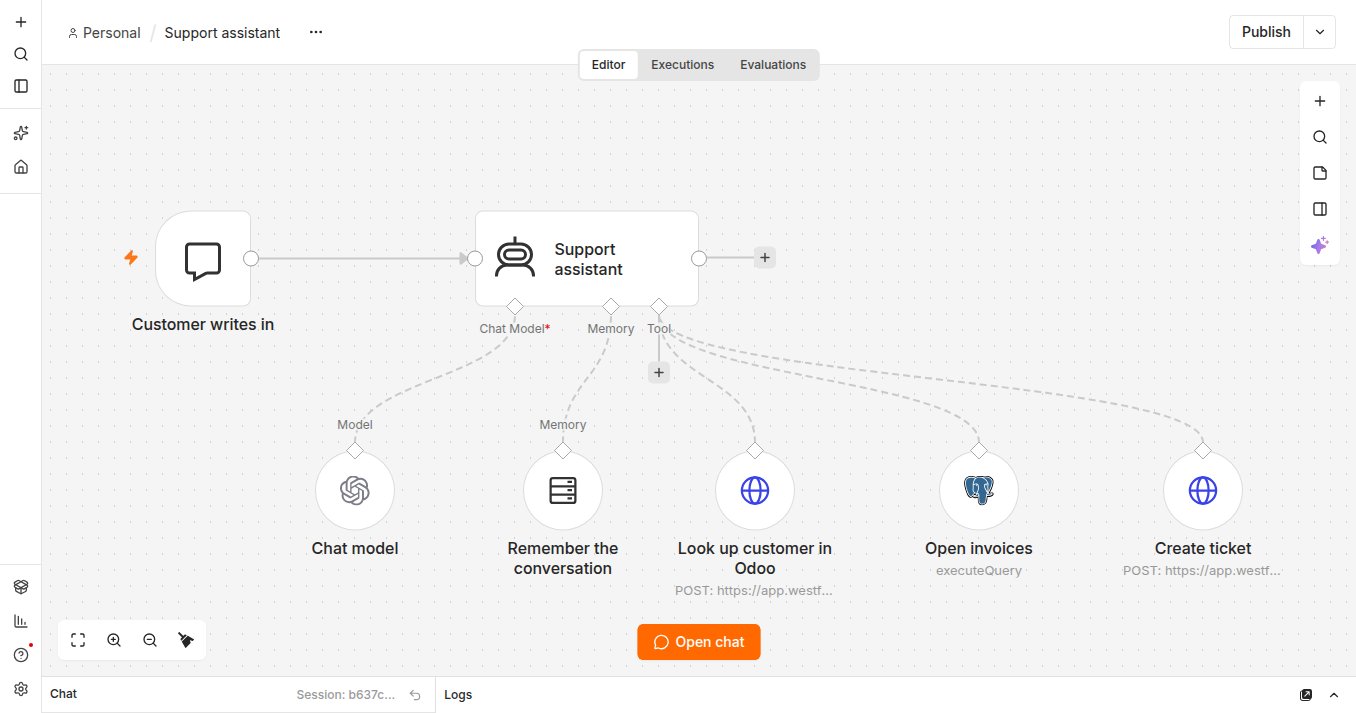
The shared inbox is where quote requests, support problems and invoice questions arrive mixed together, and someone reads all of them to find out which is which. A model, from the provider you choose or running on your own servers, reads each one as it arrives, decides what kind of email it is, summarises it in two lines for the person who will handle it, and the workflow creates the lead, the ticket or the note for accounting with the summary attached. A support question can go further: an assistant with a handful of tools looks up the customer, checks their open invoices and drafts the reply or raises the ticket, each tool with its own permission.
- Email sorted into quote request, support or invoice question as it arrives
- A two-line summary for the person who handles it
- The lead, ticket or note created with the email attached
- The provider you choose, or a model on your own servers when the data must not leave
When someone asks the assistant what you invoiced a customer this quarter, the answer comes from your real records.
The assistant on your desk is good at reading, writing and reasoning, and knows nothing about your business, so every answer about a customer starts with someone copying figures out of the system. An MCP server exposes your customers, orders, projects and documents as tools the assistant can call, each one with a permission, so what you invoiced Harbor Properties this quarter is a lookup on the real records and the follow-up is a draft on the right contact. What it may do is a list you own, enforced on the server rather than a prompt it is asked to respect.
- Permissions per user and per tool, enforced on the server
- Reads by default, writes only where you allow, drafts where you prefer
- Works with the assistants your team already has
- A log of every call, by whom and with what
What every build includes
The parts that make it safe to use on Monday.
A knowledge base over your SOPs
Procedures, manuals and contracts indexed and kept current from where they live, so the answer cites the page and the version.
The provider you choose
The model provider you prefer, or a model on your own servers when the data must not leave. Swappable, because the prompts and tools are yours.
Limits in code
What it may read, what it may write, what needs a person: enforced where the tool is called, tested like any other code.
Every action logged
Who asked, what was called, what changed, kept on the record, so a mistake is traceable and a pattern is visible.
A person where it matters
Drafts, approvals and review queues wherever the cost of a wrong answer is real, so the automation always comes with a signature.
Handed over
The prompts, the tools, the evaluation set and the deployment, in your repository, so your team or the next one can change it.
Related
The assistant you text
Run the day from your phone: text a to-do, a receipt or a quote and it lands in the system.
See the assistantIntegrations
The software you already use, connected so information is entered once.
See integrationsCustom application development
The screens and workflows your business needs when standard software falls short.
See custom developmentAI and language models
Assistants, knowledge bases and model integrations on your own data, with the limits in code.
On the services pageSchedule a demo.
Tell us a little about your business and what you would like to see. We walk you through how this would work for a company like yours, at a time that suits you. The first conversation is free.