Quote the finish your customer picked, take the deposit on signature and promise an install date you can keep.
Every change of finish means pricing the quote again by hand, deposits are tracked in a notebook, sheet goods and hardware get ordered when the shelf is already empty, and the install date is a guess from the whiteboard. We set up quotes built from options that price themselves, a deposit paid online when the customer signs, materials worked out from the bill of materials for every confirmed job, and a shop schedule by work centre that leads straight to the installation.
- Options priced as the customer picks them
- The deposit paid when the quote is signed
- Install dates from the shop's real schedule
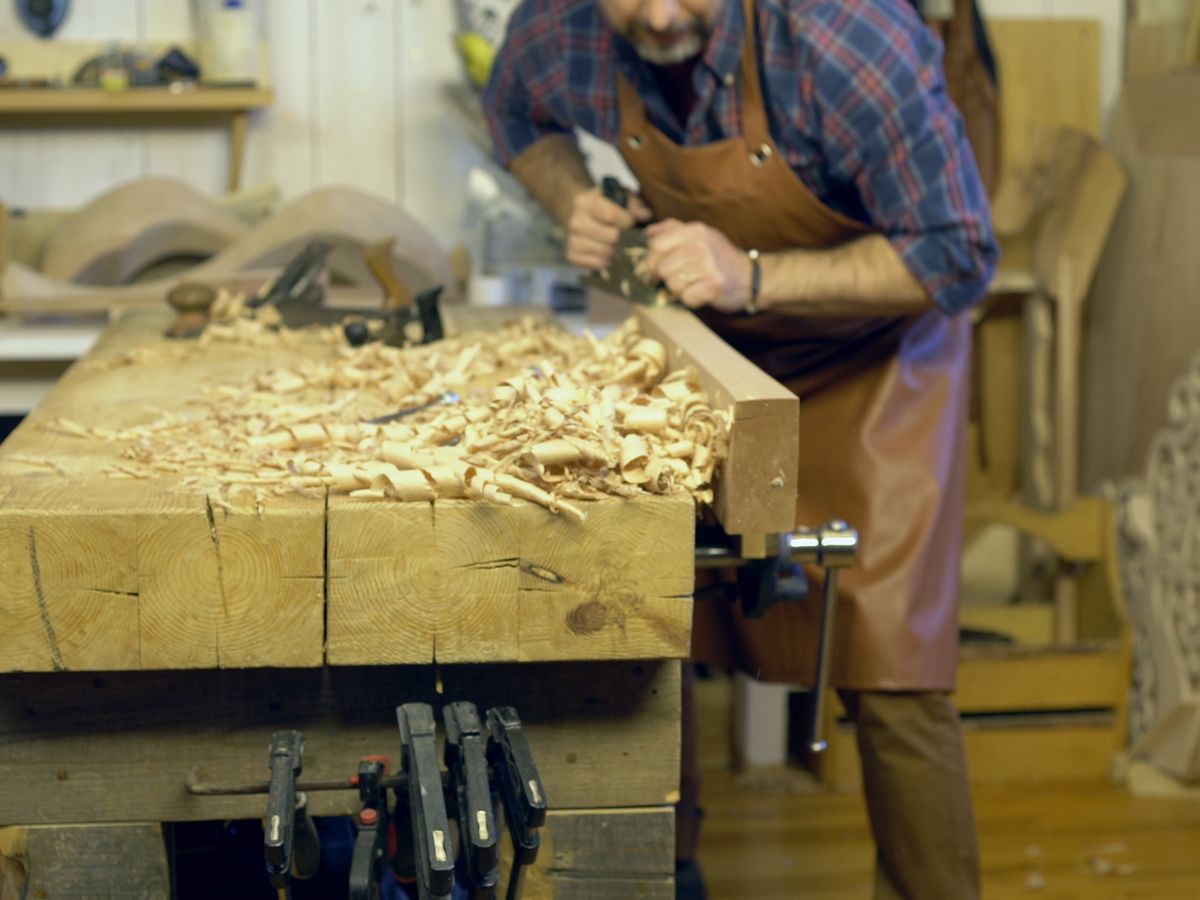
Build the quote from the species, finish and door style the customer chose, and let the price follow every change they make.
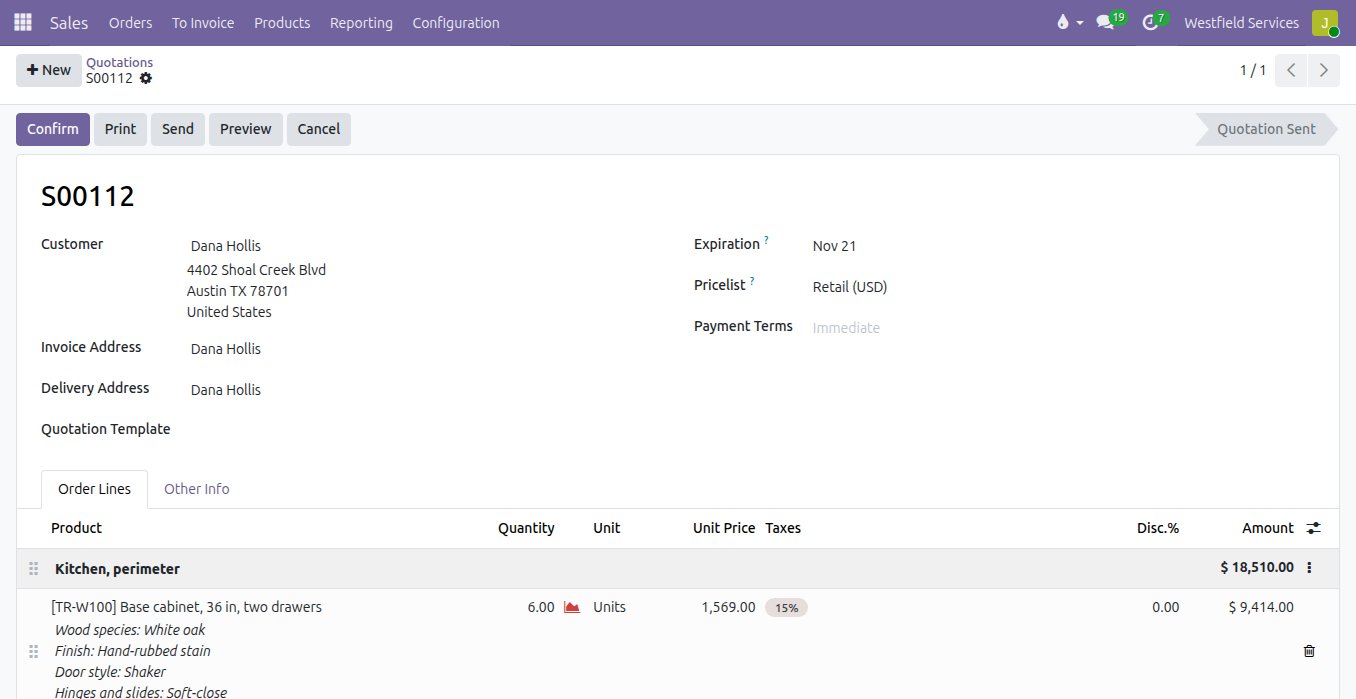
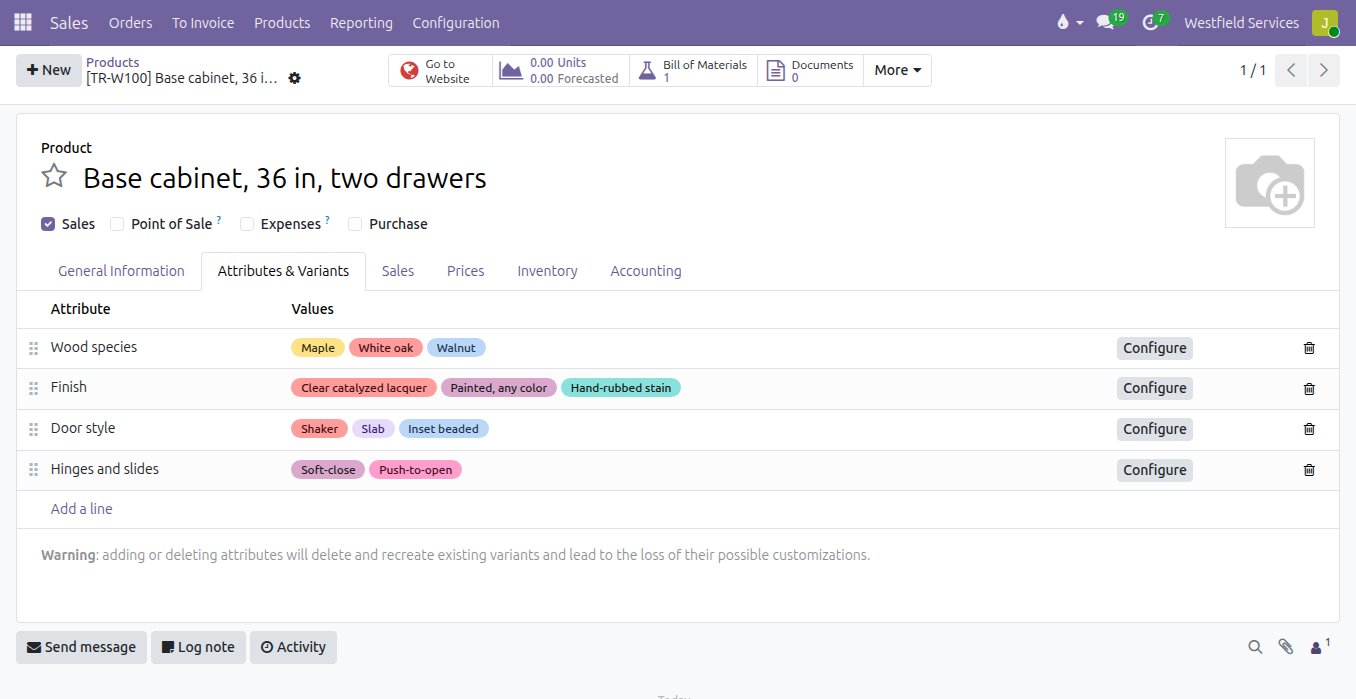
A kitchen quote has forty lines, and when the customer moves from maple to white oak or from slab doors to inset, someone reprices all of them with a calculator. Each cabinet is set up once with its options and what each one adds: the species, the finish, the door style, the hinges and slides. Picking an option on the quote prices the line, the options are printed on the quote so the customer sees exactly what they are buying, and the quote is grouped by room so a change to the pantry does not touch the island.
- Cabinets with their species, finish, door and hardware options
- The price of each option added as it is picked
- Quotes grouped by room, with the options printed on every line
- Design, measuring and installation on the same quote
Ask for the deposit with the quote, so the job is signed and paid for before you buy a single sheet of plywood.
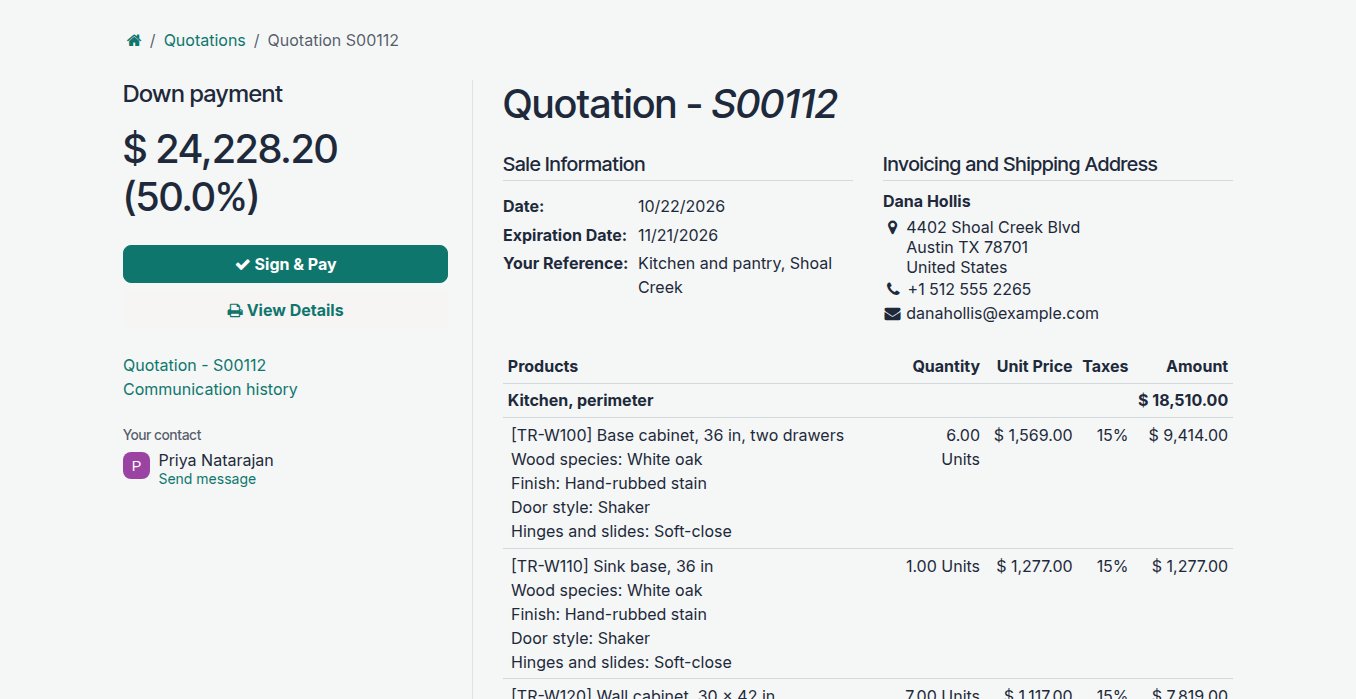
Chasing a deposit after a verbal yes is how a shop ends up holding materials for a kitchen the customer has gone quiet on. The quote goes out with the deposit you ask for, half or whatever you set, and the customer signs it and pays by card from the same page. The signed quote becomes the order, the deposit is on the books against it, and the balance is invoiced on delivery or installation with the deposit already taken off.
- A deposit percentage on every quote
- Signed and paid by the customer online, on one page
- Deposits recorded against the order they belong to
- The balance invoiced on installation, the deposit deducted
Order the sheet goods, lumber and hardware each confirmed job needs, from what is on the shelf and what your suppliers can deliver.
Running out of drawer slides halfway through a kitchen stops the bench, and ordering walnut for a job that has not paid its deposit ties up cash. Each cabinet has a bill of materials: the plywood, the lumber, the edge banding, the hinges, the slides and the finish. When a job is confirmed, the shop sees what it needs against what is in stock, and the rest goes on a purchase order to the supplier you buy it from, with their price and lead time, so the material arrives before the job reaches the saw.
- A bill of materials for every cabinet you build
- Materials checked against stock for each confirmed job
- Purchase orders to your suppliers with their prices and lead times
- Shop drawings and cut lists opened from the job at the bench
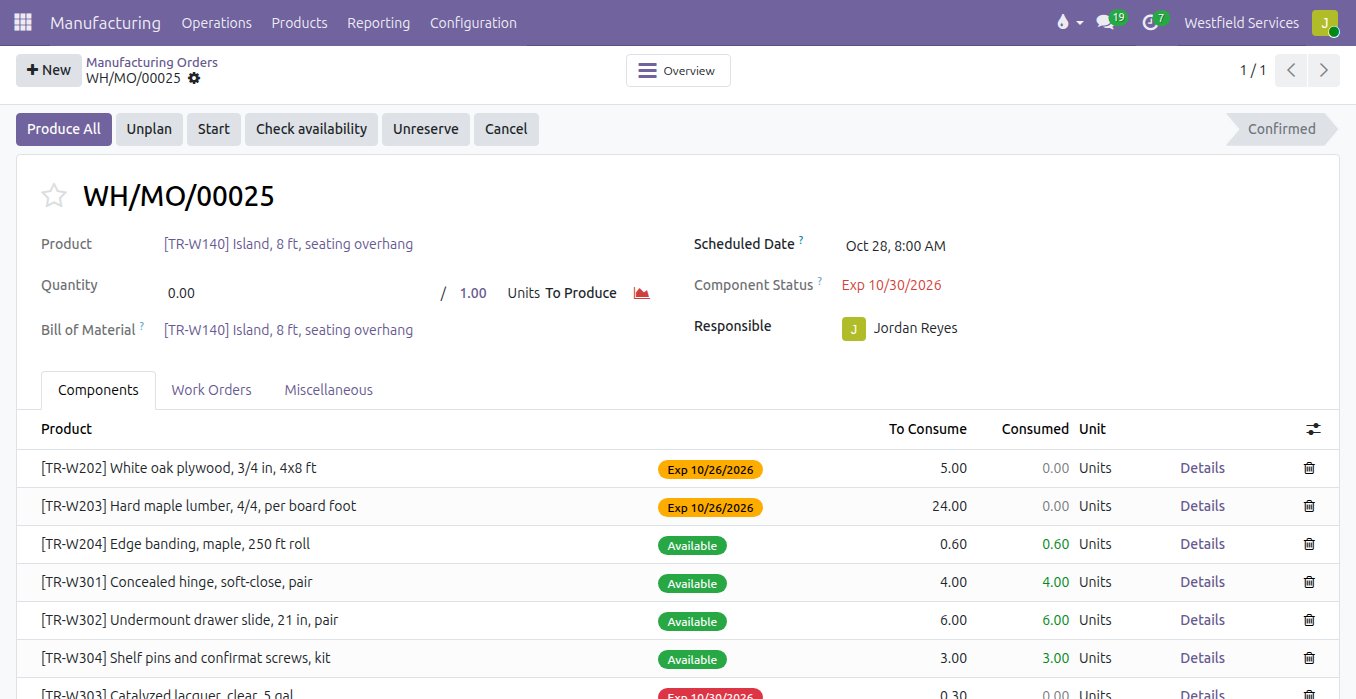
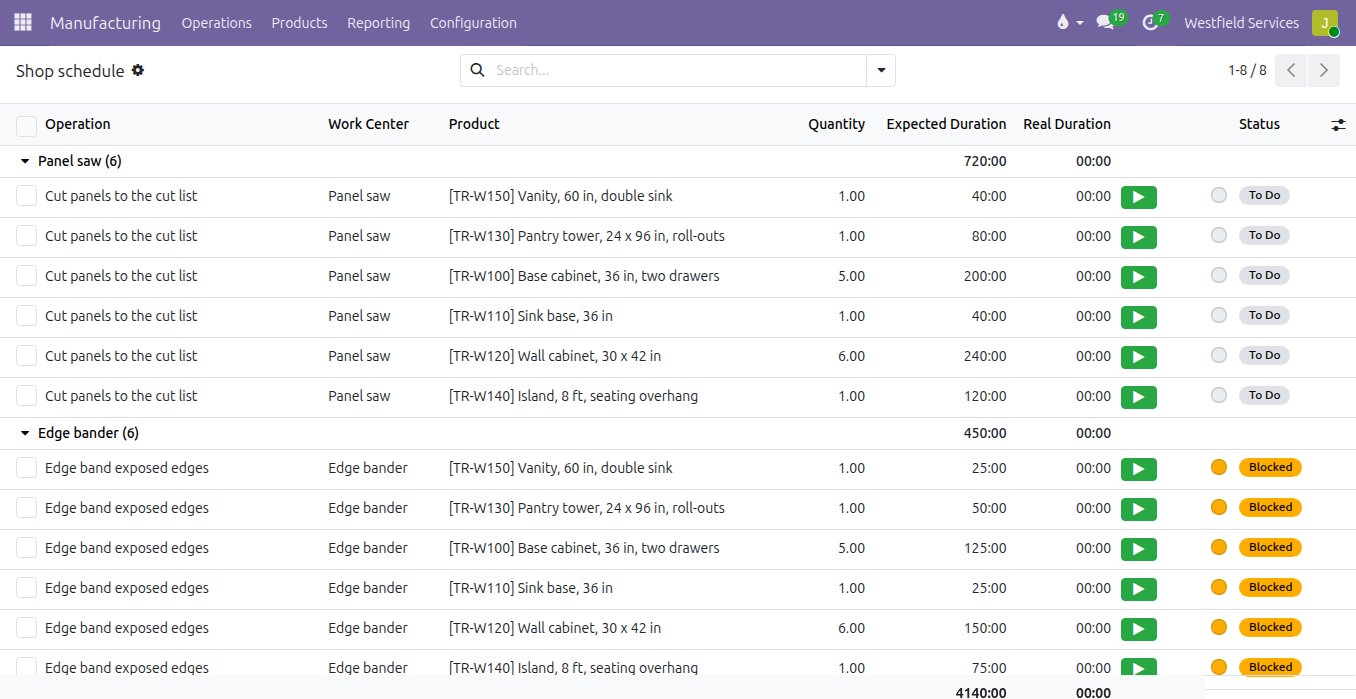
Run the shop from a schedule by work centre, so the install date you give a customer is one the shop can keep.
When the schedule lives on a whiteboard, the saw is idle one day and buried the next, and the install date is promised before anyone checks the spray booth. Each job's cabinets go through the same steps you already follow: cut, edge band, assemble, finish. Each step is planned on its work centre with the time it takes, so you can see the load on the saw and the booth for weeks ahead. Every order carries the customer's name, the crew records progress at the bench, and the installation is booked on the calendar once the finish has cured.
- Work orders by work centre, with the time each step takes
- The load on every machine and the booth, weeks ahead
- The customer and the order on every job in the shop
- Installations booked on the calendar with the crew
The apps and add-ons we would set up for a cabinet or furniture shop.
Odoo Community apps and modules from the Odoo Community Association, configured around how your shop builds.
Sales
Quotes built from cabinet options that price themselves, signed online with the deposit paid.
Odoo appManufacturing
A bill of materials and the shop steps for each cabinet, and work orders for every job.
Odoo appInventory
Sheet goods, lumber and hardware on hand, with what each job needs set aside for it.
Purchase
Orders to your hardwood and hardware suppliers with their prices and lead times.
Accounting
Deposits, balance invoices and the margin on every job.
Odoo appProject
Installations on a calendar with the crew and the site, and the punch list afterwards.
Sale MRP BOM
The bill of materials for a custom piece picked on the quote line, so the shop builds what was sold.
MRP Sale Info
The customer and the order on every manufacturing and work order in the shop.
MRP attachment management
Shop drawings and cut lists from the bill of materials, opened from the work order at the bench.
Related
Manufacturing
The bill of materials knows the lead time; the ship date is calculated.
See manufacturingSales
Quotes, orders, deliveries and invoices from one record, so nothing is typed twice.
See salesInventory
Accurate stock in every location, reordering that runs itself, lots you can trace.
See inventoryCustomer portals
Customers sign quotes, pay invoices and check on jobs themselves.
See customer portalsOther industries we set up
Software as a Service
Billing, books, logins, support and email behind your product, set up and connected.
See how we helpConstruction
Estimates, job costing, subcontractors, progress billing.
See how we helpManufacturing
Real lead times, known costs before you build, dates you can keep.
See how we helpWholesale and distribution
Purchasing, warehouses, deliveries, invoicing.
See how we helpSchedule a demo.
Tell us a little about your business and what you would like to see. We walk you through how this would work for a company like yours, at a time that suits you. The first conversation is free.