Let customers sign the quote, pay the invoice and check on the job themselves, without a call to your office.
The three questions customers email most are where the order is, what they owe and whether you can send that quote again, and each one costs someone in the office a reply. With a portal, the quote is a page they sign, the invoice is a page they pay, the job is a page that shows where it stands, and a request they type lands on your board as a ticket or a task. They sign in with a login of their own or the single sign-on their company already uses.
- Quotes signed in the browser, with the deposit paid
- Invoices paid online and matched when the money lands
- Job status and requests without a phone call
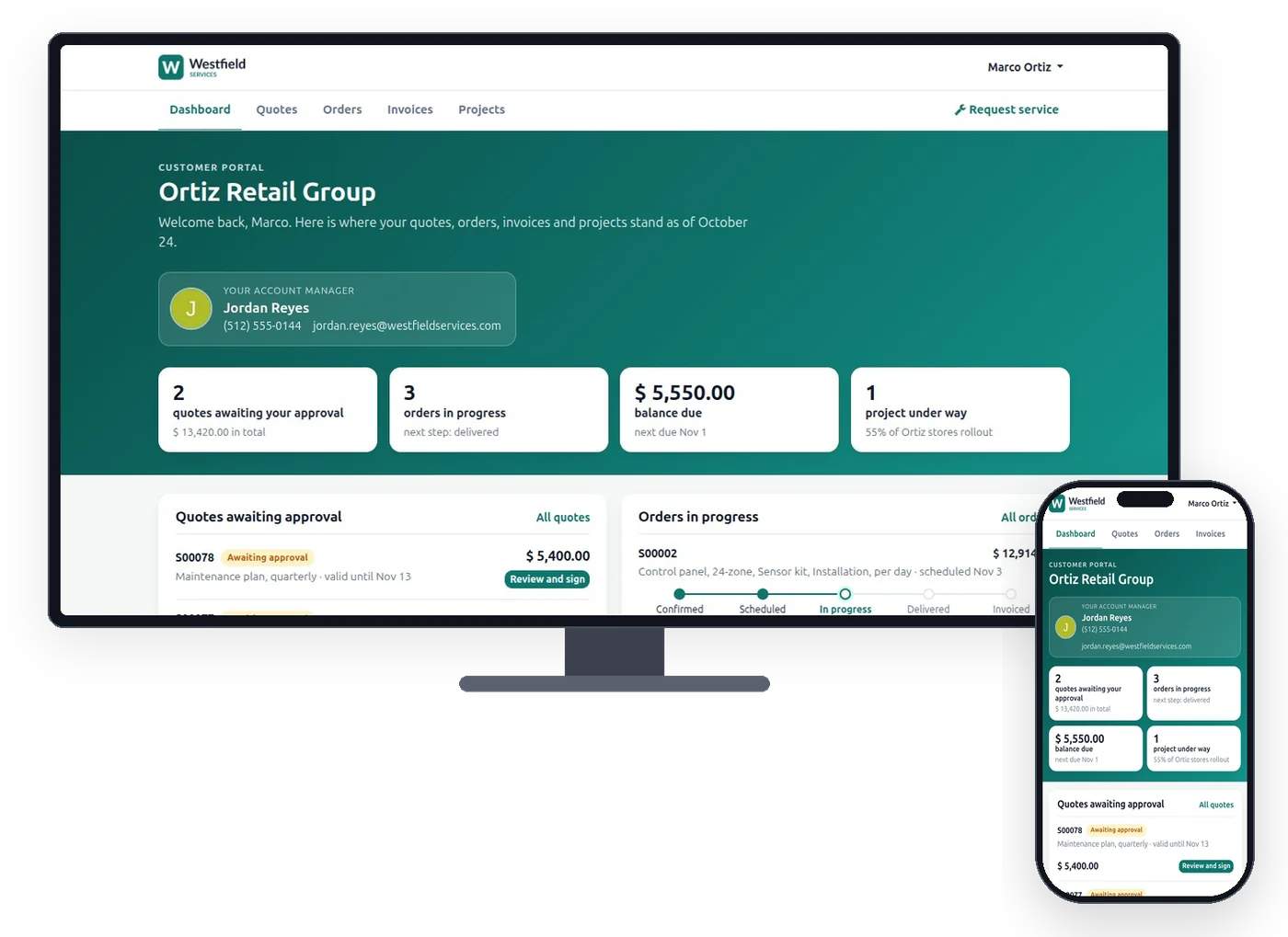
Everything a customer has with you is on one page of theirs, and whatever they do there lands on your record.
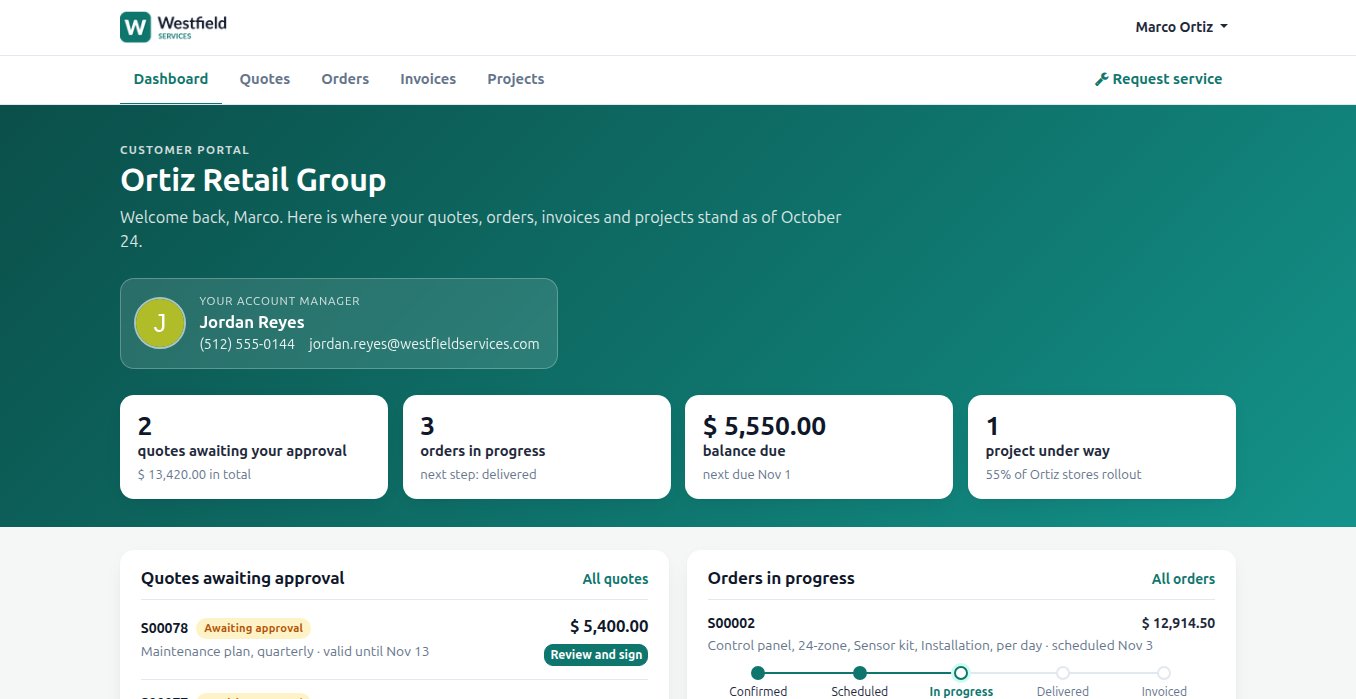
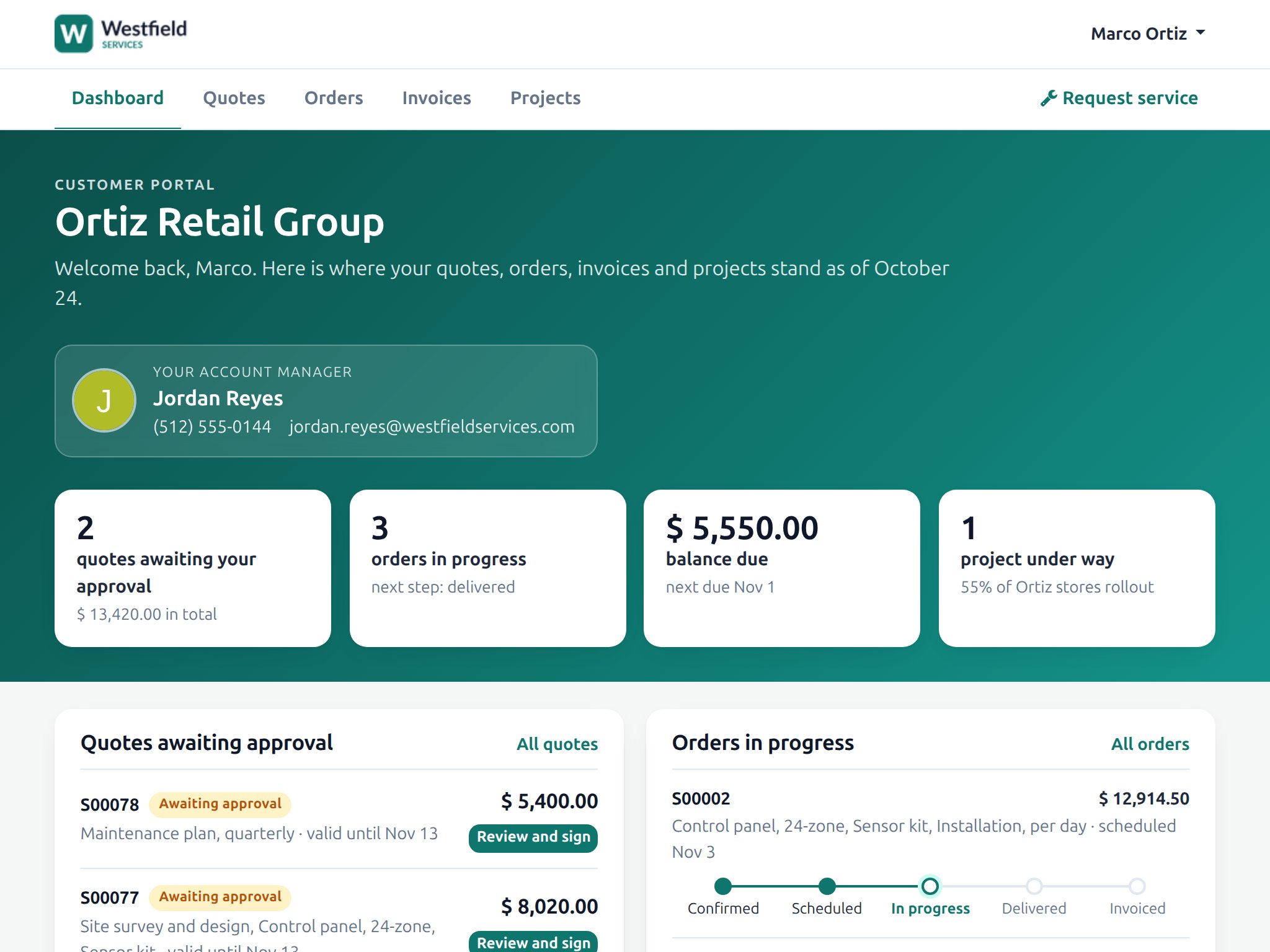
Customers do not want another email thread; they want to see where things stand. Their home page lists the quotes waiting for them, the orders in progress, what they owe and the projects under way, with their account manager's name and number. Delivery notes, certificates and past invoices are there to download whenever their own accounts team asks. A project shows the stages, what was approved and what has been invoiced, as it stands right now, and every message they send from a page lands on the record it is about.
- Quotes, orders, invoices and projects on one page of theirs
- Documents to download without asking for a copy
- Messages that land on the record they are about
- The job as it stands today, with no update email to write
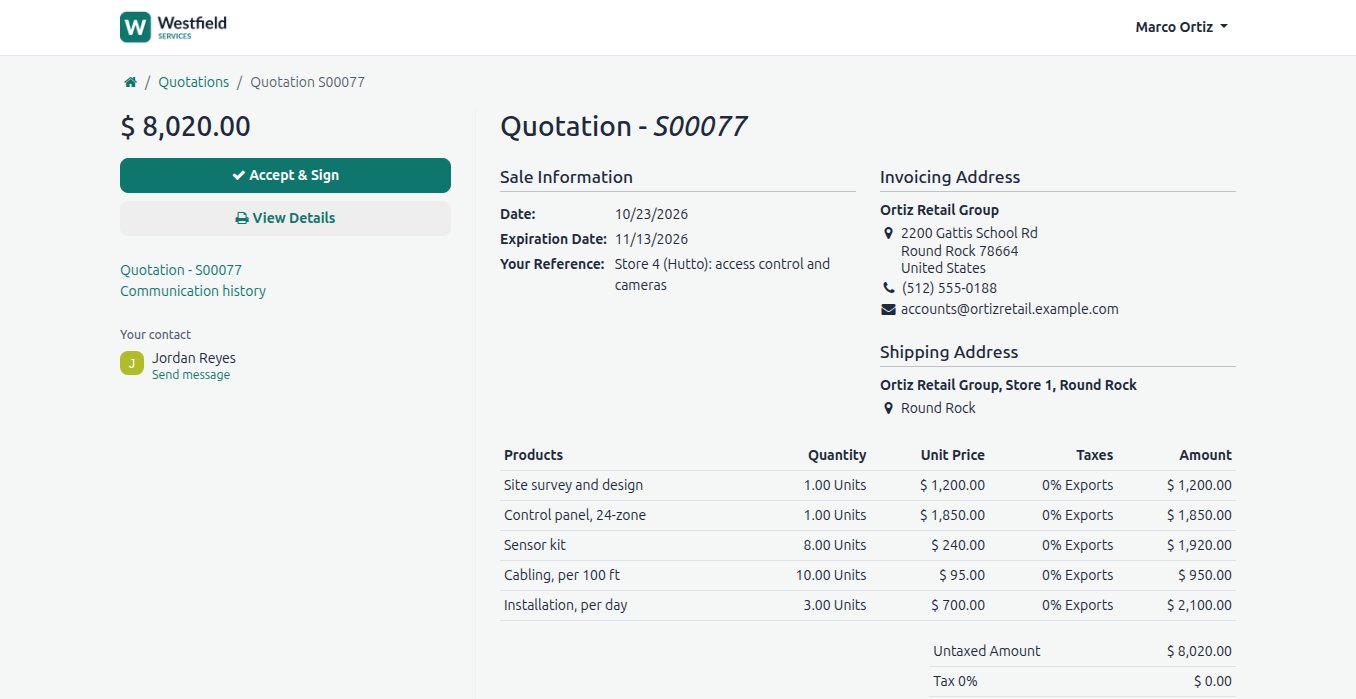
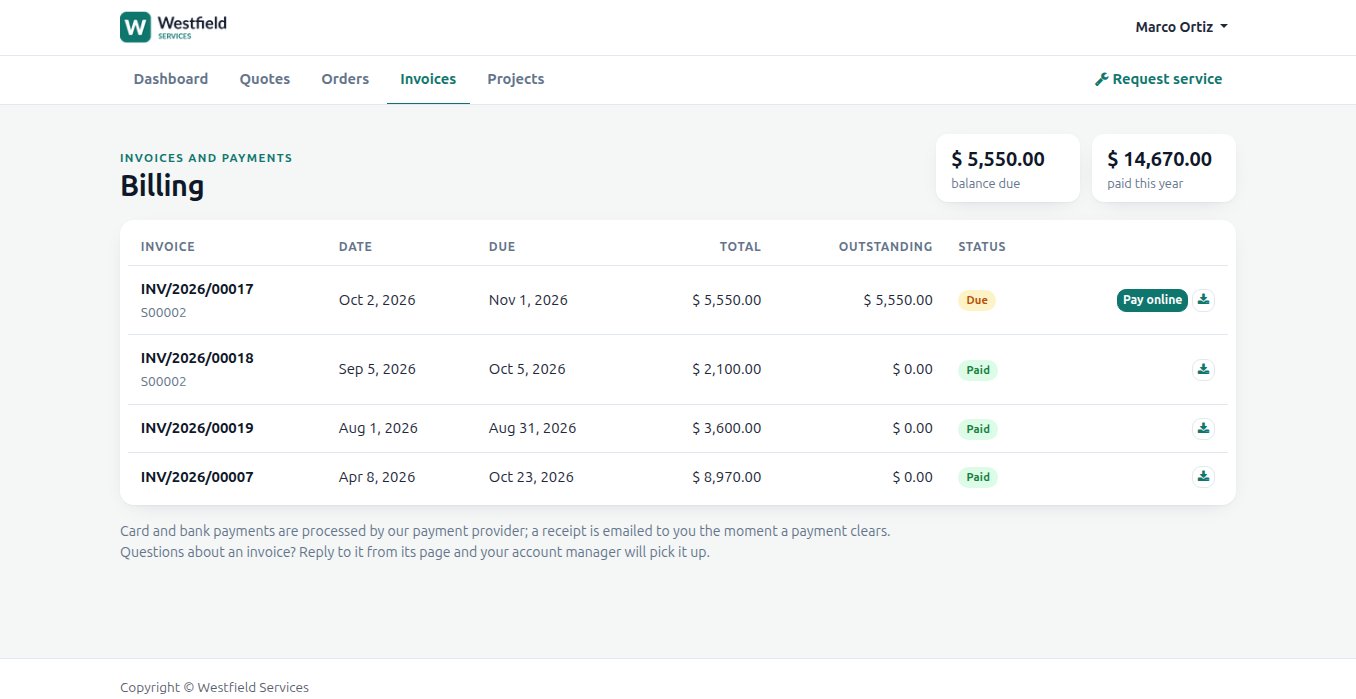
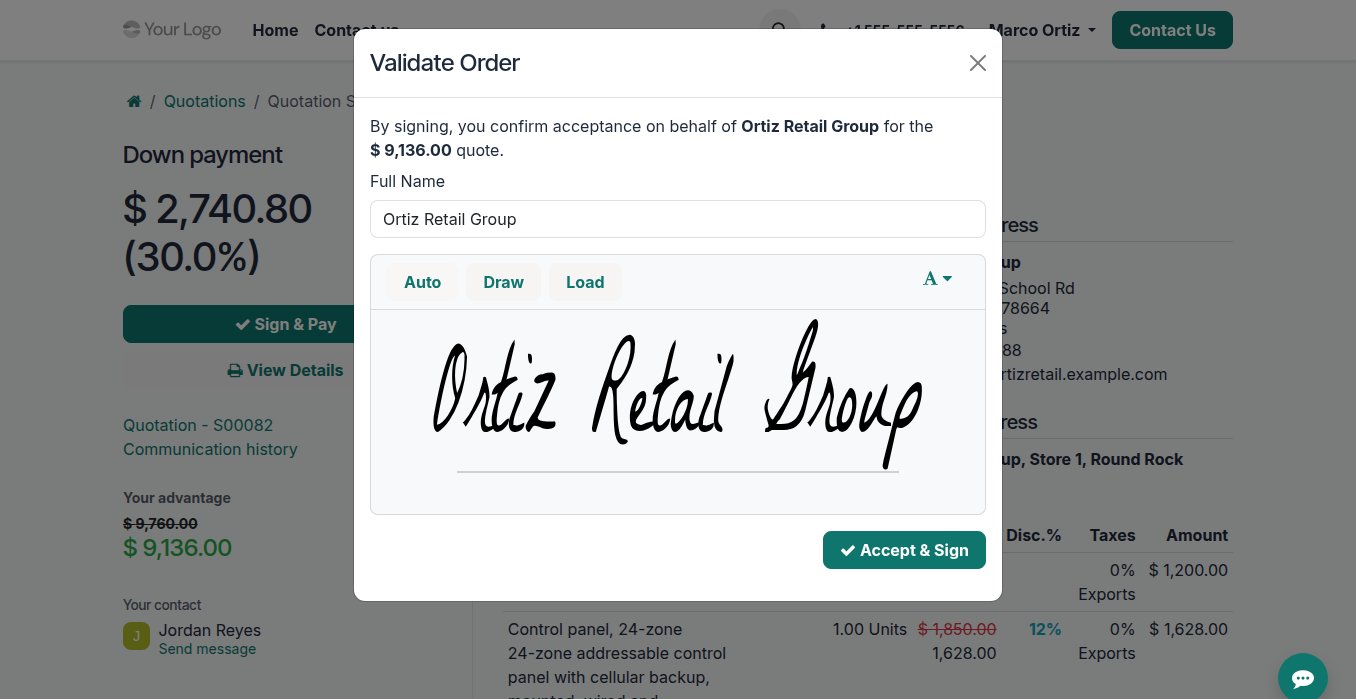
Turn a yes into a signed order and a paid deposit before the customer has closed the tab.
A quote that has to be printed, signed, scanned and returned loses a week, and the deposit takes another. On the portal the quote opens with the lines, the discounts shown as savings and the extras they can add, and accepting it is a signature drawn or typed in the browser followed by the down payment by card or bank transfer. The signed quote is the order on your side, with the name and the date on it, and the payment is recorded against it. Invoices work the same way: a button to pay, a receipt sent automatically, and the payment matched in your books.
- A signature drawn or typed in the browser, kept on the order
- A down payment taken in the same step
- Extras the customer adds themselves before signing
- Invoices paid from the page and matched on your side
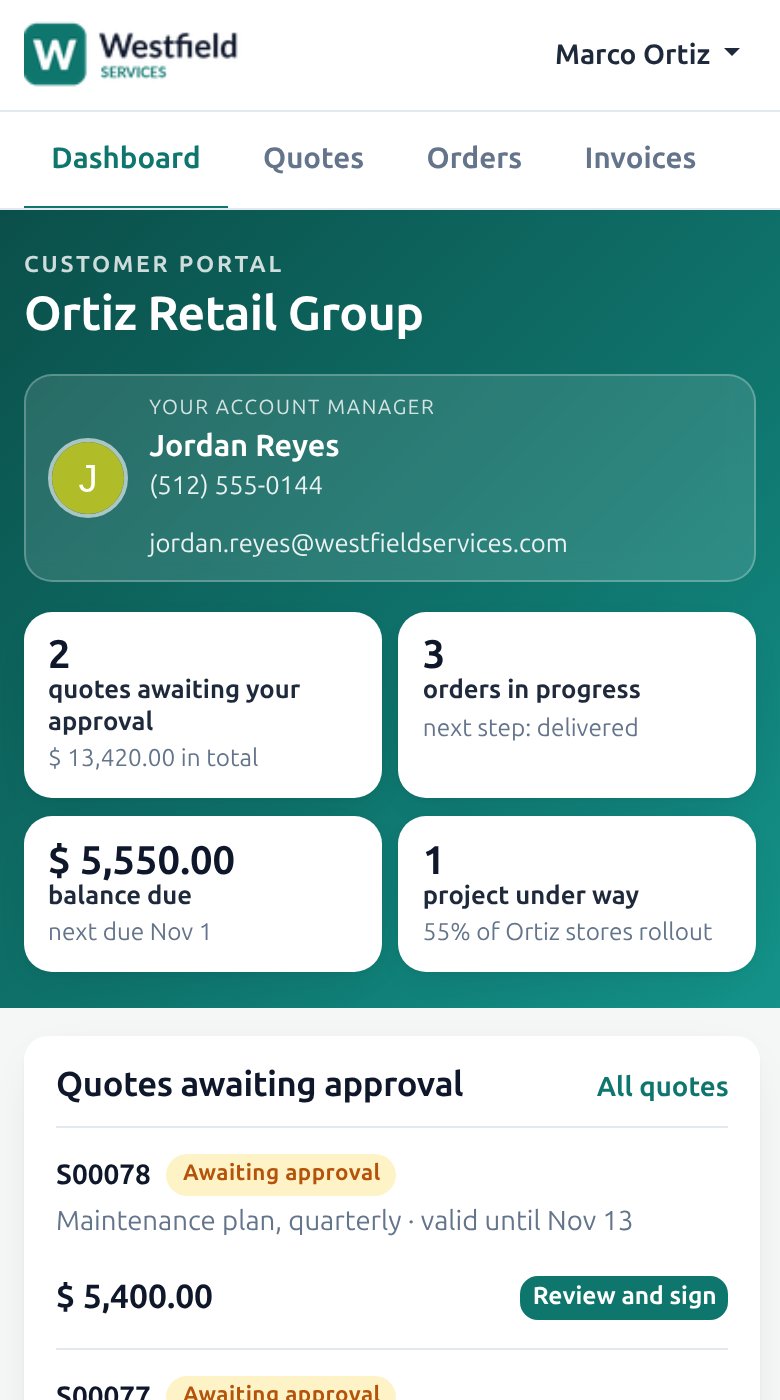
The link in the email opens on any device, so a quote gets signed on a phone and an invoice paid from a tablet.
Your customer is on site, in a meeting or in the truck when the quote arrives. The portal is the same page on a desk, a tablet and a phone, with nothing to install: the link in the email opens the quote on whatever is in their hand, the signature works with a finger, and the invoice pays with the card they have saved. For your customers it is a web page that works. For you it is the record, updated the moment they act.
- A link in the email that opens the page, with no app to install
- Signed with a finger, paid with a saved card
- The same record updated, whatever device they used
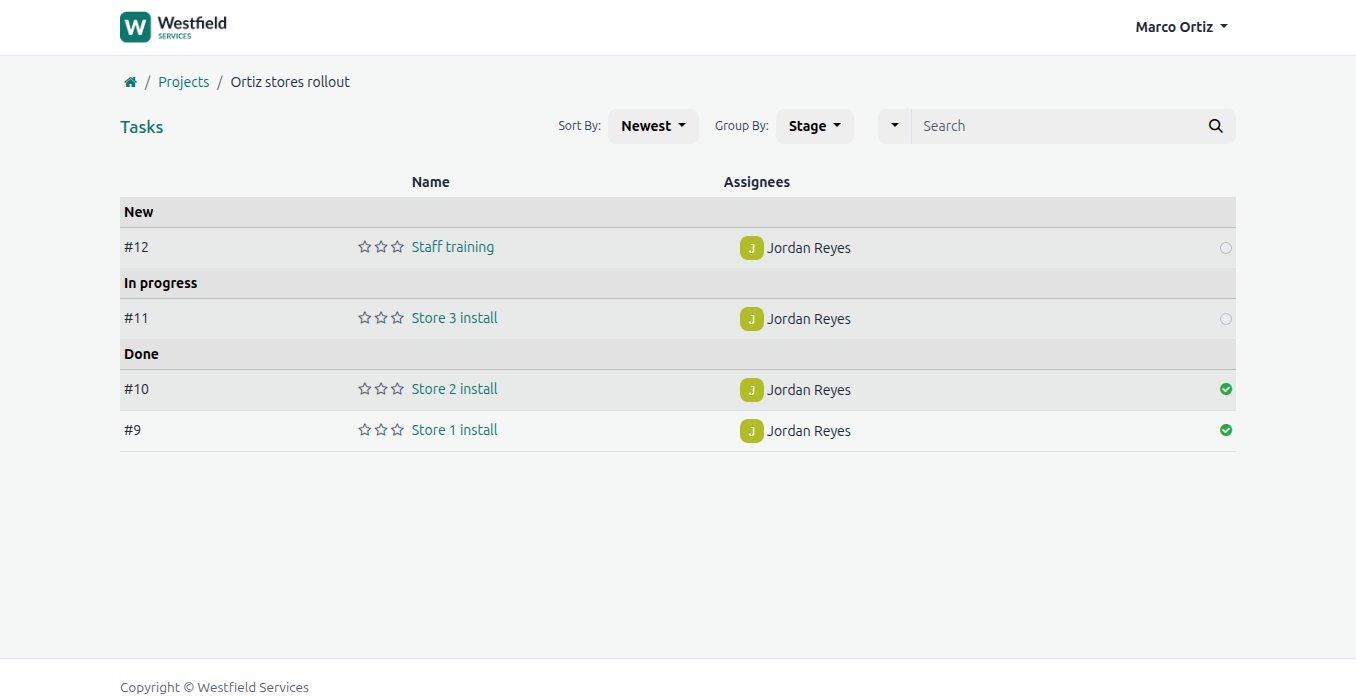
Stop the email thread before it starts: the request lands on your board with the customer and the site already attached.
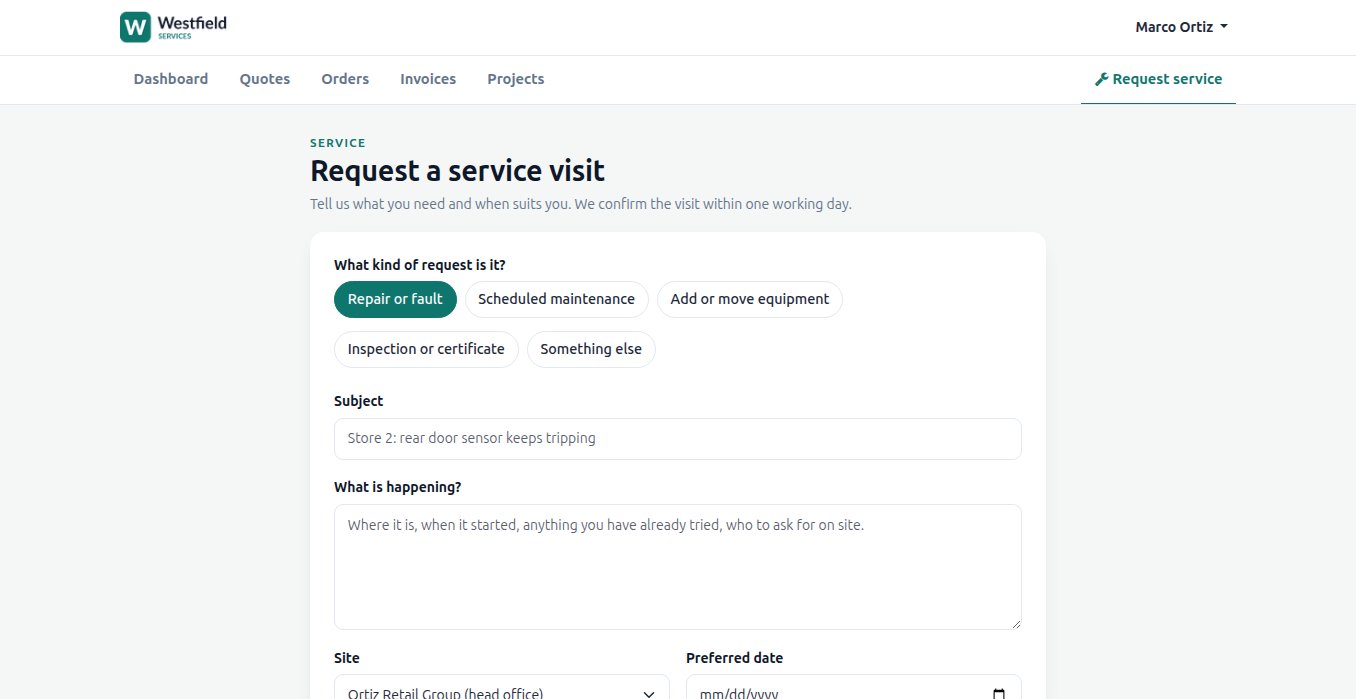
A request by email starts a thread: which site, which machine, when did it happen, can you send a photo. The request form on the portal asks for those up front, and it lands as a ticket or a task with the customer already attached, in the stage you choose, assigned by the rules you set and held to the response time you promised. The customer watches it move from received to scheduled to done, can close it themselves when it is solved, and nobody has to write the update email.
- The details you need to act, asked up front
- A ticket or task with the customer and the site attached
- Status visible to the customer as it moves
What it is for
The questions that used to be phone calls, answered on a page.
Online quotes
Options to take or leave, a signature in the browser and the deposit paid. The signed quote is the order, with the date and the name on it.
Online payments
Card or bank transfer from the invoice page, the payment matched when it lands and the receipt sent automatically.
Project status
Stages, approvals, documents and what has been invoiced, from the live project, so nobody has to ask.
Service requests
A form on the portal becomes a ticket or a task on your board, with the customer and the site already filled in and the status visible to them.
Documents
Delivery notes, certificates and past invoices to download whenever they need a copy.
Their own login or SSO
An account per contact with their own password, or sign-in through the identity provider their company already uses.
Your brand
Your name, your colours and your domain, with nothing on the page that says which software is underneath.
Related
Sales
Quotes, orders, deliveries and invoices from one record, so nothing is typed twice.
See salesCustomer support
Live chat and tickets with the customer's history beside them.
See customer supportSoftware as a Service
The back office behind the product: subscriptions, sign-on, support, email.
See the SaaS setupCustom software and portals
Portals for customers, partners and suppliers, with proper access control, branded as yours.
On the services pageSchedule a demo.
Tell us a little about your business and what you would like to see. We walk you through how this would work for a company like yours, at a time that suits you. The first conversation is free.